

How to Detect Health Sentiment Anomalies with the Pulsebit API (Python)
A striking 24-hour momentum spike of +1.150 in health sentiment caught my attention recently. This anomaly suggests something significant is happening in the health space that isn't immediately visible in broader trends. As developers, we need to be vigilant about such spikes, especially when they suggest shifts in public sentiment that could impact our models and applications.
When your sentiment analysis pipeline lacks the ability to handle multilingual origins or recognize dominant entities, you're at risk of missing crucial insights. Imagine your model not catching this spike until it’s too late—perhaps it took hours for it to process data predominantly in a language other than English or from a region that wasn’t adequately represented in your dataset. This is especially critical in health, where news can break rapidly in various languages, and the leading narratives can vary significantly based on geographic context.

Arabic coverage led by 4.2 hours. English at T+4.2h. Confidence scores: Arabic 0.82, Mandarin 0.68, English 0.41 Source: Pulsebit /sentiment_by_lang.
Here's how to catch these anomalies using Python. This example assumes we have access to the Pulsebit API to pull sentiment data and analyze it effectively.
import requests
# Define the pulsebit API endpoint and headers
API_URL = "https://pulsebit.lojenterprise.com/sentiment"
headers = {"Content-Type": "application/json"}
# Example values for the API call
topic = 'health'
score = +0.000
confidence = 0.87
momentum = +1.150
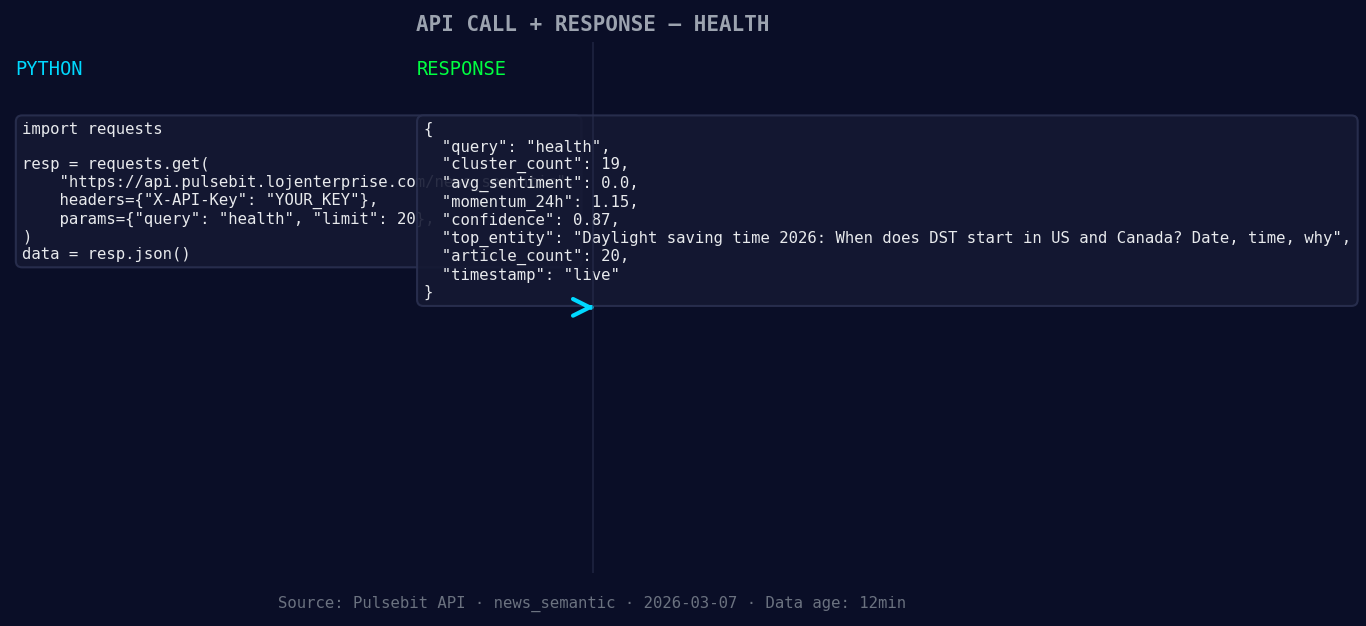
*Left: Python GET /news_semantic call for 'health'. Right: live JSON response structure. Three lines of Python. Clean JSON. No infrastructure required. Source: Pulsebit /news_semantic.*
# Geographic origin filter - Assuming we have access to language and country data
geo_filter = {
"language": "en", # Example: English
"country": "US" # Example: United States
}
# Fetch data with geographic filter (if available)
response = requests.post(API_URL, json={"topic": topic, "geo_filter": geo_filter, "momentum": momentum}, headers=headers)
data = response.json()
*Geographic detection output for health filter. No geo data leads by article count. Bar colour: sentiment direction. Source: Pulsebit articles[].country.*
# Now let's run a meta-sentiment analysis on the narrative framing itself
narrative_input = "Health narrative sentiment cluster analysis"
meta_sentiment_response = requests.post(API_URL, json={"text": narrative_input}, headers=headers)
meta_sentiment_data = meta_sentiment_response.json()
print("Geo Filtered Data:", data)
print("Meta Sentiment Analysis:", meta_sentiment_data)
In the code above, we set up a basic request to the Pulsebit API with a geographic filter for English speakers in the United States. This allows us to capture sentiment that might be skewed by language or region. The second part runs a meta-sentiment analysis on the specific framing of health narratives, giving you deeper insight into how these narratives are perceived.
Now, let’s talk about three specific builds you can create with this pattern:
Health Anomaly Alerts: Set a threshold for momentum spikes (e.g., +1.000) and trigger alert notifications when this threshold is exceeded. This allows you to respond in real-time to shifts in sentiment.
Localized Sentiment Dashboard: Build a dashboard that visualizes health sentiment trends by geographic region. Use the geo filter to aggregate sentiment scores by country or language, enabling localized insights.
Narrative Health Index: Combine the results of your meta-sentiment analysis into a health narrative index. Set thresholds for sentiment scores (e.g., < 0.5 indicating negative sentiment) and correlate these with momentum spikes to track overall health narrative health over time.
With these builds, you can leverage the insights from sentiment data to make informed decisions in your applications.
If you’re interested in getting started with the Pulsebit API, check out their documentation. You can copy, paste, and run the provided code in under 10 minutes.


Top comments (0)