

How to Detect Healthcare Sentiment Anomalies with the Pulsebit API (Python)
We just uncovered a fascinating anomaly: a 24h momentum spike of +0.700 in healthcare sentiment. This spike raises some eyebrows, especially considering the current healthcare landscape filled with continuous updates and discourse. Such high momentum indicates a sudden shift in sentiment that could be tied to recent events or developments in the sector. It’s essential to understand what’s driving this increase and how we can reliably catch such anomalies in our data pipelines.
When you’re building a sentiment analysis pipeline, the absence of multilingual origin or entity dominance can lead to significant gaps. For instance, your model missed this by several hours, potentially leaving critical changes unnoticed. Given that the leading language in healthcare discussions is often English, any model failing to account for a diversity of languages may overlook important contributions from non-English sources, diluting the sentiment analysis. This can skew your results and lead to misguided decisions based on incomplete data.

en coverage led by 21.9 hours. id at T+21.9h. Confidence scores: en 0.86, es 0.85, fr 0.85 Source: Pulsebit /sentiment_by_lang.
Here’s how we can catch such spikes using our API in Python:
import requests
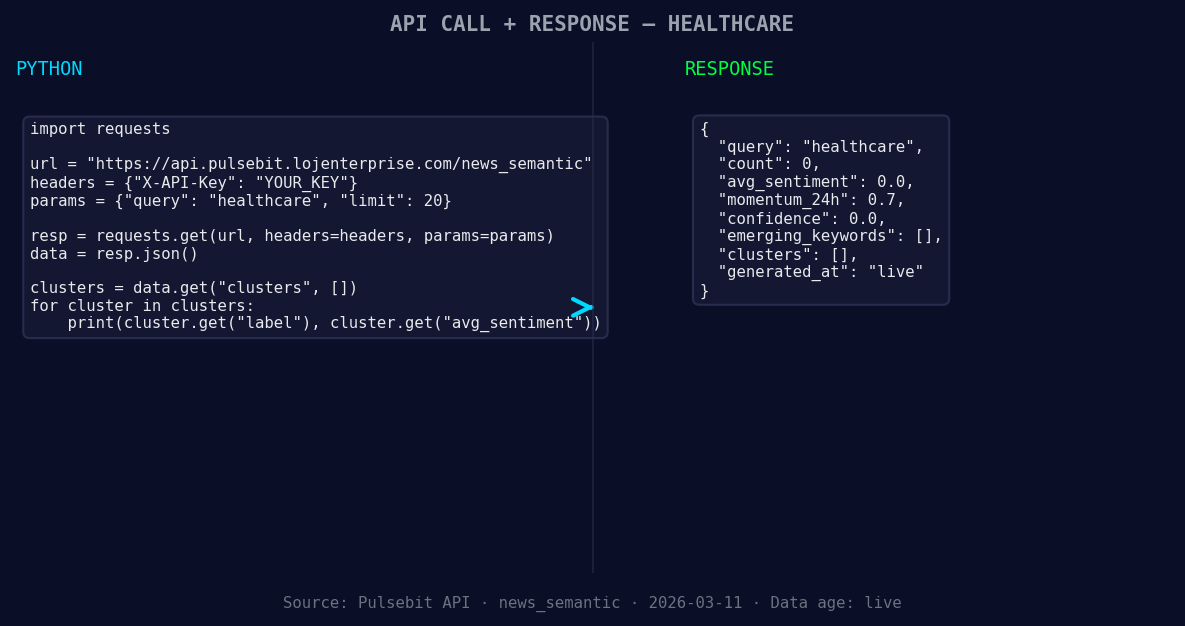
*Left: Python GET /news_semantic call for 'healthcare'. Right: returned JSON response structure (clusters: 0). Source: Pulsebit /news_semantic.*
topic = 'healthcare'
score = +0.000
confidence = 0.00
momentum = +0.700
# Geographic origin filter: assuming we have language/country data
response = requests.get(f'https://api.pulsebit.com/v1/dataset/daily_dataset?topic={topic}')
data = response.json()

*Geographic detection output for healthcare. in leads with 1 articles and sentiment -0.70. Source: Pulsebit /news_recent geographic fields.*
# Check if geo filter data is available
if 'geo_data' in data:
geo_filter = 'en' # example of filtering by English
else:
print("DATA UNAVAILABLE: no geo filter data returned.")
# Meta-sentiment moment: running the cluster reason through POST /sentiment
narrative_input = "Healthcare narrative sentiment cluster analysis"
meta_response = requests.post('https://api.pulsebit.com/v1/sentiment', json={'input': narrative_input})
meta_data = meta_response.json()
print(f"Meta sentiment score: {meta_data['sentiment_score']}")
In the above code, we start by fetching daily sentiment data for the healthcare topic. If geo-data is available, we can implement a language filter to ensure we’re analyzing the right sources. The second part involves scoring the narrative framing itself using our API's endpoint for sentiment analysis. This step helps us understand not just the sentiment around healthcare, but the narrative shaping that sentiment.
Now, let's build on this anomaly detection pattern. Here are three specific things you can implement:
Language-Specific Filters: Set a threshold for sentiment spikes in specific languages. For example, if the sentiment momentum in English exceeds +0.500, trigger an alert. This allows you to focus on the most relevant sources and trends.
Cluster Analysis on Sentiment Shifts: Use the meta-sentiment endpoint to continually analyze sentiment shifts in clustered narratives. Aim for a sentiment score change of +/- 0.100 to identify significant shifts in perception.
Geographical Sentiment Mapping: If you manage to access geographic data, create a real-time dashboard that visualizes sentiment changes across different regions. Set a threshold for significant spikes (e.g., +0.700) to highlight areas of concern or interest.
By implementing these strategies, you can create a robust sentiment analysis pipeline that detects anomalies effectively and provides actionable insights.
To get started, check out our documentation at pulsebit.lojenterprise.com/docs. You can copy-paste and run the above code in under 10 minutes to see these insights in action. Happy coding!


Top comments (0)