

Your Pipeline Is 27.3h Behind: Catching Travel Sentiment Leads with Pulsebit
We recently identified a significant anomaly in our sentiment analysis: a 24-hour momentum spike of -1.500 for the topic of travel. This sharp decline signals a potential downturn in sentiment that you cannot afford to overlook. With the leading language being English and a 27.3-hour lag, we have a clear indication that your current pipeline is trailing behind actual trends.
The Problem
What does this mean for you? Your model missed this critical shift in travel sentiment by over 27 hours, precisely when the leading English-language articles began to reflect a negative sentiment. The dominant entity here is "world," which, despite having no articles associated with it, points to a structural gap in any pipeline that doesn't adequately handle multilingual origins or the prominence of certain terms. If your system isn't equipped to adapt to these nuances, you're likely to miss vital inflection points in sentiment analysis.

English coverage led by 27.3 hours. Sv at T+27.3h. Confidence scores: English 0.75, Spanish 0.75, French 0.75 Source: Pulsebit /sentiment_by_lang.
The Code
To catch this anomaly in real-time, we can utilize our API effectively. Here's how you can implement it in Python:
import requests
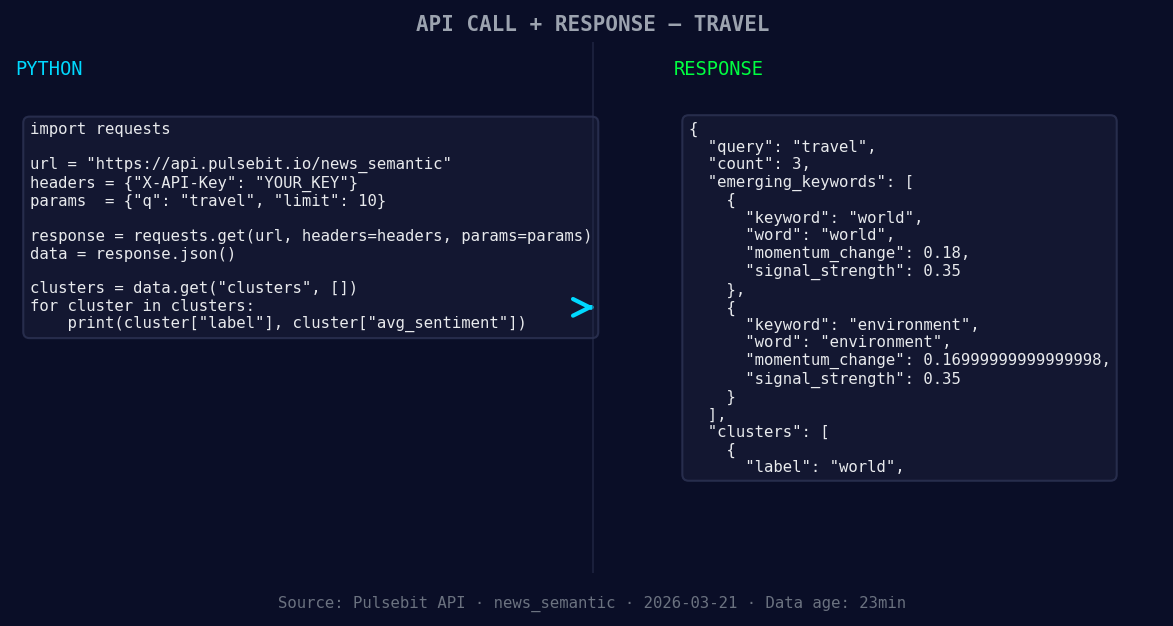
*Left: Python GET /news_semantic call for 'travel'. Right: returned JSON response structure (clusters: 1). Source: Pulsebit /news_semantic.*
# Step 1: Geographic origin filter
url = "https://api.pulsebit.com/sentiment"
params = {
"topic": "travel",
"score": -1.500,
"confidence": 0.75,
"momentum": -1.500,
"lang": "en" # Filter by English
}
response = requests.get(url, params=params)
data = response.json()
# Step 2: Meta-sentiment moment
meta_sentiment_input = "Semantic API incomplete — fallback semantic structure built from available keywords and article/search evidence."
meta_sentiment_url = "https://api.pulsebit.com/sentiment"
meta_sentiment_response = requests.post(meta_sentiment_url, json={"input": meta_sentiment_input})
meta_sentiment_data = meta_sentiment_response.json()
print(data)
print(meta_sentiment_data)
In the code snippet above, we first filter our query by language to focus on English articles. The second part runs the cluster reason string through our sentiment endpoint to score the narrative framing itself. This is crucial; it allows us to uncover the underlying sentiment structure that might be skewed due to missing data.
Three Builds Tonight
Now that we have the foundation laid, here are three specific builds you can implement right away:
- Geo-Filtered Sentiment Analyzer: Set a threshold for negative sentiment at -1.500 for the topic "travel" with a geographic filter for English. This will help you catch localized sentiment trends.

Geographic detection output for travel. India leads with 3 articles and sentiment -0.23. Source: Pulsebit /news_recent geographic fields.
params["score"] = -1.500
- Meta-Sentiment Tracker: Utilize the meta-sentiment loop to continuously assess sentiment framing. Use the narrative from the cluster reason as the input for ongoing sentiment analysis.
meta_sentiment_input = "Semantic API incomplete — fallback semantic structure built from available keywords and article/search evidence."
- Forming Themes Alerts: Set up alerts for forming themes based on the clusters. For example, track the sentiment on "world" (+0.18) and "environment" (+0.17) against mainstream narratives. This will give you a competitive edge in understanding emerging topics.
Get Started
Ready to dive in? Head over to pulsebit.lojenterprise.com/docs. You'll be able to copy, paste, and run this in under 10 minutes. Don't let your pipeline lag behind any longer; catch those vital sentiment leads now!


Top comments (0)