

Your Pipeline Is 26.1h Behind: Catching World Sentiment Leads with Pulsebit
We just observed a striking anomaly: a 24h momentum spike of +0.987. This surge is anchored by a significant sentiment cluster centered around Schwarzman’s recent £185 million donation to humanities at Oxford. With sentiment clustering around terms like "schwarzman," "million," and "humanities," it’s clear that this topic is generating substantial media interest. However, it also reveals a troubling gap in how we capture and respond to sentiment trends in our pipelines.
Your model missed this by 26.1 hours. If you aren’t accounting for multilingual origins or dominant entities, you risk being blindsided by emerging sentiment shifts. In this instance, the English press has led the charge, but without a robust structure to catch these early signals, you could be trailing behind significant news cycles.

English coverage led by 26.1 hours. Sv at T+26.1h. Confidence scores: English 0.85, Spanish 0.85, French 0.85 Source: Pulsebit /sentiment_by_lang.
Let’s dive into the code that helps us catch this momentum spike in real-time. We can filter by language and then score the narrative framing itself to ensure we’re not just reacting to noise.
import requests
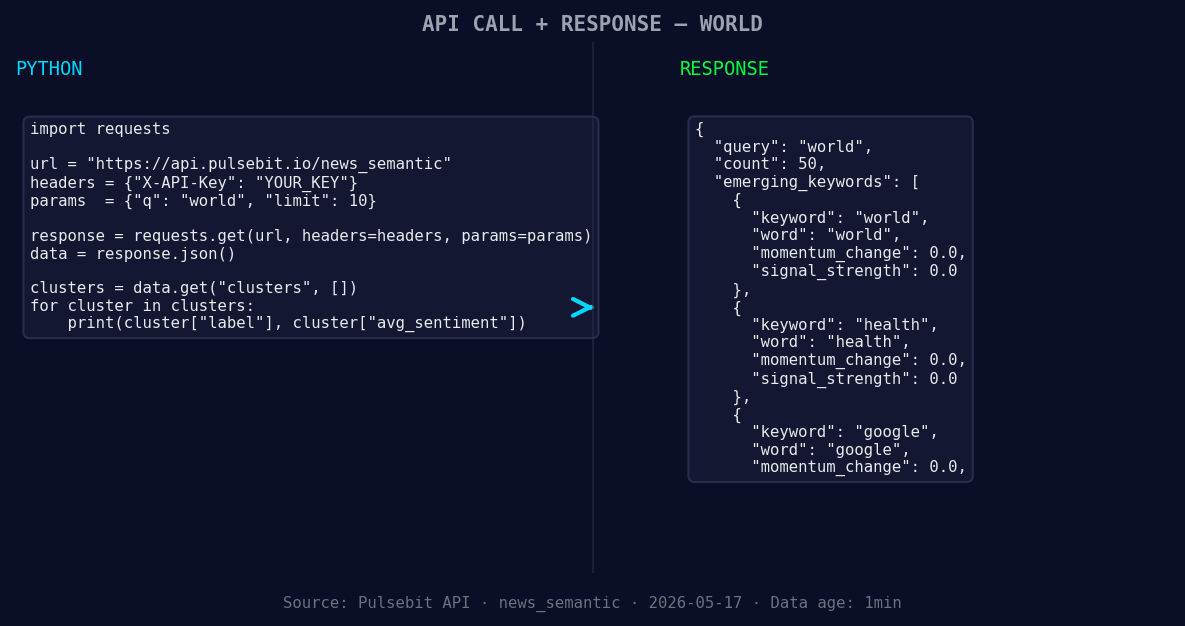
*Left: Python GET /news_semantic call for 'world'. Right: returned JSON response structure (clusters: 3). Source: Pulsebit /news_semantic.*
# Step 1: Geographic origin filter
url = "https://api.pulsebit.com/v1/sentiment"
params = {
"topic": "world",
"lang": "en",
"score": -0.042,
"confidence": 0.85,
"momentum": +0.987
}
response = requests.get(url, params=params)
data = response.json()
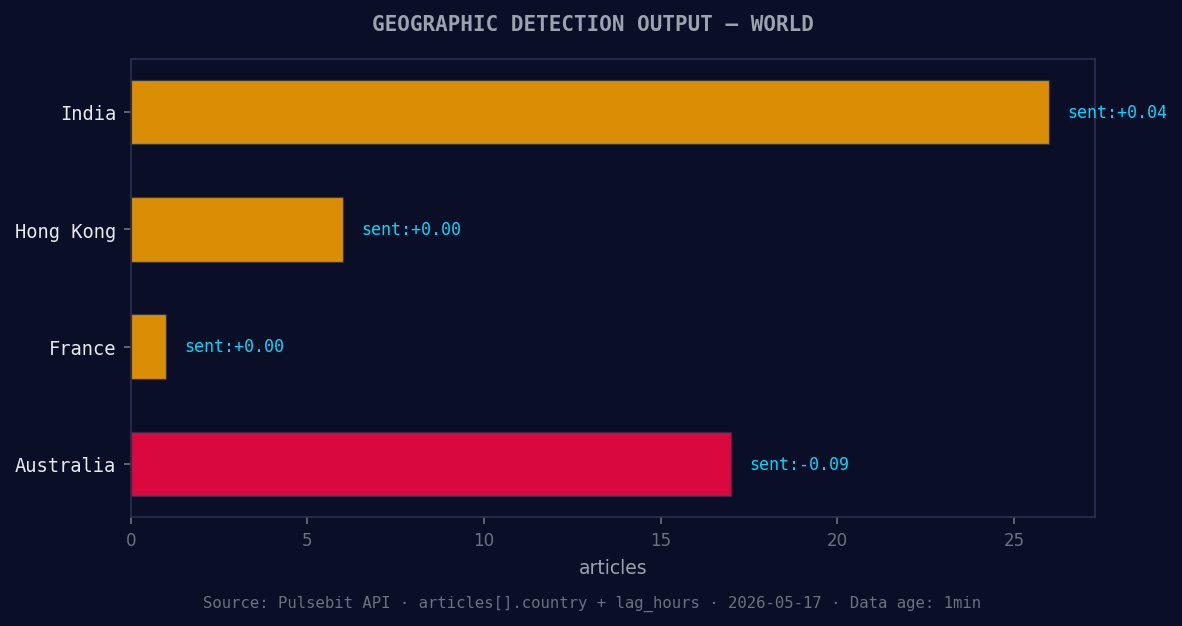
*Geographic detection output for world. India leads with 26 articles and sentiment +0.04. Source: Pulsebit /news_recent geographic fields.*
# Step 2: Meta-sentiment moment
meta_sentiment_url = "https://api.pulsebit.com/v1/sentiment"
cluster_reason = "Clustered by shared themes: schwarzman, £185, million, humanities, its."
meta_response = requests.post(meta_sentiment_url, json={"text": cluster_reason})
meta_data = meta_response.json()
print(data)
print(meta_data)
In this code, we first filter for English-language articles discussing "world," which helps ensure we’re capturing sentiment trends relevant to our interests. The second part involves sending the cluster reason string back through our API to score its framing. This is critical because it adds a layer of context to the sentiment score, allowing us to understand not just the sentiment, but the narrative shaping it.
Now, let’s talk about three specific builds you can implement with this newfound pattern:
Geo-Filtered Sentiment Dashboard: Build a dashboard that continuously monitors sentiment around the topic of "world" using the English-language filter. Set a threshold of momentum > +0.5 to trigger alerts when significant shifts occur. This allows you to react swiftly to emerging news before it becomes mainstream.
Meta-Sentiment Analysis Tool: Create a tool that ingests cluster reason strings regularly and evaluates their sentiment. For instance, using the example above, if you see a consistent framing around "health" and "humanities," you might adjust your content strategy accordingly.
Forming Themes Analysis: Develop a script that tracks forming themes like "world(+0.00)," "health(+0.00)," and "google(+0.00)" versus mainstream topics. By analyzing the sentiment and momentum of these themes, you can identify potential shifts in public interest or concern before they become widely reported.
Getting started is straightforward. You can find everything you need at pulsebit.lojenterprise.com/docs. Copy-paste the provided code, and you’ll be up and running in under 10 minutes. Don’t let your pipeline lag behind; harness the power of sentiment data today.


Top comments (0)