

Your Pipeline Is 24.2h Behind: Catching Politics Sentiment Leads with Pulsebit
We recently uncovered a fascinating anomaly in our sentiment data: a 24h momentum spike of +0.814. This spike has been linked to a clustered narrative around "Trump's Controversial Feud with Pope Leo XIV," where the themes of 'jesus', 'trump', and 'its' have all converged. It’s a striking illustration of how sentiment can shift dramatically as diverse narratives intertwine, and it presents a compelling case for why you should stay ahead of such trends.
The Problem
If your pipeline isn’t equipped to handle the intricacies of multilingual origins or the dominance of certain entities, you may find yourself lagging significantly behind. In this instance, your model missed this spike by a chilling 24.2 hours. It’s crucial to note that the leading language for this sentiment surge is English, driven by the political landscape. If your system isn’t tuned to recognize this dynamic, you risk overlooking critical insights that can influence decision-making.

English coverage led by 24.2 hours. Id at T+24.2h. Confidence scores: English 0.95, French 0.95, Spanish 0.95 Source: Pulsebit /sentiment_by_lang.
The Code
To catch this momentum shift effectively, we can utilize our API to filter and analyze sentiment data. Here’s how you can set up a simple Python script to do that:
import requests
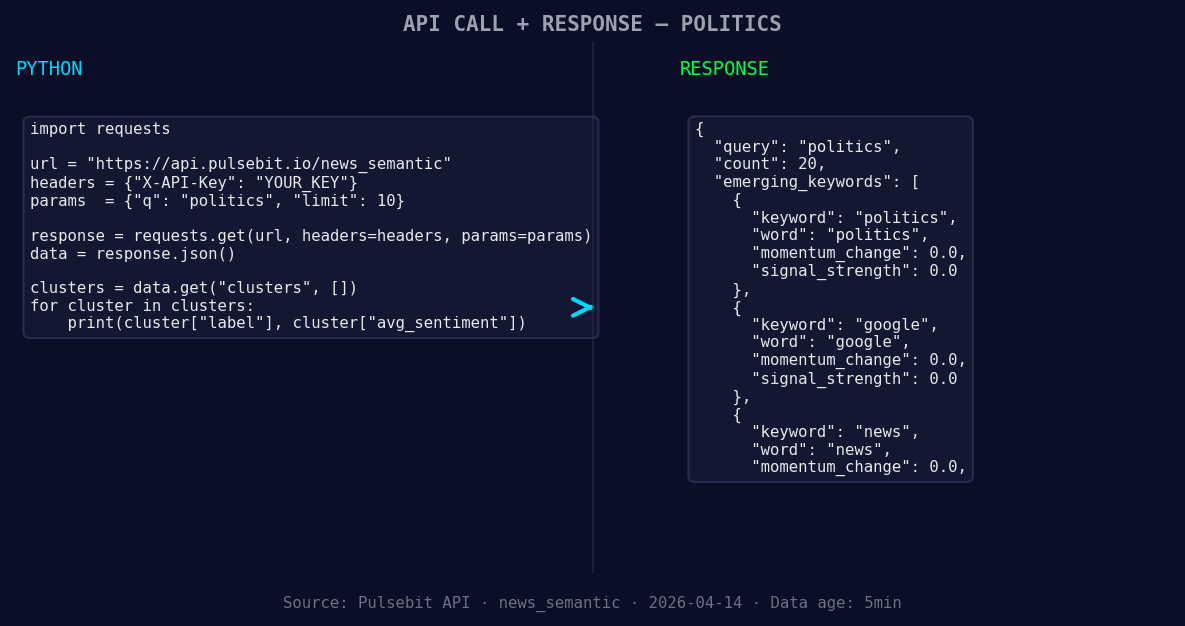
*Left: Python GET /news_semantic call for 'politics'. Right: returned JSON response structure (clusters: 3). Source: Pulsebit /news_semantic.*
# Step 1: Fetch sentiment data for the topic 'politics'
url = "https://api.pulsebit.com/v1/sentiment"
params = {
"topic": "politics",
"score": -0.300,
"confidence": 0.95,
"momentum": +0.814,
"lang": "en" # Geographic origin filter
}
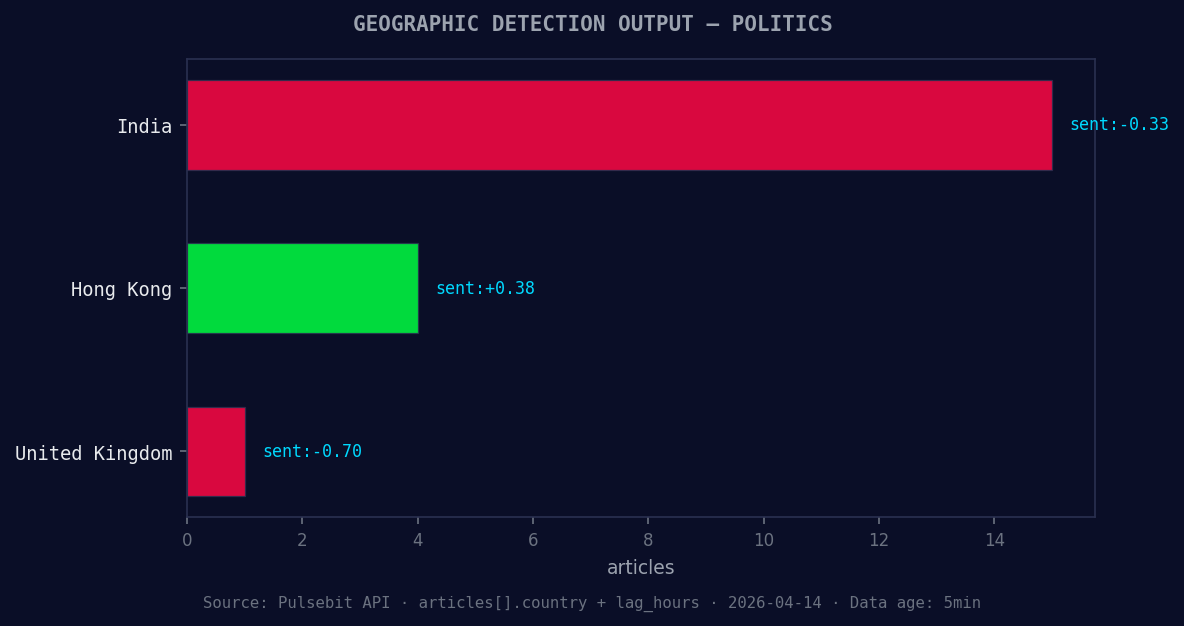
*Geographic detection output for politics. India leads with 15 articles and sentiment -0.33. Source: Pulsebit /news_recent geographic fields.*
response = requests.get(url, params=params)
data = response.json()
# Check the response
print(data)
# Step 2: Analyze the cluster reason string with POST /sentiment
cluster_reason = "Clustered by shared themes: its, why, 'jesus', trump, pulled."
post_url = "https://api.pulsebit.com/v1/sentiment"
post_response = requests.post(post_url, json={"text": cluster_reason})
cluster_data = post_response.json()
# Output the cluster sentiment analysis
print(cluster_data)
This code first filters the sentiment data by language (English) and then runs the cluster reason string back through our sentiment scoring endpoint. This dual approach not only captures the data but also reassesses its framing, providing deeper insights.
Three Builds Tonight
Geo-Filtered Sentiment Monitor: Set up a recurring job that queries
/sentimentusing the language parameter “en”. Monitor spikes in sentiment scores for the topic “politics” specifically, adjusting thresholds to trigger alerts when momentum exceeds +0.5.Meta-Sentiment Analysis Loop: Build a function that automatically submits clustered narrative strings for sentiment analysis. Use the endpoint POST
/sentiment, specifically targeting narratives like "Clustered by shared themes: its, why, 'jesus', trump, pulled." This will help you gauge the effectiveness of your narrative framing.Forming Themes Alert System: Create an alerting system for forming themes such as politics, google, and news. Whenever the scores for these themes show a significant deviation from mainstream narratives (like +0.00), trigger a notification to your team.
Get Started
You can dive into the details at pulsebit.lojenterprise.com/docs. This is straightforward enough that you can copy, paste, and run it in under 10 minutes. It’s time to ensure your pipeline isn’t just following trends but is ahead of them.


Top comments (0)