

Your Pipeline Is 23.8h Behind: Catching Cybersecurity Sentiment Leads with Pulsebit
We just identified a significant anomaly in our sentiment data: a 24h momentum spike of +0.214. This spike not only indicates a rising trend in sentiment around cybersecurity but also reveals an urgent need to catch up with the emerging narratives. As developers, we must be agile and responsive to these shifts, especially when they concern high-stakes domains like cybersecurity.
The Problem
If your pipeline doesn’t account for multilingual origins or entity dominance, you’re already lagging behind — and in this case, by 23.8 hours. The leading language here is English, but ignoring other languages could mean missing critical insights. This is especially true as cybersecurity topics gain traction across various regions. Your model missed this spike because it might not have been tuned to pick up on the nuances of global sentiment or the variations in thematic clusters emerging in different languages.

English coverage led by 23.8 hours. No at T+23.8h. Confidence scores: English 0.85, French 0.85, Spanish 0.85 Source: Pulsebit /sentiment_by_lang.
The Code
Here’s how we can leverage our API to catch this momentum spike. We’ll start by querying sentiment data focused on the topic of "cybersecurity" in English.
import requests
# Define the parameters for the API call
params = {
"topic": "cybersecurity",
"lang": "en"
}
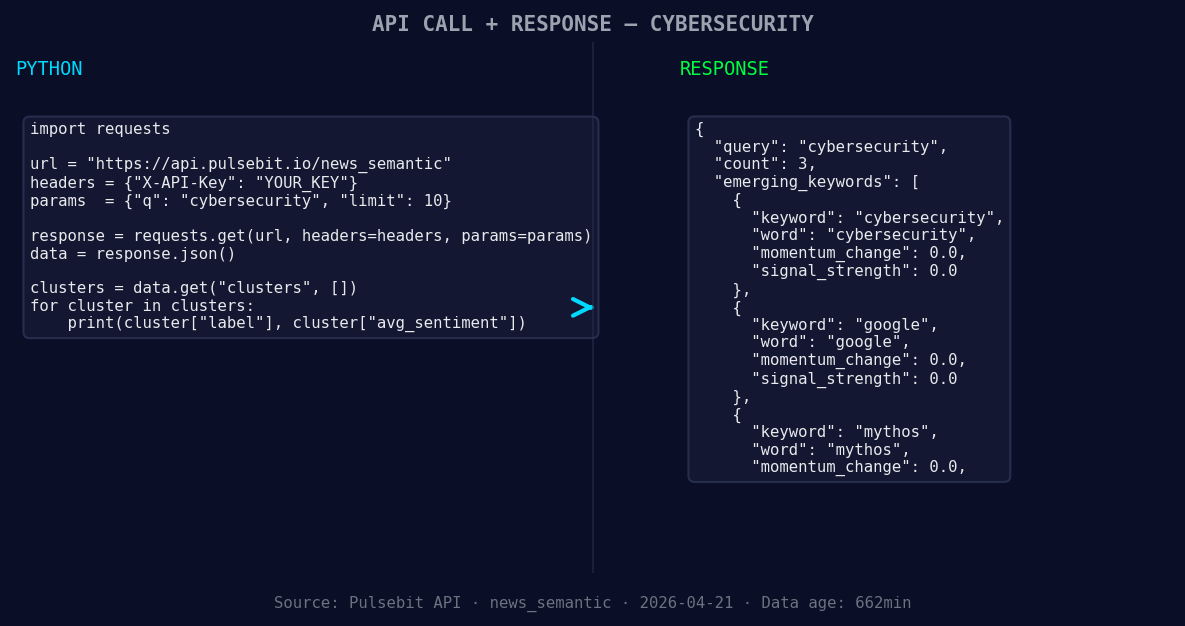
*Left: Python GET /news_semantic call for 'cybersecurity'. Right: returned JSON response structure (clusters: 3). Source: Pulsebit /news_semantic.*
# Make the API call to retrieve sentiment data
response = requests.get('https://api.pulsebit.com/sentiment', params=params)
data = response.json()
# Print the response data
print(data)
Next, we’ll run the cluster reason string through our sentiment scoring endpoint to analyze the narrative framing, which can give us deeper insights into the sentiment around the story.
# Meta-sentiment moment
cluster_reason = "Clustered by shared themes: your, cybersecurity, advance, career, security."
meta_sentiment_response = requests.post('https://api.pulsebit.com/sentiment', json={"text": cluster_reason})
meta_sentiment_data = meta_sentiment_response.json()

# Print the meta sentiment analysis
print(meta_sentiment_data)
By executing this code, you can capture the sentiment trends and understand the narrative framing, allowing you to adapt your models more effectively and in real-time.
Three Builds Tonight
Here are three specific builds we can implement based on this momentum spike:
- Geo-Filtered Insight: Use the geographic origin filter to analyze cybersecurity sentiment across different regions. Set a threshold of +0.200 for momentum to catch significant shifts.

Geographic detection output for cybersecurity. Hong Kong leads with 2 articles and sentiment -0.65. Source: Pulsebit /news_recent geographic fields.
   params = {
       "topic": "cybersecurity",
       "lang": "en",
       "momentum_threshold": 0.200
   }
- Meta-Sentiment Loop: Implement a loop that regularly pulls in narrative cluster data and scores it. Use the output to adjust your content strategy or algorithm weights based on the thematic importance of "career" and "security".
# Schedule a task to run this sentiment analysis every hour
- Forming Themes Dashboard: Create a dashboard to visualize forming themes such as "cybersecurity", "google", and "mythos". Use a scoring system to highlight themes that are emerging versus mainstream ones, providing a clear view of shifting sentiment.
# Use the collected sentiment scores to build a visual representation
Get Started
You can get started with our API documentation at pulsebit.lojenterprise.com/docs. You’ll be able to copy-paste and run this in under 10 minutes. Don’t let your pipeline fall behind; leverage this momentum spike to stay ahead in the cybersecurity conversation.


Top comments (0)