

When we looked at the latest sentiment data, we discovered a striking 24-hour momentum spike of +0.283 in the film sector. This anomaly isn't just a number; it indicates a surge of interest in film narratives, particularly around the upcoming Cannes festival in 2026. The intriguing part? The leading language for this sentiment is English, with a 26.5-hour lead time, suggesting that if you’re not tuned into this, your pipeline is lagging significantly, missing out on emerging trends.
This gap reveals a critical structural issue. If your sentiment analysis pipeline isn’t designed to handle multilingual origins or entity dominance, you’re missing the boat. Your model missed this by a full 26.5 hours, meaning the buzz around films and Cannes is already being discussed in English, while your analytics might still be catching up on previous trends. This delay can cost you valuable insights, especially in a fast-moving industry like film.

English coverage led by 26.5 hours. No at T+26.5h. Confidence scores: English 0.95, Spanish 0.95, French 0.95 Source: Pulsebit /sentiment_by_lang.
To catch this momentum spike effectively, we can leverage our API to filter and score sentiment around specific topics. Here’s how you can do it:
import requests
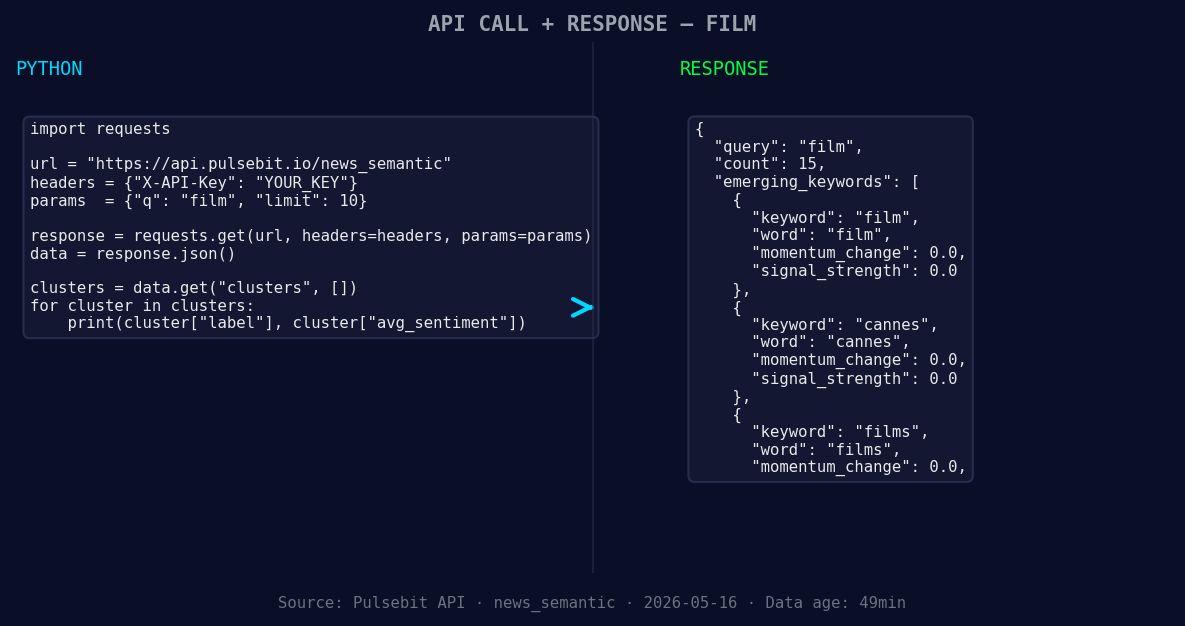
*Left: Python GET /news_semantic call for 'film'. Right: returned JSON response structure (clusters: 3). Source: Pulsebit /news_semantic.*
# Step 1: Geographic origin filter for English language
url = "https://api.pulsebit.lojenterprise.com/sentiment"
params = {
"topic": "film",
"lang": "en"
}
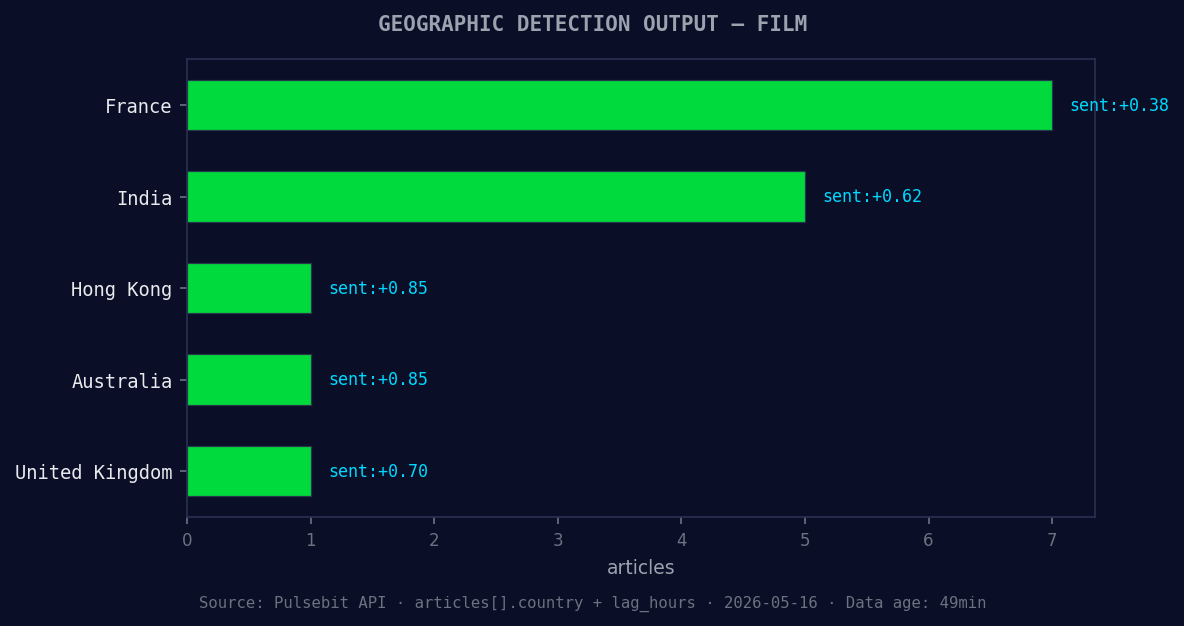
*Geographic detection output for film. France leads with 7 articles and sentiment +0.38. Source: Pulsebit /news_recent geographic fields.*
response = requests.get(url, params=params)
data = response.json()
# Step 2: Use the meta-sentiment moment
meta_reason = "Clustered by shared themes: cannes, sur, 2026, notre, sélection."
meta_response = requests.post(url, json={"text": meta_reason})
meta_data = meta_response.json()
# Output the results
print("Film Sentiment Data:", data)
print("Meta Sentiment Score:", meta_data)
In the first section of our code, we filter for English-language articles related to the film topic. This helps us hone in on the most relevant sentiment trends. The second section runs the cluster reason string through the POST endpoint to score the narrative framing itself. It provides a deeper understanding of the sentiments surrounding Cannes and the films in question.
With this pattern in mind, here are three specific things you can build:
Sentiment Monitoring for Cannes: Set a signal threshold of +0.2 in the film category and filter by the English language. This ensures you get timely alerts on any upward momentum, allowing you to react quickly to emerging trends.
Meta-Sentiment Analysis Loop: Use the cluster reason to continuously analyze narrative framing. For instance, if you see a spike in interest around “Cannes 2026”, run the sentence "Clustered by shared themes: cannes, sur, 2026, notre, sélection." through our sentiment endpoint. This can help refine your understanding of audience perceptions.
Comparative Analysis Tool: Create a dashboard that compares sentiment scores of films with mainstream narratives. For example, analyze the sentiment of “film(+0.00)” and “cannes(+0.00)” against broader mainstream themes like “cannes, sur, notre”. This can highlight where niche topics are gaining traction compared to general discussions.
To get started and integrate these insights into your workflow, visit our documentation at pulsebit.lojenterprise.com/docs. With just a few lines of code, you can copy, paste, and run this in under 10 minutes, ensuring you’re always ahead of the curve.


Top comments (0)