

Your Pipeline Is 29.4h Behind: Catching Business Sentiment Leads with Pulsebit
We recently uncovered an intriguing anomaly in our data: a 24h momentum spike of -0.587 centered around discussions of business education. This particular spike stands out not just for its negative momentum, but also for its lag in sentiment detection — English press leads the conversation by 29.4 hours, with no visible impact from Italian sources. This discrepancy could be a missed opportunity for you and your pipeline.
When your model doesn't account for multilingual origins or entity dominance, it can lead to significant delays in capturing sentiment shifts. In this case, your model missed a critical sentiment shift in the business education sector by 29.4 hours. The leading conversation in English is rapidly evolving, while your pipeline might still be processing stale information. This delay can cost you valuable insights and opportunities as sentiment shifts.

English coverage led by 29.4 hours. Italian at T+29.4h. Confidence scores: English 0.85, Spanish 0.85, French 0.85 Source: Pulsebit /sentiment_by_lang.
To help you catch up, here’s how to leverage our API to tap into this momentum spike. First, let’s filter down to the relevant data using a geographic origin filter. We’ll query for English language articles related to business:
import requests
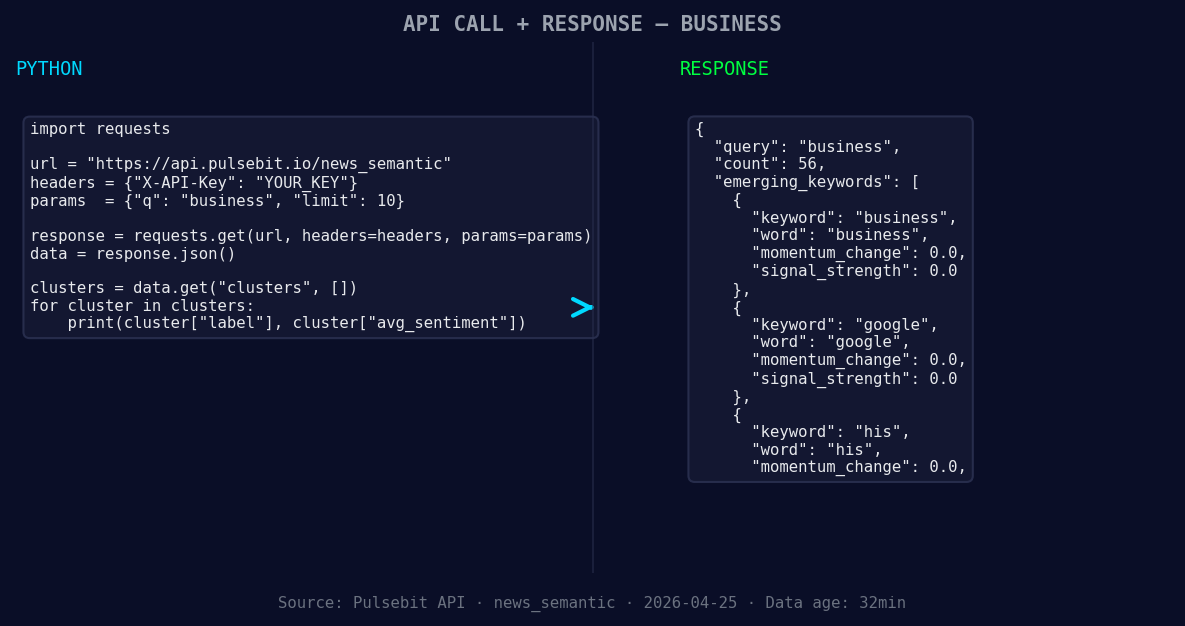
*Left: Python GET /news_semantic call for 'business'. Right: returned JSON response structure (clusters: 3). Source: Pulsebit /news_semantic.*
url = "https://api.pulsebit.io/v1/articles"
params = {
"topic": "business",
"lang": "en",
"momentum": -0.587
}
response = requests.get(url, params=params)
data = response.json()
print(data)
Next, we’ll analyze the narrative framing using the cluster reason provided. We can run this string back through our sentiment endpoint to score how the narrative itself is perceived. Here’s how you can do that:
cluster_reason = "Clustered by shared themes: undergraduate, business, education, evolving, real-world."
sentiment_url = "https://api.pulsebit.io/v1/sentiment"

sentiment_response = requests.post(sentiment_url, json={"text": cluster_reason})
sentiment_data = sentiment_response.json()
print(sentiment_data)
With this, we can effectively understand the framing of the conversation and how it aligns with the negative momentum spike.
Now, let’s talk about three specific builds to capitalize on this pattern:
- Signal Tracking with Geo Filter: Build a real-time monitoring tool that tracks English articles about business with a momentum threshold of -0.5. Use the geographic filter to ensure you're only catching sentiment shifts that are relevant to your audience.

Geographic detection output for business. India leads with 2 articles and sentiment +0.08. Source: Pulsebit /news_recent geographic fields.
Meta-Sentiment Analysis: Set up a scheduled job that aggregates cluster reasons and runs them through our sentiment endpoint daily. This will help you keep tabs on the evolving narrative in the business education sector.
Dynamic Alerting System: Create an alert system that triggers when a sentiment score drops below -0.2 for articles tagged with 'business'. This will ensure you’re first to know when negative sentiment spikes occur, allowing you to respond proactively.
By implementing these builds, you can close the gap left by your current pipeline. Don’t let your model lag behind — take advantage of the real-time data at your fingertips.
If you're ready to dive into this, head over to our documentation and get started. You can copy-paste the provided code snippets and run them in under ten minutes. Let’s catch up on those sentiment leads!


Top comments (0)