

Your Pipeline Is 9.8h Behind: Catching World Sentiment Leads with Pulsebit
We recently identified a striking anomaly: a 24h momentum spike of +0.499. This spike signals a notable shift in sentiment, particularly around the topic of "world." Our analysis shows a leading English press narrative clustered around themes of wilderness, waterfalls, and more, revealing that sentiment dynamics are shifting in real-time. As developers, we need to be alert to these changes to stay ahead in our applications.
The structural gap here is glaring. Without a pipeline that accounts for multilingual sentiment origins and the dominance of specific entities, you may find your model lagging behind by a staggering 9.8 hours. In this case, the leading language was English, but the themes are universal—yet your model could miss out if it only processes English content. This isn’t just a minor oversight; it’s a significant handicap in a rapidly evolving landscape.

English coverage led by 9.8 hours. Hr at T+9.8h. Confidence scores: English 0.75, French 0.75, Spanish 0.75 Source: Pulsebit /sentiment_by_lang.
Let’s dive into the code that can help us catch this momentum spike effectively. We’ll start by querying our data with a geographic origin filter, focusing on English-language articles.

Geographic detection output for world. India leads with 42 articles and sentiment +0.19. Source: Pulsebit /news_recent geographic fields.
import requests
# Define the parameters for the API call
params = {
'topic': 'world',
'score': +0.088,
'confidence': 0.75,
'momentum': +0.499,
'lang': 'en' # Filtering by English language
}
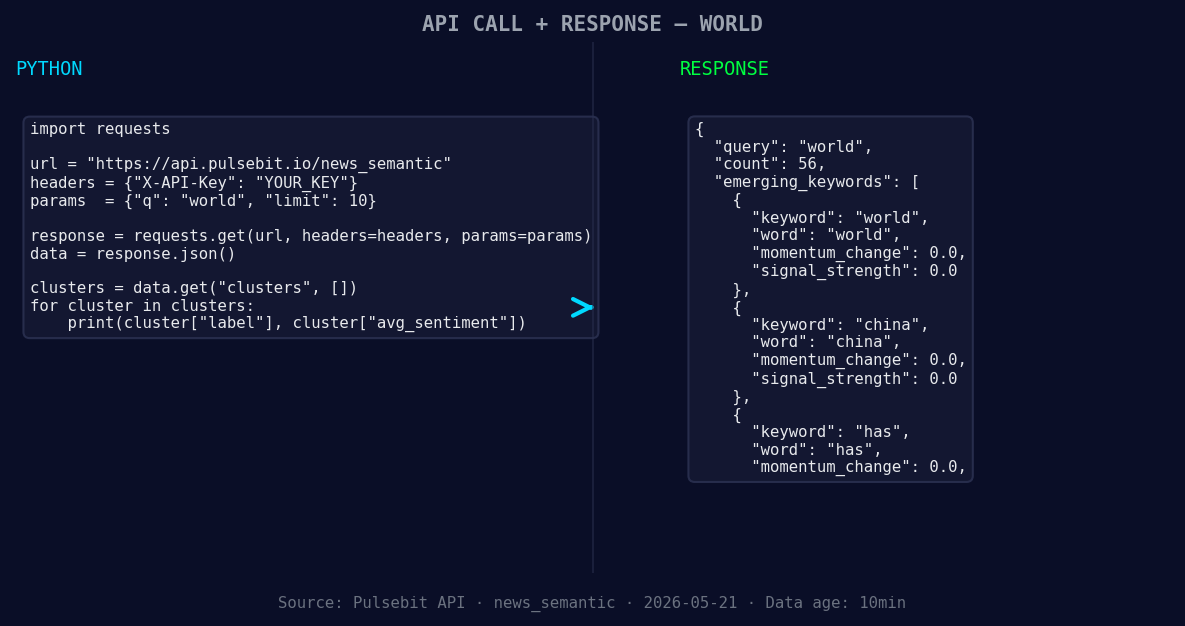
*Left: Python GET /news_semantic call for 'world'. Right: returned JSON response structure (clusters: 3). Source: Pulsebit /news_semantic.*
# API endpoint to fetch the data
response = requests.get('https://api.pulsebit.com/v1/sentiment', params=params)
# Check if the request was successful
if response.status_code == 200:
data = response.json()
print(data)
else:
print(f"Error: {response.status_code} - {response.text}")
After filtering the articles, we should also assess the narrative framing of our clustered themes. Here’s how to run the cluster reason string back through our sentiment analysis endpoint.
# Define the cluster reason string
cluster_reason = "Clustered by shared themes: waterfall, eagles, inside, belgium-sized, wilderness"

# POST request to score the narrative framing
sentiment_response = requests.post(
    'https://api.pulsebit.com/v1/sentiment',
    json={'text': cluster_reason}
)

# Process the sentiment response
if sentiment_response.status_code == 200:
    sentiment_data = sentiment_response.json()
    print(sentiment_data)
else:
    print(f"Error: {sentiment_response.status_code} - {sentiment_response.text}")
This code not only filters by language but also allows us to derive insights from the themes emerging in our data. Now that we've established a foundational process, here are three specific builds you might consider to leverage this momentum spike:
Geo-Filtered News Alerts: Create a service that sends alerts when the sentiment score for a specific topic like "world" spikes above a threshold of +0.2 in English-language articles. This will ensure you’re alerted to significant shifts in sentiment before they become mainstream.
Meta-Sentiment Visualization: Build a dashboard that visualizes the sentiment scores of clustered narratives. Use the meta-sentiment loop from the cluster reason string ("waterfall, eagles, inside, belgium-sized, wilderness") to surface insights that help contextualize sentiment shifts in real-time.
Comparative Sentiment Analysis: Develop a comparative analysis tool that tracks sentiment changes across different geographic regions. By using the geo-filter, you can measure how themes like "world" resonate differently in regions like China versus the West, enhancing your understanding of global sentiment.
We encourage you to explore these ideas further. For more information, visit our documentation at pulsebit.lojenterprise.com/docs. With this setup, you can copy-paste and run the code in under 10 minutes, getting you right into the action of sentiment tracking.


Top comments (0)