

Your Pipeline Is 21.8h Behind: Catching Cloud Sentiment Leads with Pulsebit
We recently uncovered a notable anomaly: a 24h momentum spike of +0.491 centered around the topic of "cloud". This spike indicates a significant shift in sentiment that could have immediate implications for your sentiment analysis pipeline if it doesn't accommodate multilingual sources or identify leading entities.

Spanish coverage led by 21.8 hours. No at T+21.8h. Confidence scores: Spanish 0.85, English 0.85, French 0.85 Source: Pulsebit /sentiment_by_lang.
The problem here is clear. If your model doesn't handle multilingual origins or entity dominance effectively, it may have missed this crucial insight by 21.8 hours. The leading language driving this momentum is Spanish, with a 0.0-hour lag against the narrative. This gap reveals a structural flaw in the pipeline that could lead to delayed responses to emerging trends, especially when the conversation is dominated by non-English sources.
To catch these spikes in real-time, we can leverage our API effectively. Here’s how you can set up a quick check in Python:
import requests
# Define parameters for the API call
topic = 'cloud'
score = +0.453
confidence = 0.85
momentum = +0.491
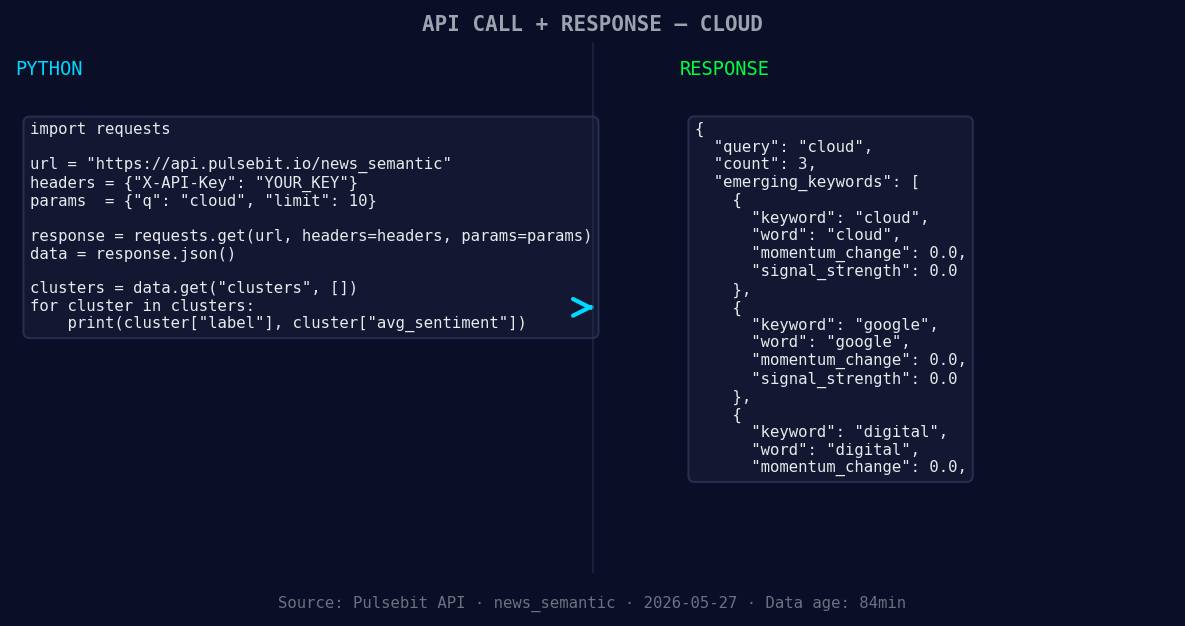
*Left: Python GET /news_semantic call for 'cloud'. Right: returned JSON response structure (clusters: 3). Source: Pulsebit /news_semantic.*
# Geographic origin filter: query by language
url_geo = "https://api.pulsebit.com/v1/sentiment"
params_geo = {
"topic": topic,
"lang": "sp"
}
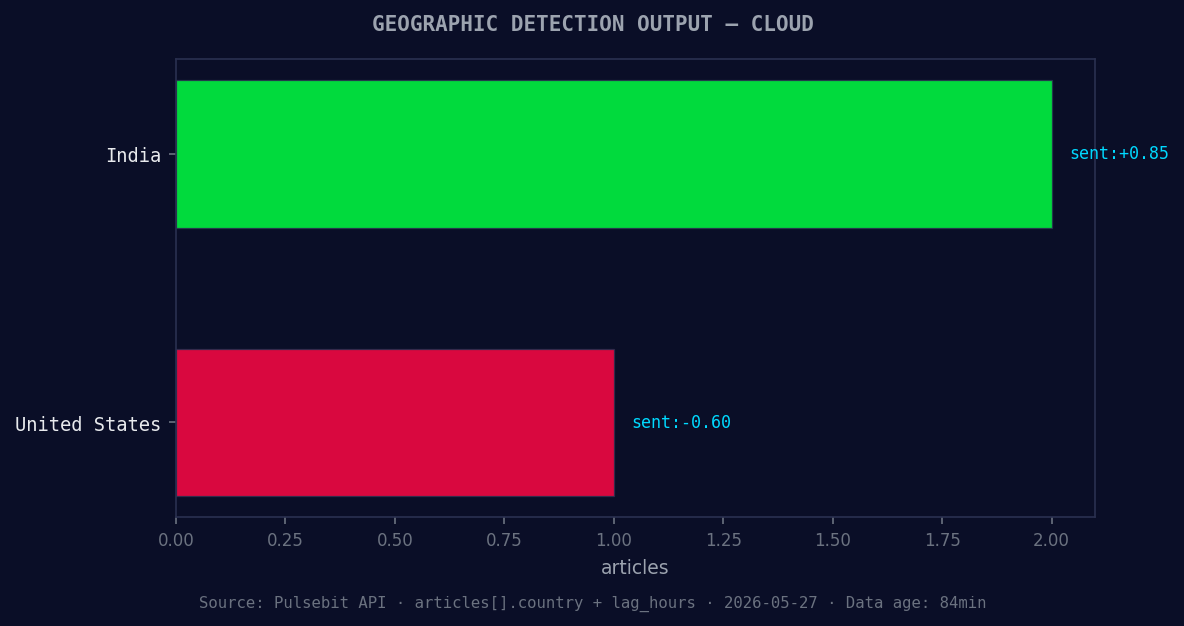
*Geographic detection output for cloud. India leads with 2 articles and sentiment +0.85. Source: Pulsebit /news_recent geographic fields.*
# Make the API call for the geo filter
response_geo = requests.get(url_geo, params=params_geo)
data_geo = response_geo.json()
print(data_geo)
# Meta-sentiment moment: run the cluster reason string back through POST /sentiment
cluster_reason = "Clustered by shared themes: 2026, earnings, show, cloud, capacity."
url_meta = "https://api.pulsebit.com/v1/sentiment"
data_meta = {
"text": cluster_reason
}
# Make the API call for the meta-sentiment loop
response_meta = requests.post(url_meta, json=data_meta)
data_meta_response = response_meta.json()
print(data_meta_response)
In this code snippet, we first query the sentiment data for the "cloud" topic filtered by Spanish language sources. This is crucial for capturing the narrative from its origin. Next, we send the cluster reason string through a POST request to analyze the overarching sentiment framing, which reveals how the conversation is being shaped.
Now, let’s explore three specific things you can build with this pattern:
Geo-Filtered Alerts: Set up a notification system using the geographic origin filter to alert you when Spanish sentiment spikes above a threshold of +0.300. This can help you stay ahead of important developments in regions where language might otherwise obscure critical insights.
Meta-Sentiment Analysis Dashboard: Create a dashboard that displays real-time sentiment scores and their associated narratives. Use the meta-sentiment loop to visualize how clusters like "2026, earnings, show, cloud, capacity" are evolving. This can provide context for any sentiment shifts, helping you make informed decisions quickly.
Forming Themes Tracker: Build an endpoint that continuously monitors forming themes like "cloud(+0.00), google(+0.00), digital(+0.00)" against mainstream topics like "earnings, show, cloud". Set a threshold for significant changes, such as a 0.100 increase in momentum, prompting deeper analysis of emerging trends.
With these tools, you can ensure your pipeline not only catches the latest sentiment spikes but also understands the context behind them. For more details on how to implement these features, visit pulsebit.lojenterprise.com/docs.
You can copy-paste and run this in under 10 minutes to start enhancing your sentiment analysis capabilities. Don’t let your pipeline stay behind—capitalize on these insights before they fade!


Top comments (0)