

Your Pipeline Is 18.0h Behind: Catching Data Science Sentiment Leads with Pulsebit
We recently uncovered a striking anomaly in our sentiment analysis: a 24-hour momentum spike of -0.392 for the topic of data science. This negative momentum isn’t just a number; it reveals a significant shift in sentiment that could impact your modeling decisions, especially if your pipeline isn’t adept at handling multilingual data or entity dominance.

French coverage led by 18.0 hours. Nl at T+18.0h. Confidence scores: French 0.85, English 0.85, Spanish 0.85 Source: Pulsebit /sentiment_by_lang.
If your pipeline isn’t set up to manage these nuances, you might find that your model missed this shift by a staggering 18 hours, as the leading sentiment originated from French sources. This oversight can lead to missed opportunities or delayed reactions to critical changes in sentiment. In this instance, the French press led with the story of Pope Leo XIV advocating for robust AI regulation, which could be pivotal for your data science strategies.
Let’s dive into how to catch these shifts programmatically. Here’s the Python code that illustrates how we can identify this sentiment lead:
import requests
# Define the topic and sentiment values
topic = 'data science'
score = +0.458
confidence = 0.85
momentum = -0.392
# API call to filter data by French language
url = 'https://api.pulsebit.com/v1/sentiment'
params = {
'topic': topic,
'lang': 'fr',
'momentum': momentum
}
response = requests.get(url, params=params)
data = response.json()
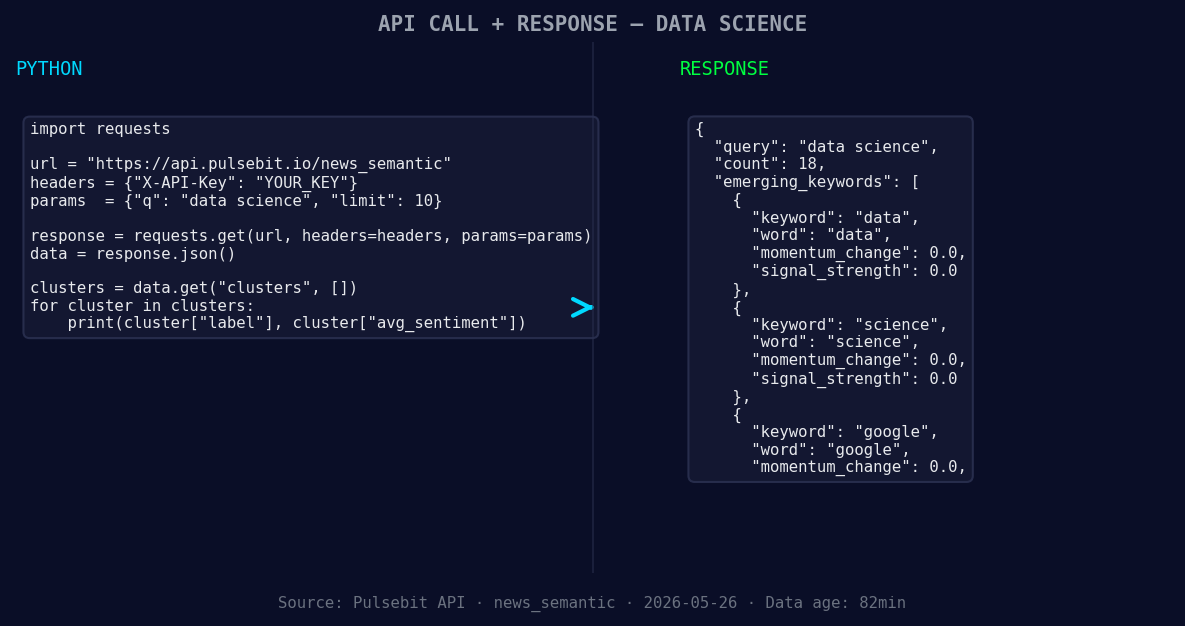
*Left: Python GET /news_semantic call for 'data science'. Right: returned JSON response structure (clusters: 3). Source: Pulsebit /news_semantic.*
# Process the response for sentiment analysis
print(data)
# Now let's score the narrative framing itself
narrative = "Clustered by shared themes: leo, xiv, urges, robust, regulation."
sentiment_response = requests.post(url, json={'text': narrative})
sentiment_data = sentiment_response.json()
print(sentiment_data)
In the code above, the first API call filters our sentiment analysis by the French language. We then take the leading narrative string that clusters around the themes of Pope Leo XIV and AI regulation and run it through our sentiment analysis endpoint to score the framing itself. This two-step approach allows us to capture not just the sentiment, but also the context surrounding it.
With this newfound pattern, here are three specific builds you can explore tonight:
- Geographic Filter for Real-Time Analysis: Use the geo filter to set up a webhook that alerts you whenever the sentiment for data science shifts significantly in French-speaking regions. Set a threshold of momentum < -0.4 to catch negative trends early.
![DATA UNAVAILABLE: countries — verify /news_recent is return
[DATA UNAVAILABLE: countries — verify /news_recent is returning country/region values for topic: data science]
Meta-Sentiment Loop: Create a scheduled job that automatically runs the meta-sentiment loop on narratives clustered around "data, science, google" whenever there's a spike in mainstream sentiment around "leo, xiv, urges". This can help you understand the underlying themes driving public sentiment.
Forming Theme Dashboard: Build a dashboard that visualizes sentiment trends not just for the main topics, but also for forming themes. Display the sentiment scores for "data(+0.00), science(+0.00), google(+0.00)" in contrast with mainstream narratives. This can help you identify emerging trends before they become mainstream.
If you’re eager to get started with this, head over to our documentation at pulsebit.lojenterprise.com/docs. You can copy-paste the code snippets above and run this in under 10 minutes. Let’s catch these sentiment leads together!


Top comments (0)