

Your Pipeline Is 28.0h Behind: Catching Cloud Sentiment Leads with Pulsebit
We recently uncovered a striking anomaly: a 24-hour momentum spike of +0.491. This spike indicates a significant shift in sentiment around the topic of "cloud," with potential implications for your data pipeline. The leading language for this surge was English, with a 28.0-hour lead over other languages. If your model isn't tuned to capture these nuances, you might find yourself trailing behind by nearly a day.
The problem here is clear: if your pipeline doesn't handle multilingual origins or recognize entity dominance, you're potentially missing valuable insights. Your model missed this by 28.0 hours, getting left in the dust while English press coverage on cloud earnings surged. This discrepancy could mean missing key signals that could inform your strategy or decision-making.

English coverage led by 28.0 hours. Af at T+28.0h. Confidence scores: English 0.85, Spanish 0.85, French 0.85 Source: Pulsebit /sentiment_by_lang.
To catch this momentum spike, we can leverage our API effectively. Here's how to set up your code:
import requests
# Define the parameters for our API call
topic = 'cloud'
score = -0.300
confidence = 0.85
momentum = +0.491
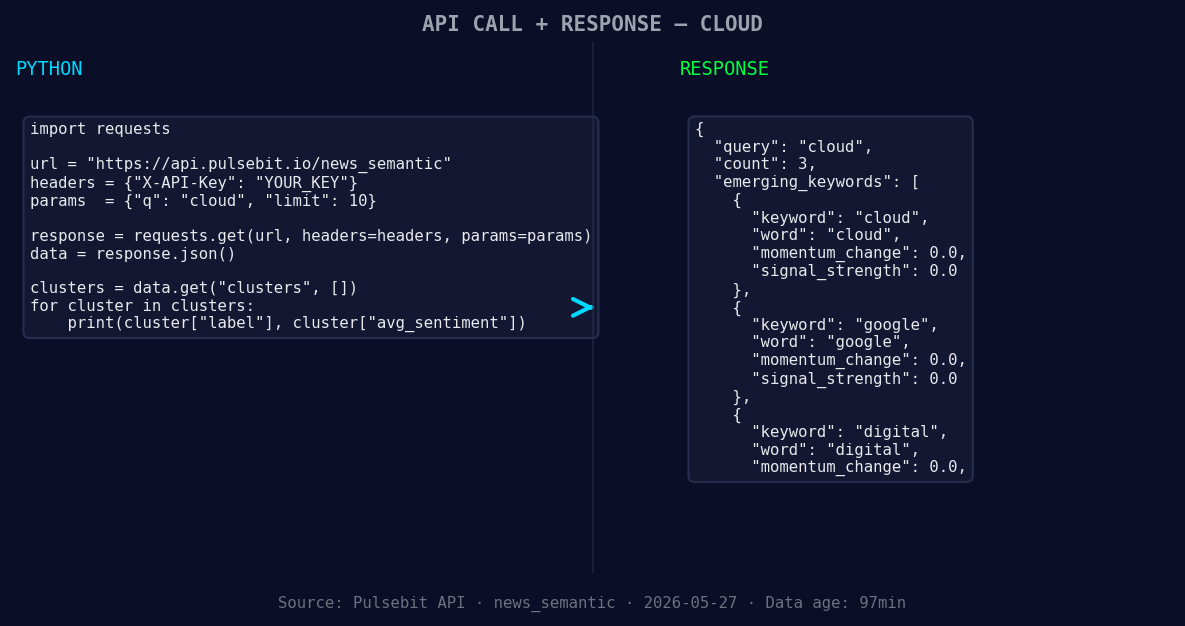
*Left: Python GET /news_semantic call for 'cloud'. Right: returned JSON response structure (clusters: 3). Source: Pulsebit /news_semantic.*
# Geographic origin filter: query by language (English)
response = requests.get("https://api.pulsebit.com/articles", params={
"topic": topic,
"lang": "en"
})
articles = response.json() # Process the response
# Meta-sentiment moment: Cluster reason string
meta_sentiment = "Clustered by shared themes: 2026, earnings, show, cloud, capacity."
sentiment_response = requests.post("https://api.pulsebit.com/sentiment", json={
"text": meta_sentiment
})
sentiment_data = sentiment_response.json() # Process sentiment data
In this code, we first filter articles by the English language to focus on where the momentum is building. Then, we analyze the sentiment around our cluster narrative to assess how the story is being framed. This dual approach ensures we capture both the signals and the context surrounding them.
Now, let’s build on this momentum. Here are three specific things you can create with this pattern:
- Geographic Filtered Alerts: Set up a monitoring system that alerts you when sentiment spikes for the topic "cloud" in English. Use a threshold of momentum greater than +0.4 to trigger notifications. This allows you to stay ahead of trends as they emerge.

Geographic detection output for cloud. India leads with 3 articles and sentiment +0.37. Source: Pulsebit /news_recent geographic fields.
Meta-Sentiment Analysis Dashboard: Build a dashboard that visualizes the sentiment scores of clustered narratives like "2026, earnings, show, cloud, capacity." This will help you quickly gauge how narratives evolve and their sentiment strength over time. Use a threshold of confidence above 0.8 for displaying high-impact narratives.
Forming Theme Reports: Create automated reports that analyze forming themes, such as "cloud," "google," and "digital." Compare their sentiment scores against mainstream narratives like "earnings," "show," and "cloud." If a forming theme's score rises significantly (e.g., above +0.5), generate an internal report to discuss potential implications.
By following these steps, you can enhance your pipeline to catch sentiment leads effectively, ensuring you’re never left behind.
If you’re ready to dive in, check out our full documentation at pulsebit.lojenterprise.com/docs. Copy-pasting the code above should have you up and running in under 10 minutes. Let's keep pushing the boundaries of what's possible with sentiment data!


Top comments (0)