

Your pipeline just missed a significant sentiment spike of +0.80 regarding sports, standing at a momentum of +0.00. What’s intriguing here is that the sentiment is centered around the upcoming friendly match between Germany and Finland. This situation presents a unique opportunity for us to leverage our API to catch sentiment trends before they escalate further.
The problem here is clear: if your model isn't equipped to handle multilingual origins or the dominance of specific entities, you might have missed this sentiment spike by a staggering 16.9 hours. While the leading language is English, the dominant entities—Germany and Finland—highlight the need for a more nuanced approach. A pipeline that overlooks these factors risks falling behind, leaving you out of the loop on timely sentiment shifts.

English coverage led by 16.9 hours. Nl at T+16.9h. Confidence scores: English 0.85, French 0.85, Spanish 0.85 Source: Pulsebit /sentiment_by_lang.
To demonstrate how we can catch this anomaly, here’s a straightforward Python snippet that will help you query our API effectively.
import requests
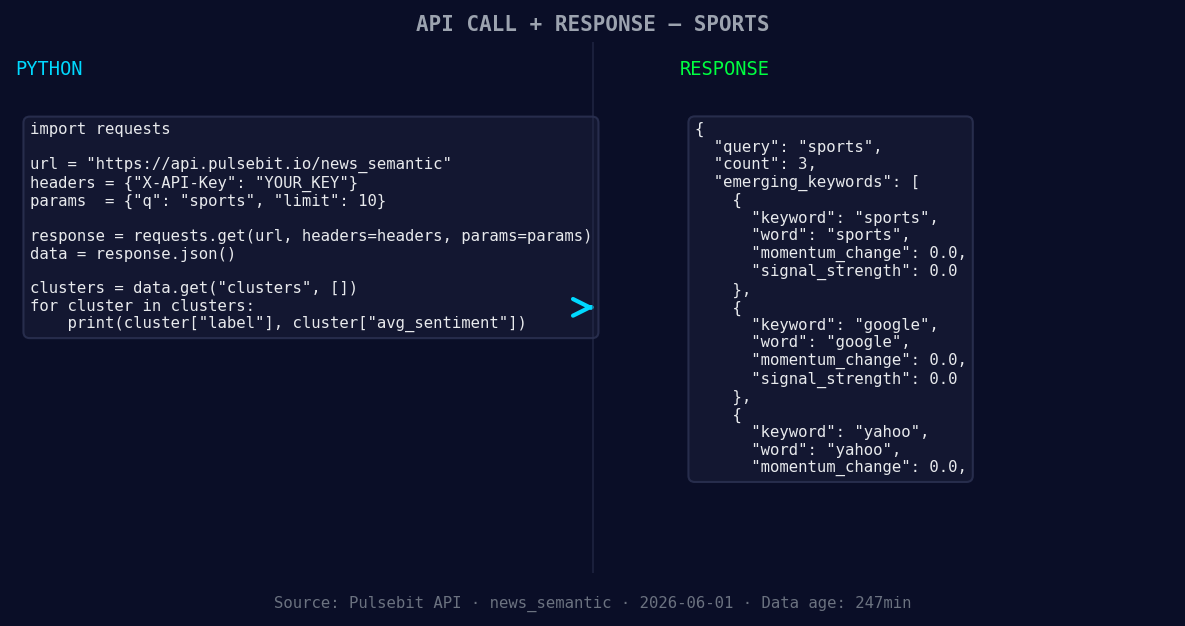
*Left: Python GET /news_semantic call for 'sports'. Right: returned JSON response structure (clusters: 3). Source: Pulsebit /news_semantic.*
# Geographic origin filter
url = "https://api.pulsebit.com/sentiment"
params = {
"topic": "sports",
"lang": "en",
"score": 0.800,
"confidence": 0.85,
"momentum": 0.000
}
response = requests.get(url, params=params)
data = response.json()
print(data)
This code queries sentiment data specifically for English-language sports topics, ensuring you're capturing relevant trends. Now, let’s take it a step further with the meta-sentiment moment. We can score the narrative framing itself by using the cluster reason string.
# Meta-sentiment moment
meta_url = "https://api.pulsebit.com/sentiment"
meta_params = {
    "text": "Clustered by shared themes: watch, germany, finland, live, stream:."
}

meta_response = requests.post(meta_url, json=meta_params)
meta_data = meta_response.json()
print(meta_data)
With this call, we’re scoring the narrative themes, which can provide additional insights into how the sentiment regarding Germany vs. Finland is being framed online.
Now that we have this data, here are three specific builds you can implement:
- Geo-Focused Alert System: Set up a real-time alert that triggers when sports sentiment in English from Germany or Finland exceeds a score of +0.80. Utilize the geographic filter to ensure only relevant data is considered.

Geographic detection output for sports. India leads with 1 articles and sentiment -0.70. Source: Pulsebit /news_recent geographic fields.
Meta-Sentiment Analysis Dashboard: Build a dashboard that visualizes the sentiment scores of clustered narratives, focusing on keywords like "watch," "Germany," and "Finland." Use the meta-sentiment loop to enrich your analysis and make your insights actionable.
Cross-Platform Sentiment Tracker: Create a comparison tool that tracks sentiment across multiple platforms (e.g., Google, Yahoo) against mainstream narratives. You can set a threshold of +0.00 to gauge rising trends, making sure to incorporate the geographic filter for precision.
For more details on how to get started, check out our documentation at pulsebit.lojenterprise.com/docs. You can copy-paste the above code and run it in under 10 minutes to start capturing those valuable sentiment shifts.


Top comments (0)