

Your Pipeline Is 25.6h Behind: Catching Markets Sentiment Leads with Pulsebit
We recently spotted an intriguing anomaly: a 24h momentum spike of -0.294. This highlights a significant shift that could impact trading strategies. Such a change demands immediate attention, especially when the leading language is French, with a 25.6-hour lead time. This gap indicates a missed opportunity if your pipeline lacks adequate multilingual handling, particularly when dominated by a non-English entity.

French coverage led by 25.6 hours. Sv at T+25.6h. Confidence scores: French 0.85, English 0.85, Spanish 0.85 Source: Pulsebit /sentiment_by_lang.
If your model is processing sentiment without considering language hierarchies or entity dominance, you might have missed critical data by 25.6 hours. The leading language here is French, which means that if your system primarily processes English, you are effectively sidelining key insights that could enhance your sentiment analysis. As developers, we understand the importance of capturing sentiment in real-time, and this scenario underscores a glaring oversight.
To catch this anomaly, we can use our API effectively. Below is a Python snippet that demonstrates how to filter by language and analyze sentiment framing:
import requests
# Set parameters for the API call
topic = 'markets'
score = -0.021
confidence = 0.85
momentum = -0.294
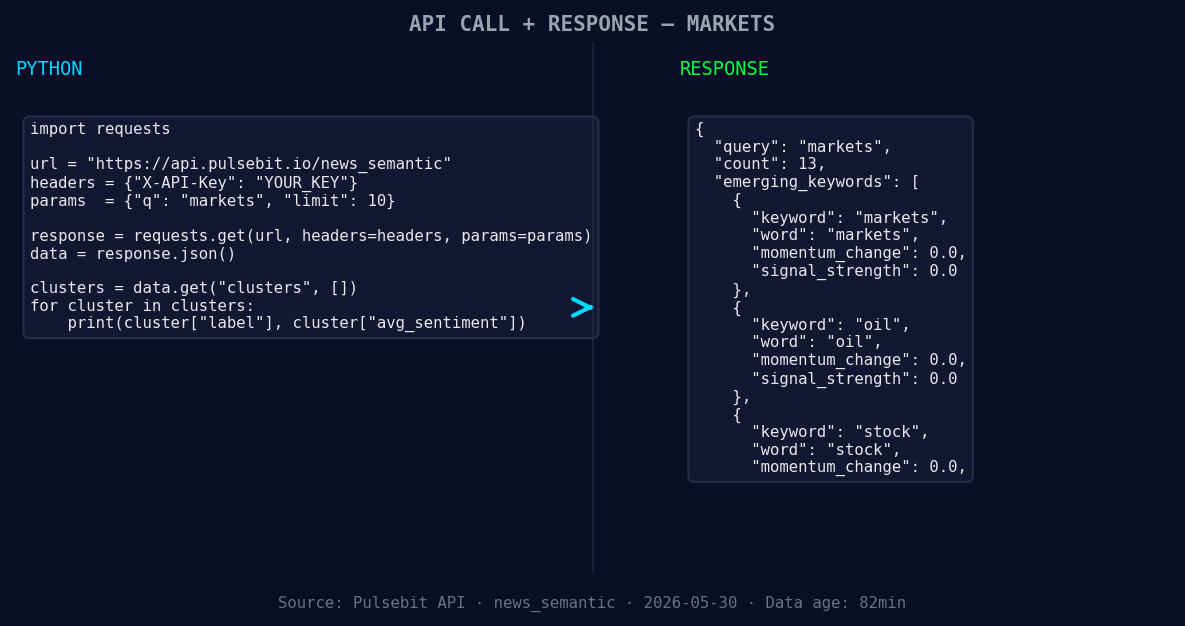
*Left: Python GET /news_semantic call for 'markets'. Right: returned JSON response structure (clusters: 3). Source: Pulsebit /news_semantic.*
# Geographic origin filter: French language
response = requests.get(
'https://api.pulsebit.io/sentiment',
params={
'topic': topic,
'score': score,
'confidence': confidence,
'momentum': momentum,
'lang': 'fr' # Filtering for French language
}
)
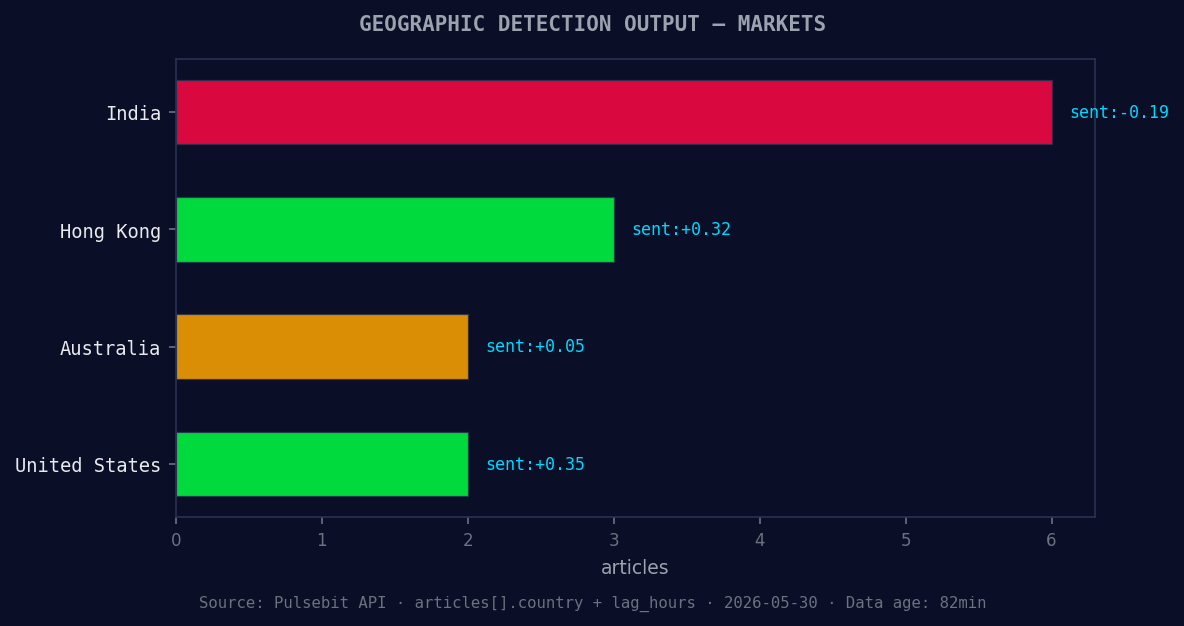
*Geographic detection output for markets. India leads with 6 articles and sentiment -0.19. Source: Pulsebit /news_recent geographic fields.*
data = response.json()
print(data)
# Meta-sentiment moment: scoring the narrative framing
narrative = "Clustered by shared themes: markets, bond, rise, financial, spending."
meta_response = requests.post(
'https://api.pulsebit.io/sentiment',
json={'narrative': narrative}
)
meta_data = meta_response.json()
print(meta_data)
This code effectively captures sentiment around the markets while also filtering for content in French. By submitting the narrative string back through our sentiment endpoint, we can assess how the framing of this information may influence investor perception.
Now, let's consider three builds we can implement based on this pattern:
Geo Filter for Market Sentiment: Set a signal threshold of -0.021 for sentiment scores in the French language. This will help you capture emerging trends in non-English markets before they impact broader sentiment.
Meta-Sentiment Analysis: Use the response from the meta-sentiment loop to determine the framing of narratives around key themes. For instance, if the themes are forming around markets(+0.00), oil(+0.00), and stock(+0.00), you can create alerts when the narratives shift significantly.
Dynamic Language Priority: Implement a flexible system that prioritizes languages based on recent sentiment trends. If you notice a consistent lead from French sources, adjust your pipeline to focus on this until it stabilizes or shifts.
We can all appreciate how critical it is to stay ahead of the curve in sentiment analysis. This approach allows us to leverage language and entity insights effectively, providing a competitive edge in our analyses.
For more details on how to get started, check out our documentation. You can copy-paste the provided code and run it in under 10 minutes, enhancing your sentiment analysis capabilities significantly.


Top comments (0)