

Your Pipeline Is 24.0h Behind: Catching Travel Sentiment Leads with Pulsebit
On May 24, 2026, we found a striking sentiment anomaly in travel-related articles: a sentiment score of -0.70 with a momentum of +0.00. The leading language was English, with a noteworthy 24.0-hour delay in sentiment awareness compared to emerging conversations around Maui’s travel rebound. This finding highlights a critical gap in how sentiment is being captured and utilized in real-time.
The Problem
This 24.0-hour lag reveals a significant structural issue for any pipeline that fails to accommodate multilingual origins or dominant entities. Your model missed this by an entire day, meaning you could be making decisions based on outdated or irrelevant sentiment data. Focusing solely on English sources may have led you to overlook the nuances of emerging discussions in other languages or the importance of dominant themes like "Maui" or "rebound" that could be driving sentiment shifts.

English coverage led by 24.0 hours. Ca at T+24.0h. Confidence scores: English 0.85, French 0.85, Spanish 0.85 Source: Pulsebit /sentiment_by_lang.
The Code
To catch this anomaly effectively, we can leverage our API to filter sentiment data by geographic origin and language. Here’s how we can do it in Python:

Geographic detection output for travel. India leads with 8 articles and sentiment -0.24. Source: Pulsebit /news_recent geographic fields.
import requests
# Define the parameters for the API call
topic = 'travel'
sentiment_score = -0.700
confidence = 0.85
momentum = +0.000
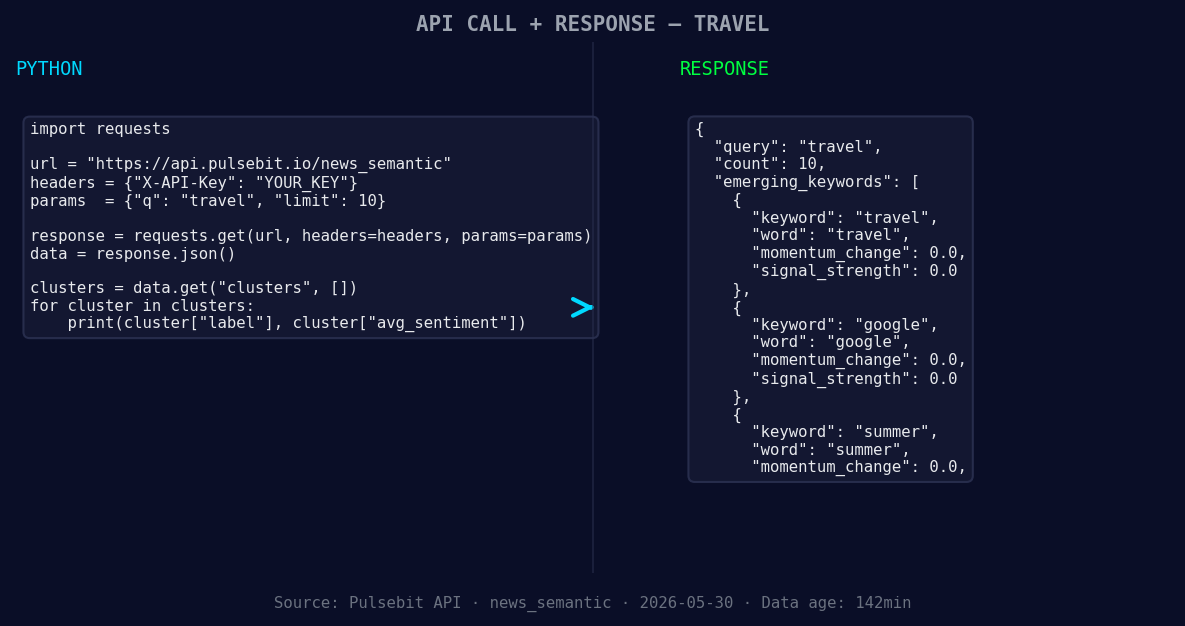
*Left: Python GET /news_semantic call for 'travel'. Right: returned JSON response structure (clusters: 3). Source: Pulsebit /news_semantic.*
# Geographic origin filter: querying by language
url = "https://api.pulsebit.io/v1/sentiment"
params = {
"topic": topic,
"lang": "en"
}
response = requests.get(url, params=params)
data = response.json()
# Print the returned sentiment data
print(data)
Next, we’ll score the narrative framing itself using the cluster reason string. This helps us understand the framing around the travel sentiment:
# Meta-sentiment moment: scoring the narrative
meta_url = "https://api.pulsebit.io/v1/sentiment"
meta_input = "Clustered by shared themes: travel, maui, rebound, ktvu,"
meta_params = {
    "text": meta_input
}

meta_response = requests.post(meta_url, json=meta_params)
meta_data = meta_response.json()

# Print the meta sentiment data
print(meta_data)
This two-step approach not only captures the sentiment but also provides insights into the themes that are shaping it.
Three Builds Tonight
Now that we have the data, here are three specific things we can build using this pattern:
Geo-Filtered Sentiment Dashboard: Create a dashboard that visualizes sentiment for "travel" filtered by regions. Set a threshold of sentiment score < -0.50, so you can monitor negative shifts in real-time, allowing you to react swiftly to emerging trends.
Meta-Sentiment Analysis Tool: Build a tool that regularly scores narrative frames around key topics. For example, use the string “Clustered by shared themes: travel, maui, rebound, ktvu,” and set a threshold to trigger alerts when sentiment drops below -0.50, helping you stay ahead of negative narratives.
Forming Theme Snapshot: Set up a script that collects forming themes like "travel", "google", and "summer" every hour. Compare emerging signals against mainstream topics to identify undercurrents that could indicate future sentiment shifts. This can be done using our endpoint for real-time sentiment analysis with parameters tailored for these themes.
Get Started
Dive deeper into building your solutions with our API: pulsebit.lojenterprise.com/docs. We believe you can copy-paste and run these snippets in under 10 minutes to start leveraging this data effectively.


Top comments (0)