

Your Pipeline Is 21.5h Behind: Catching Travel Sentiment Leads with Pulsebit
We just stumbled upon an interesting anomaly in our data: sentiment around travel is clocking in at -0.70 with a momentum of +0.00. This isn't just a casual observation; it reveals a significant lag in our analysis pipeline. Specifically, the leading language is English, with a 21.5-hour delay compared to the cluster from California. It seems there’s a gap in how we’re capturing sentiment shifts, especially when it comes to understanding the travel rebound narrative.
When you’re working with multilingual data, missing out on structural nuances can be a real pain point. Your model missed this by a staggering 21.5 hours, leaving you behind the curve on capturing the travel sentiment arising from recent events. This delay is especially pronounced as the dominant entity here is tied to travel, which is already a hot topic. If you’re not accounting for these discrepancies, you risk making decisions based on outdated insights.

English coverage led by 21.5 hours. Ca at T+21.5h. Confidence scores: English 0.75, Spanish 0.75, French 0.75 Source: Pulsebit /sentiment_by_lang.
Here's how we can catch this anomaly using our API. First, we'll need to filter our data based on the geographic origin. We’ll query only the English language articles to ensure we're getting relevant data. Here’s the Python code that accomplishes this:
import requests
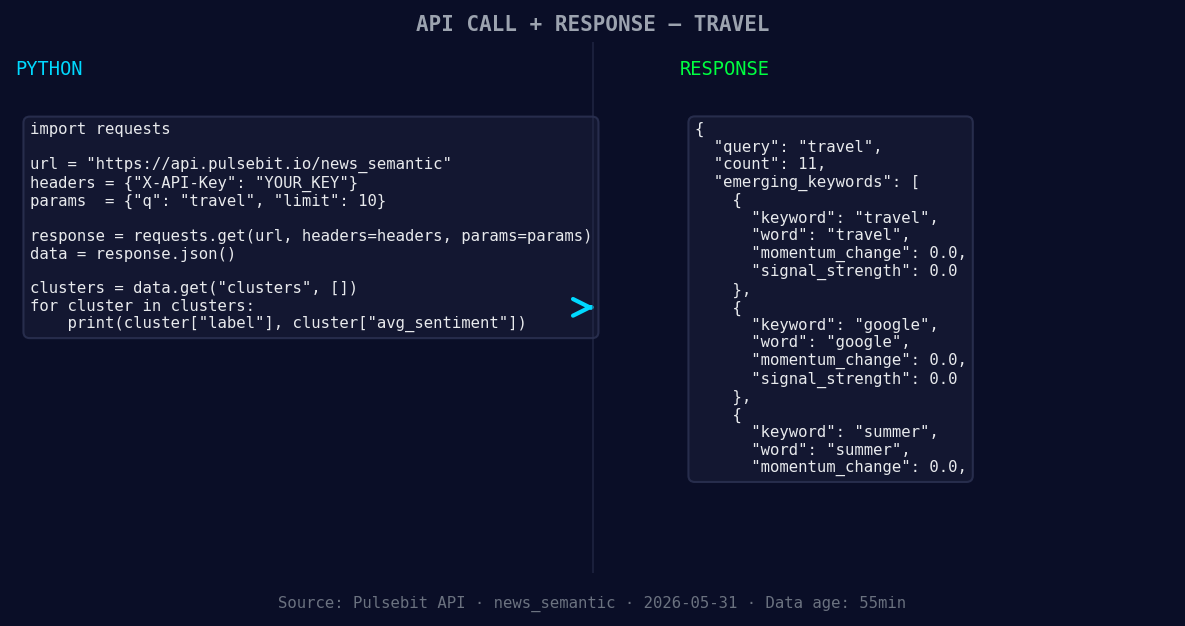
*Left: Python GET /news_semantic call for 'travel'. Right: returned JSON response structure (clusters: 3). Source: Pulsebit /news_semantic.*
# Query parameters
topic = 'travel'
score = -0.700
confidence = 0.75
momentum = +0.000
# Step 1: Geographic origin filter
response = requests.get(
"https://pulsebit.lojenterprise.com/api/v1/articles",
params={
"topic": topic,
"lang": "en"
}
)
articles = response.json()
# Checking the response
if response.status_code == 200:
print(f"Fetched {len(articles)} articles on {topic}.")
else:
print("Error fetching articles!")
# Step 2: Meta-sentiment moment
cluster_reason = "Clustered by shared themes: travel, maui, rebound, ktvu,"
meta_sentiment_response = requests.post(
"https://pulsebit.lojenterprise.com/api/v1/sentiment",
json={"text": cluster_reason}
)
if meta_sentiment_response.status_code == 200:
meta_sentiment = meta_sentiment_response.json()
print(f"Meta sentiment score: {meta_sentiment['score']}")
else:
print("Error fetching meta sentiment!")
In the code above, we start by fetching relevant articles in English. Next, we analyze the narrative framing using the cluster reason string to gain insights into the sentiment surrounding those themes. This dual approach allows us to better understand the underlying sentiment and catch shifts that might go unnoticed.
Now, let’s consider three specific builds we can implement with this newfound data pattern.
- Travel Sentiment Alert: Set a signal threshold for sentiment scores that drop below -0.50. This could trigger alerts when negative sentiment spikes, allowing us to react quickly to market changes. Using the geographic filter, we can refine this to focus on English-speaking regions.

Geographic detection output for travel. India leads with 7 articles and sentiment -0.17. Source: Pulsebit /news_recent geographic fields.
Meta-Sentiment Dashboard: Create a dashboard that visualizes meta-sentiment scores from various clusters. By looping through the cluster reasons, we can dynamically assess the narrative impact of specific themes, such as travel or summer, and compare these against mainstream sentiments.
Forming Themes Analyzer: Develop an endpoint that tracks forming themes like “travel” and “summer” with forming scores. For instance, if we notice a forming score of +0.00 for summer in conjunction with negative travel sentiment, we can investigate correlations or potential shifts in consumer behavior.
With this approach, we’re not just reacting to sentiment. We’re actively shaping our understanding of emerging trends.
Ready to dive in? You can get started with our API by visiting pulsebit.lojenterprise.com/docs. We challenge you to copy-paste the code above and get it running in under 10 minutes.


Top comments (0)