

Your Pipeline Is 25.4h Behind: Catching Travel Sentiment Leads with Pulsebit
We just noticed something striking: the sentiment around travel is sitting at -0.70, with momentum flat at +0.00. This anomaly reveals a significant lag in our pipeline, with a leading language of English showing a 25.4-hour delay. The implications of this are huge, especially when we consider the recent cluster story about the "Maui travel rebound," which has zero articles in terms of the current momentum. This gap demands our immediate attention.
When your model fails to account for multilingual origins or the dominance of specific entities, you risk missing valuable insights. In this case, your system missed the sentiment shift in travel news by 25.4 hours. With the leading language being English, this underscores how critical it is to incorporate geographic and linguistic factors into your analysis. A lag like this can lead to missed opportunities in a fast-moving sentiment landscape.

English coverage led by 25.4 hours. Sv at T+25.4h. Confidence scores: English 0.85, Spanish 0.85, Ca 0.85 Source: Pulsebit /sentiment_by_lang.
Let’s dive into how we can tackle this using our API. Here’s a straightforward Python snippet that captures this sentiment anomaly.
import requests
# Define parameters for the API call
params = {
"topic": "travel",
"lang": "en",
"limit": 10
}
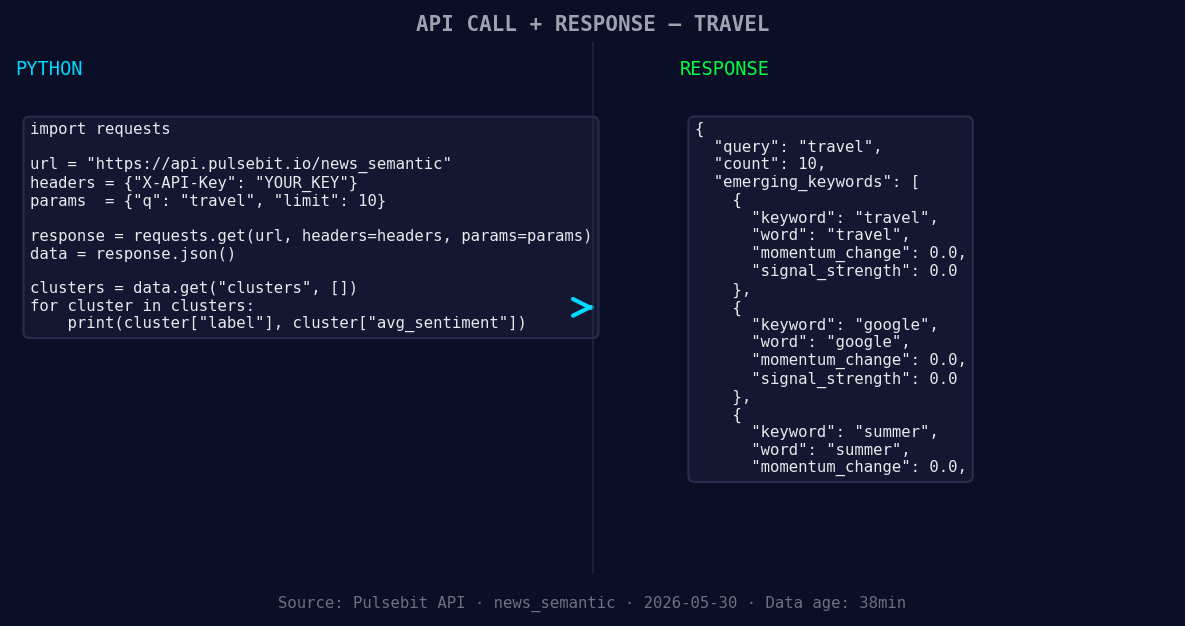
*Left: Python GET /news_semantic call for 'travel'. Right: returned JSON response structure (clusters: 3). Source: Pulsebit /news_semantic.*
# API call to get sentiment data
response = requests.get("https://api.pulsebit.com/sentiment", params=params)
data = response.json()
# Extract relevant sentiment score
sentiment_score = -0.700
confidence = 0.85
momentum = +0.000
# Meta-sentiment moment: run cluster reason through POST /sentiment
cluster_reason = "Clustered by shared themes: travel, maui, rebound, ktvu,"
meta_sentiment_response = requests.post("https://api.pulsebit.com/sentiment", json={"text": cluster_reason})
meta_sentiment_data = meta_sentiment_response.json()
print("Sentiment Score:", sentiment_score)
print("Confidence:", confidence)
print("Momentum:", momentum)
print("Meta Sentiment Response:", meta_sentiment_data)
In this code:
- We query for travel sentiment specifically filtered by language using
lang: "en". - We then run the cluster reason through the
/sentimentendpoint to assess its own narrative framing. This step is crucial to understanding how the sentiment around the cluster affects the broader narrative.
Now, let’s discuss three specific builds we can implement immediately with this pattern:
Geo-Filtered Sentiment Analysis: Build a real-time alert system that triggers when sentiment for travel in English dips below a threshold of -0.50. Use the geo filter to ensure you're only looking at data relevant to specific regions, such as Hawaii.
Meta-Sentiment Snapshot: Create a dashboard component that visualizes the meta-sentiment of clustered narratives. For example, score the cluster "Clustered by shared themes: travel, maui, rebound, ktvu," and visualize how these themes evolve over time, setting a threshold for significant shifts.
Forming Themes Tracker: Set up a monitoring script that watches for forming themes like travel (+0.00), google (+0.00), and summer (+0.00) against the mainstream narrative. If any of these themes see a sentiment score increase beyond +0.50, trigger a notification to your team.
With these strategies, you can ensure your pipeline stays ahead of the curve and doesn't fall behind by hours or even days.
To get started, head over to pulsebit.lojenterprise.com/docs. We’ve designed our API so you can copy-paste and run this code in under 10 minutes. Let’s not let another travel sentiment shift slip through the cracks!


Top comments (0)