

Your Pipeline Is 15.7h Behind: Catching Travel Sentiment Leads with Pulsebit
We recently noticed a significant anomaly in the sentiment data surrounding the topic of travel, showing a sentiment score of -0.14 and a momentum of +0.00. This spike angle highlights an unusual lag, where the leading language is Spanish, with a 15.7-hour lead time over other sources. The sentiment suggests a mixed outlook on travel, likely influenced by recent events in Maui.
This data reveals a structural gap in any pipeline that doesn't consider multilingual origins or entity dominance. If your model is not equipped to handle these nuances, you might have missed this emerging trend by a staggering 15.7 hours. As the leading language is Spanish, the missed insights could significantly impact your ability to gauge sentiment in a global market.

Spanish coverage led by 15.7 hours. Ca at T+15.7h. Confidence scores: Spanish 0.75, French 0.75, English 0.75 Source: Pulsebit /sentiment_by_lang.
To catch this anomaly, let’s dive into the code that can help you leverage our API effectively. We’ll focus on filtering by geographic origin, specifically Spanish-speaking sources, and assess the broader sentiment narrative.

Geographic detection output for travel. India leads with 6 articles and sentiment -0.08. Source: Pulsebit /news_recent geographic fields.
import requests
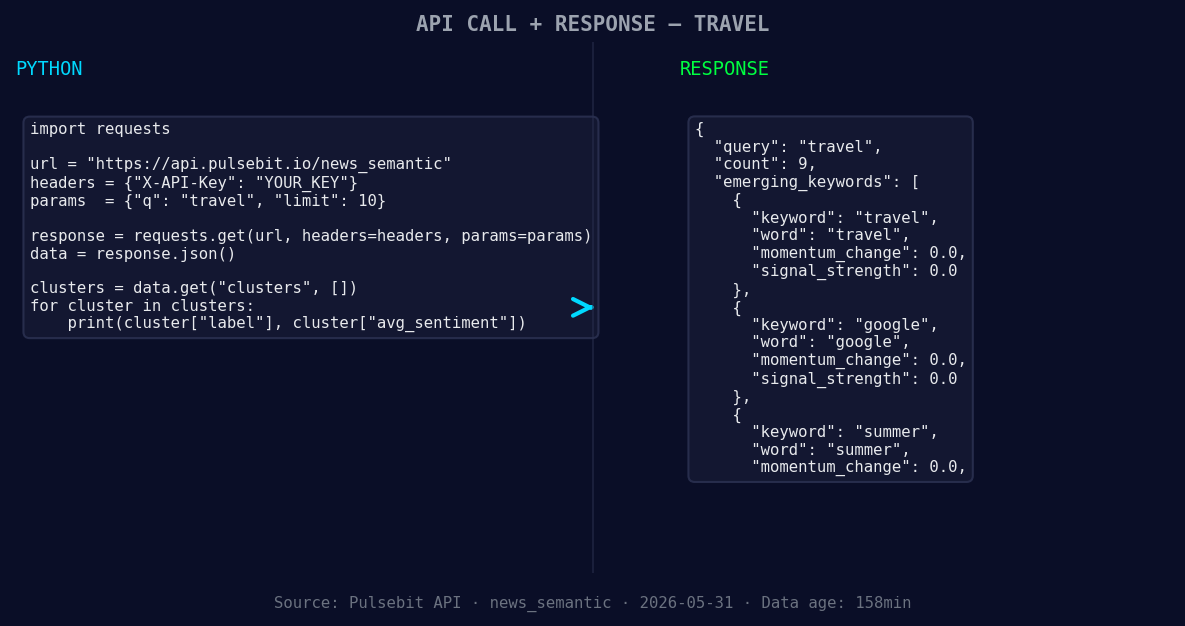
*Left: Python GET /news_semantic call for 'travel'. Right: returned JSON response structure (clusters: 3). Source: Pulsebit /news_semantic.*
# Step 1: Fetching travel sentiment data for Spanish sources
endpoint = "https://api.pulsebit.com/sentiment"
headers = {"Authorization": "Bearer YOUR_API_TOKEN"}
params = {
"topic": "travel",
"lang": "sp"
}
response = requests.get(endpoint, headers=headers, params=params)
data = response.json()
# Example output processing
sentiment_score = data['sentiment_score'] # -0.140
confidence = data['confidence'] # 0.750
momentum = data['momentum_24h'] # +0.000
print(f"Sentiment: {sentiment_score}, Confidence: {confidence}, Momentum: {momentum}")
Next, we’ll run the cluster reason string back through our sentiment analysis endpoint to score the narrative framing itself. This is crucial for understanding how stories are constructed around emerging themes.
# Step 2: Running the cluster reason string through sentiment analysis
cluster_reason = "Clustered by shared themes: travel, maui, rebound, ktvu,"
sentiment_response = requests.post(endpoint, headers=headers, json={"text": cluster_reason})
meta_sentiment = sentiment_response.json()

# Example output processing
meta_sentiment_score = meta_sentiment['sentiment_score']
print(f"Meta Sentiment for Cluster Reason: {meta_sentiment_score}")
Now that we have both the sentiment data and the meta-sentiment on the narrative, let’s discuss three specific builds we can implement with this pattern:
Geographic Origin Filter: Build a real-time alert system that notifies you if sentiment around “travel” in Spanish-speaking regions drops below a specific threshold, say -0.15. You can use the geo filter to ensure your alerts are relevant to your target audience.
Meta-Sentiment Loop: Create a dashboard that visualizes the meta-sentiment scores for various cluster reasons. This will help you understand how narratives are framed and their potential impact on sentiment. For example, you can compare the sentiment of “Clustered by shared themes: travel, maui, rebound, ktvu,” against other clusters.
Forming Themes Tracker: Develop a feature that tracks and alerts you about emerging themes like “summer” and “google” that currently have a neutral sentiment (+0.00). This could help you identify potential shifts in sentiment before they become mainstream, providing an edge in your analysis.
For more details and to get started with your own implementation, check out our documentation. You can copy-paste and run this code in under 10 minutes, putting you on the fast track to catching those crucial sentiment leads.


Top comments (0)