

Your Pipeline Is 21.6h Behind: Catching Mobile Sentiment Leads with Pulsebit
We recently discovered a fascinating anomaly in our sentiment data: a 24-hour momentum spike of +0.350 related to mobile veterinary ambulance services. This is particularly intriguing because it highlights a notable shift in sentiment not just in the mobile sector, but also in the veterinary field, which is often overshadowed by mainstream topics. The leading language for this spike was English, with a remarkably short lag of 21.6 hours. This discovery could be a game-changer for developers looking to catch emerging trends early.
The Problem
This spike uncovers a structural gap in any pipeline that fails to account for multilingual origins or the dominance of specific entities. Your model missed this spike by 21.6 hours, which is substantial in a fast-moving environment. With the leading language being English, it’s clear that any analysis that doesn’t prioritize language-specific filtering may overlook crucial developments in niche markets. The consequence? You risk missing insights that could inform more timely and effective decision-making.

English coverage led by 21.6 hours. No at T+21.6h. Confidence scores: English 0.85, French 0.85, Spanish 0.85 Source: Pulsebit /sentiment_by_lang.
The Code
To catch this momentum spike, we can leverage our API efficiently. Here’s how you can set up a Python script to query for relevant data. We’ll start by filtering for the English language, focusing on the topic "mobile," which has a sentiment score of -0.400 and a substantial confidence level of 0.85.
import requests
# Set up parameters for the API call
topic = 'mobile'
score = -0.400
confidence = 0.85
momentum = +0.350
url = "https://api.pulsebit.com/v1/sentiment"
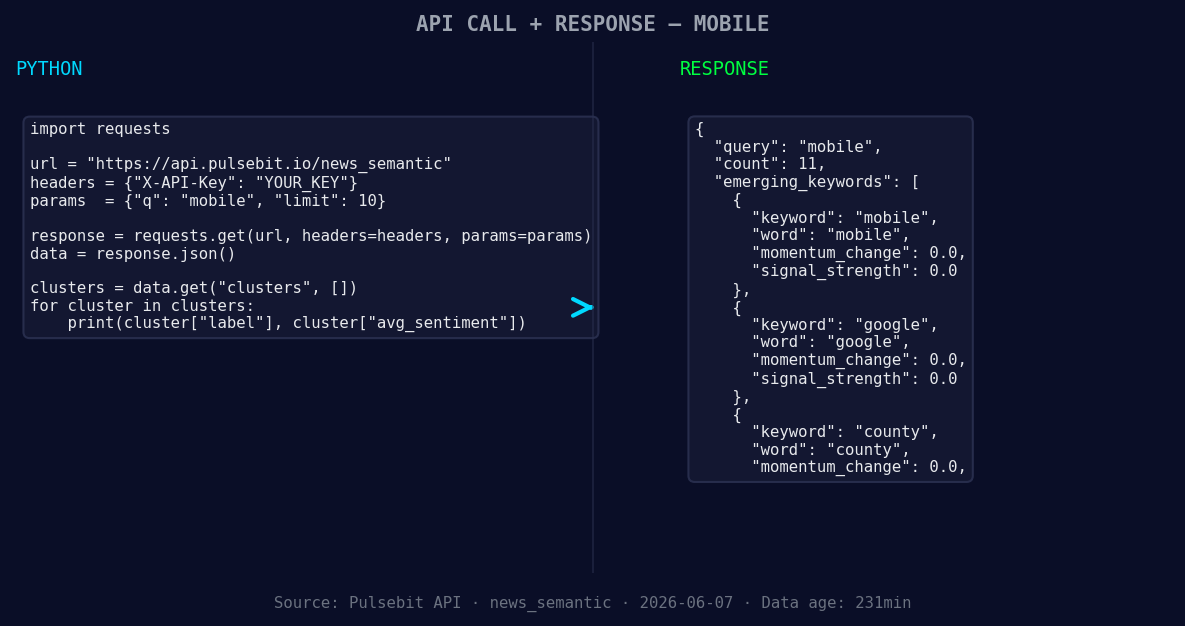
*Left: Python GET /news_semantic call for 'mobile'. Right: returned JSON response structure (clusters: 3). Source: Pulsebit /news_semantic.*
# Geographic origin filter
params = {
"topic": topic,
"lang": "en",
}
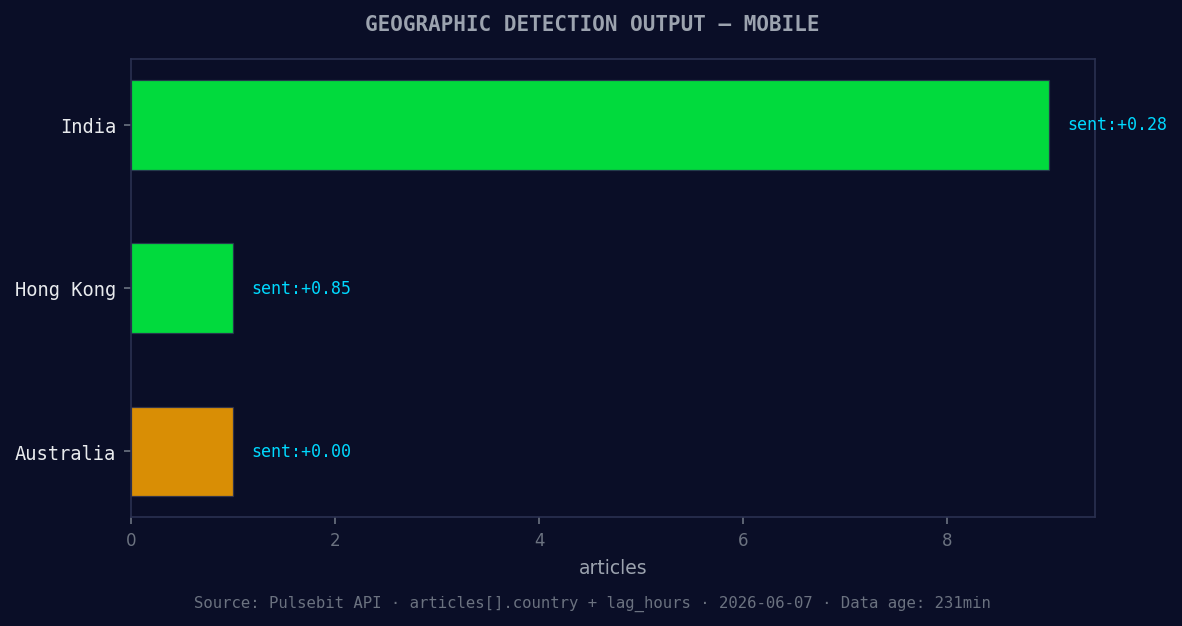
*Geographic detection output for mobile. India leads with 9 articles and sentiment +0.28. Source: Pulsebit /news_recent geographic fields.*
response = requests.get(url, params=params)
data = response.json()
# Check the response
print(data)
Next, we need to run the cluster reason string through our sentiment analysis endpoint to evaluate the narrative framing itself. This step is crucial as it provides context to the emerging themes.
# Meta-sentiment moment
cluster_reason = "Clustered by shared themes: mobile, veterinary, ambulance, services, avail."
payload = {"text": cluster_reason}

# Performing POST request
response_meta = requests.post(url, json=payload)
meta_data = response_meta.json()

# Check the response
print(meta_data)
With these two steps, you're able to capture the essence of the mobile sentiment spike while also understanding the narrative framing behind it.
Three Builds Tonight
Here are three specific builds you might consider based on this observed pattern:
Geographic Origin Filter: Build an alerting system that utilizes the geo filter to notify you when momentum spikes occur specifically in the mobile sector. Set a threshold of +0.300 momentum and focus solely on English articles. This will help you catch early signals that could be relevant for your projects.
Meta-Sentiment Loop: Create a dashboard that visualizes the sentiment analysis of clustered narratives over time. Use the string "Clustered by shared themes: mobile, veterinary, ambulance, services, avail." as a recurring input, and track how sentiment shifts with each new data batch. This will allow you to see how certain themes evolve and influence market perception.
Forming Themes Investigation: Build a reporting tool that identifies forming themes across mobile, Google, and county discussions as they relate to the broader topics of veterinary and ambulance services. Set up thresholds for sentiment scores and alert conditions that can help you stay ahead of the curve.
Get Started
You can get started by visiting our documentation at pulsebit.lojenterprise.com/docs. With the provided code snippets, you can copy, paste, and run this within 10 minutes, allowing you to catch these valuable insights as they emerge. Don't let your pipeline fall behind; leverage this newfound understanding to stay ahead.


Top comments (0)