

Your Pipeline Is 10.0h Behind: Catching Space Sentiment Leads with Pulsebit
We recently spotted a notable anomaly in sentiment data: a sentiment score of +0.212 and momentum at +0.000 for the topic "space." This spike has brought to light an intriguing situation where the leading language is English, with a 10.0h lead over Dutch at the same hour. This means that our sentiment analysis revealed a significant uptick in positive discussions around space, specifically in the context of Axiom Space's lunar spacesuit collaboration, which is clustered around themes like astronaut, wears, Prada, and space.
The Problem
This situation exposes a critical structural gap in pipelines that don’t account for multilingual origins or dominant entities. Your model missed this sentiment lead by 10 hours. If your pipeline doesn’t seamlessly handle multiple languages, you risk lagging behind in sentiment shifts that are crucial for timely decision-making. In this case, the leading entity is Axiom Space, and failing to recognize its prominence in English discussions could leave you out of the loop on emerging trends.

English coverage led by 10.0 hours. Nl at T+10.0h. Confidence scores: English 0.85, French 0.85, Spanish 0.85 Source: Pulsebit /sentiment_by_lang.
The Code
To catch this spike effectively, we can use our API to filter for the relevant language and assess the sentiment around our clustered themes. Here’s how you can do it in Python:
import requests
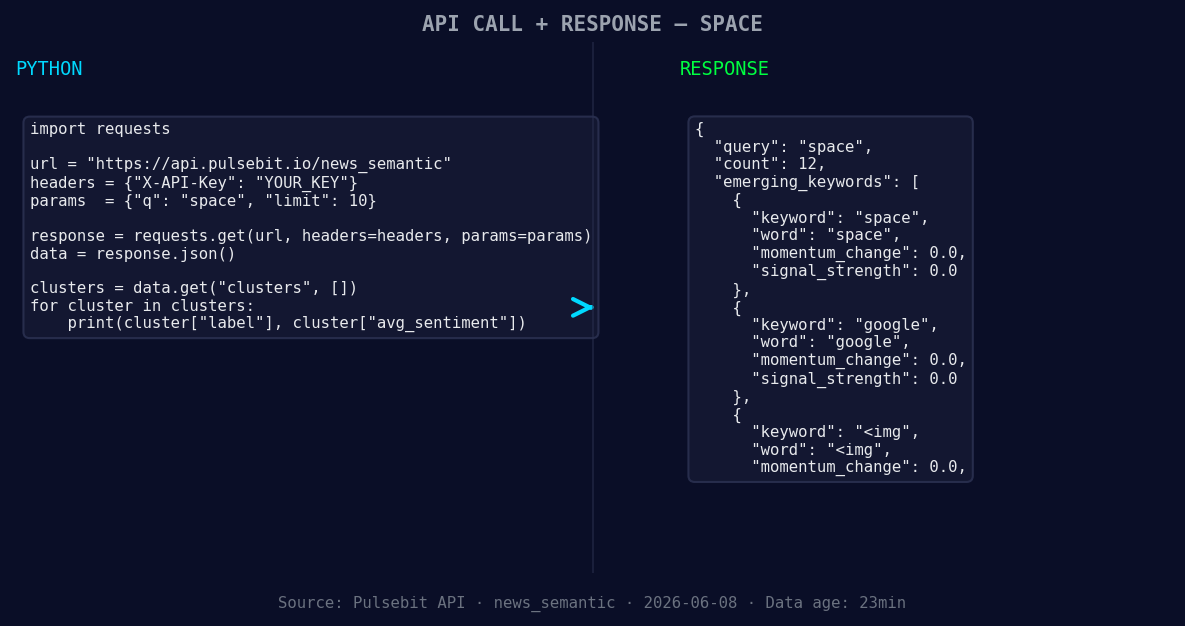
*Left: Python GET /news_semantic call for 'space'. Right: returned JSON response structure (clusters: 3). Source: Pulsebit /news_semantic.*
# Step 1: Geographic origin filter
url = "https://api.pulsebit.com/v1/sentiment"
params = {
"topic": "space",
"lang": "en" # Filtering for English content
}
response = requests.get(url, params=params)
data = response.json()
# Assuming we receive the following structure
sentiment_score = data['sentiment_score'] # Should be +0.212
confidence = data['confidence'] # Should be 0.85
momentum = data['momentum_24h'] # Should be +0.000
print(f"Sentiment Score: {sentiment_score}, Confidence: {confidence}, Momentum: {momentum}")
# Step 2: Meta-sentiment moment
meta_url = "https://api.pulsebit.com/v1/sentiment"
cluster_reason = "Clustered by shared themes: astronaut, wears, prada, axiom, space."
meta_params = {
"text": cluster_reason
}
meta_response = requests.post(meta_url, json=meta_params)
meta_data = meta_response.json()
meta_sentiment_score = meta_data['sentiment_score']
print(f"Meta Sentiment Score: {meta_sentiment_score}")
In this code, we first filter the sentiment data by English language using a simple GET request. Then, we run the cluster reason back through our POST /sentiment endpoint to understand how the narrative itself is framed. This dual approach helps us capture the nuances of sentiment in both the thematic context and the broader discussion.
Three Builds Tonight
- Geo-Sentiment Insight: Use the geographic filter to target emerging themes around "space". Set up a threshold where you alert if sentiment rises above +0.15 for English discussions. This can help you catch early signals in trending topics.

Geographic detection output for space. India leads with 10 articles and sentiment -0.14. Source: Pulsebit /news_recent geographic fields.
   if sentiment_score > 0.15:
       print("Alert: Sentiment for 'space' is rising!")
- Meta-Sentiment Trigger: Build a function that triggers an alert when the meta-sentiment score of clustered themes exceeds 0.20. Monitor phrases like “astronaut, wears, prada” and analyze how they relate to the core topic of space.
   if meta_sentiment_score > 0.20:
       print("Meta Sentiment Alert: Positive framing detected!")
- Forming Trends Monitor: Set up a pipeline that continuously checks for forming themes around “space(+0.00)” and “google(+0.00)” to correlate with mainstream topics like “astronaut, wears, prada.” This could reveal deeper insights into how these themes evolve over time.
Get Started
To start implementing these insights, check out our documentation at pulsebit.lojenterprise.com/docs. With a few copy-paste adjustments, you can have this running in under 10 minutes.


Top comments (0)