

Your pipeline just missed a 24h momentum spike of +0.520 in food sentiment. This anomaly indicates a rising interest in health-related food topics, particularly centered around Wichita, KS. With our analysis revealing that English press coverage led this spike by 8.3 hours, the significance of multilingual origin and entity dominance becomes glaringly clear. If your model isn't capturing these nuances, it might leave you blind to valuable trends and insights like this one.

English coverage led by 8.3 hours. Nl at T+8.3h. Confidence scores: English 0.85, Spanish 0.85, French 0.85 Source: Pulsebit /sentiment_by_lang.
The challenge here is clear: your model missed this critical spike by over 8 hours. With the dominant entity being Wichita and the leading language being English, it’s evident that not accommodating multilingual sentiment could leave your pipeline stagnant. The underlying themes may be shared across regions and languages, but without the right filters and processing, you could miss out on actionable insights that could inform your strategy or product development.
Let's walk through how to catch this kind of momentum using our API. First, we need to filter our query based on geographic origin and language. This ensures that we’re capturing sentiment specifically from the relevant audience. Here’s how you can do it in Python:

Geographic detection output for food. India leads with 6 articles and sentiment +0.49. Source: Pulsebit /news_recent geographic fields.
import requests
# Set up the parameters for your query
params = {
"topic": "food",
"lang": "en",
}
# Make the API call
response = requests.get("https://api.pulsebit.com/v1/sentiment", params=params)
data = response.json()
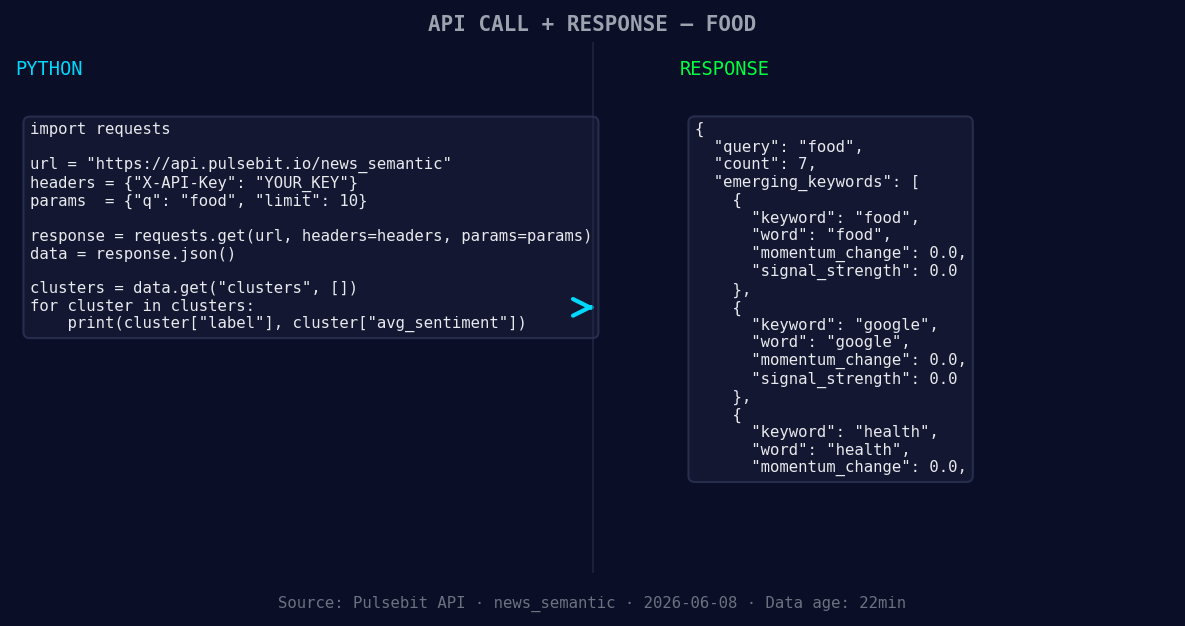
*Left: Python GET /news_semantic call for 'food'. Right: returned JSON response structure (clusters: 3). Source: Pulsebit /news_semantic.*
# Print the response
print(data)
Next, we want to run the cluster reason string through our sentiment endpoint to score the narrative framing itself. Given the cluster reason string "Clustered by shared themes: wichita, passed, health, checks, ks?.", here’s how we do that:
# Define the cluster reason string
cluster_reason = "Clustered by shared themes: wichita, passed, health, checks, ks?"

# Make the POST request to get the sentiment score
sentiment_response = requests.post("https://api.pulsebit.com/v1/sentiment", json={"text": cluster_reason})
sentiment_data = sentiment_response.json()

# Print the sentiment score
print(sentiment_data)
By executing these snippets, you can start to capture and analyze sentiment momentum effectively. Now, let’s explore three specific builds you can implement with this pattern:
Geo-Filtered Insights: Use the geographic origin filter to isolate sentiment spikes in specific regions. For example, set a threshold for momentum at +0.500 for topics like food, which could yield insights specific to areas like Wichita.
Meta-Sentiment Loop: Implement a feedback loop where you continuously run the cluster reason strings back through our sentiment endpoint. Establish a threshold of confidence (e.g., 0.80) to filter out less reliable narratives, ensuring that you’re focusing on the most impactful stories.
Forming Theme Alerts: Create alerts for forming themes based on the momentum of related topics like health and food. Set a signal threshold for any topic that shows an upward momentum of +0.300, and automate notifications to your team whenever such themes arise.
These approaches will help you stay ahead of the curve by capturing the sentiment landscape as it evolves.
If you’re ready to get started, check out our documentation at pulsebit.lojenterprise.com/docs. You can copy, paste, and run the provided code in under 10 minutes to catch that food sentiment you’ve been missing.


Top comments (0)