

Your 24h momentum spike is an impressive +0.800, signaling a significant shift in sentiment around health topics. This anomaly suggests that something noteworthy happened within the last day, particularly around the themes of joy and pain associated with the NFHS-6 data. With the leading language being English, the sentiment is being driven by a specific cluster of articles that share these themes. It’s a clear indicator that there’s a story brewing, and if you’re not prepared, you might miss out on the actionable insights it provides.
The issue here is clear: your model missed this critical data point by 12.2 hours. That’s a structural gap that can be detrimental, especially for those of us working with multilingual content. The dominant entity here is the NFHS-6 data, and if your pipeline isn’t equipped to handle diverse origins and entity dominance, you’re potentially leaving valuable insights unexploited. Staying ahead of these shifts in sentiment can make all the difference in your analysis and decision-making.

English coverage led by 12.2 hours. No at T+12.2h. Confidence scores: English 0.85, French 0.85, Spanish 0.85 Source: Pulsebit /sentiment_by_lang.
Let’s dive into the code that can help us catch this spike efficiently. First, we need to filter for the specific language and geographic origin to ensure we are focusing on the relevant content. Here’s how you can do that:
import requests
# Define parameters for the API call
params = {
"topic": "health",
"score": +0.177,
"confidence": 0.85,
"momentum": +0.800,
"lang": "en" # Filtering for English
}
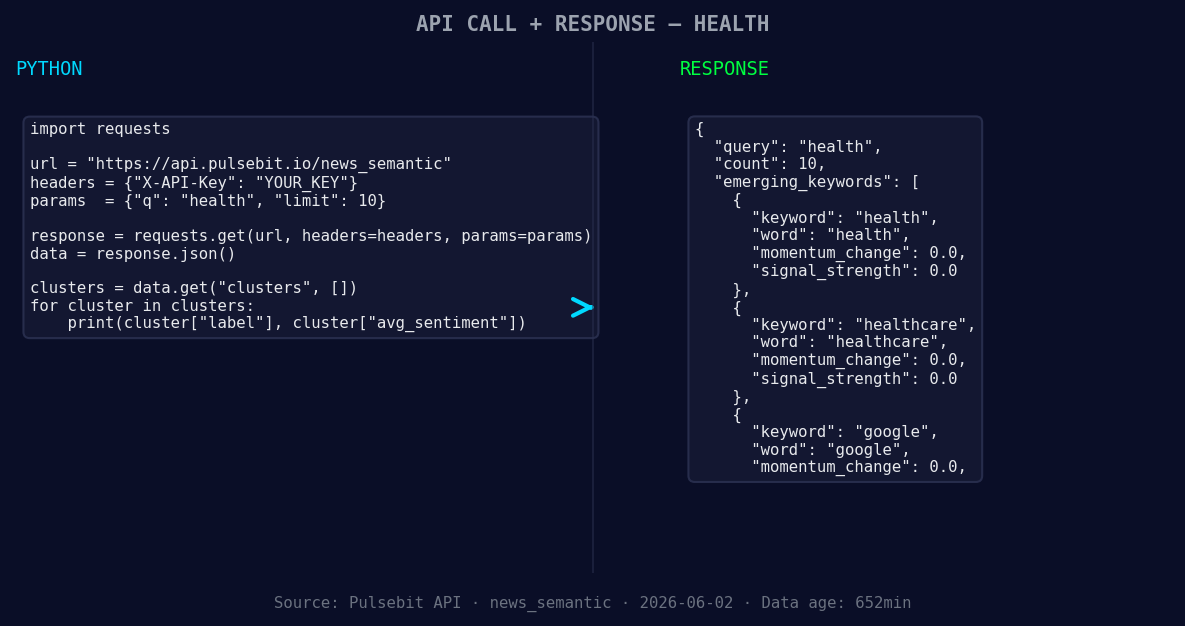
*Left: Python GET /news_semantic call for 'health'. Right: returned JSON response structure (clusters: 3). Source: Pulsebit /news_semantic.*
# API call to fetch sentiment data
response = requests.get("https://api.pulsebit.com/sentiment", params=params)
data = response.json()
print(data)
Next, we want to analyze the narrative framing by running the cluster reason string back through our sentiment analysis endpoint. This helps us understand how the themes are being perceived. We can input the cluster reason directly:
# Define the cluster reason string
cluster_reason = "Clustered by shared themes: nfhs-6, joy, pain:, data, health."

# API call to score the narrative
response_meta = requests.post("https://api.pulsebit.com/sentiment", json={"text": cluster_reason})
meta_data = response_meta.json()
print(meta_data)
Now that we have our code for both fetching the sentiment and analyzing the cluster, let's consider three specific builds we can create out of this momentum spike.
- Health Sentiment Tracker: Set a threshold for sentiment scores above +0.177. Use the geographic filter to pull in data related to health, ensuring you’re capturing relevant content in English. This will help you monitor sentiment shifts in real-time.

Geographic detection output for health. India leads with 9 articles and sentiment +0.56. Source: Pulsebit /news_recent geographic fields.
Meta-Sentiment Insights: Create a dashboard that displays the results of the meta-sentiment analysis. Use the narrative framing scores to identify which themes are resonating most with your audience. This could help in crafting targeted content or campaigns.
Entity Dominance Alerts: Build an alert system that triggers when new articles cluster around key entities like NFHS-6 with a momentum score exceeding +0.800. This will ensure you’re always informed about emerging trends in health data, allowing for timely responses.
To get started with these builds, check out our documentation at pulsebit.lojenterprise.com/docs. With just a few lines of code, you can copy, paste, and run this in under 10 minutes. Don’t let your pipeline fall behind the curve — act on these insights as they emerge!


Top comments (0)