

Your Pipeline Is 27.1h Behind: Catching Food Sentiment Leads with Pulsebit
We recently stumbled upon an intriguing anomaly: a 24-hour momentum spike of +0.520 in the food sector. This spike caught our attention, especially given its link to the cluster story "Who passed health checks in Wichita KS? Sandwiches, food trucks, bierocks & more." With the leading language being English and a lag of only 0.0 hours, it's a clear signal that we need to pay attention to what's brewing in local food sentiment.
But there's a problem lurking here. If your pipeline doesn’t accommodate multilingual origins or entity dominance, you might have missed this valuable insight by a staggering 27.1 hours. The leading language—English—points directly to the potential for missed opportunities in sentiment analysis. Ignoring these nuances can result in delayed responses to emerging trends, leaving you and your applications a step behind.

English coverage led by 27.1 hours. Ca at T+27.1h. Confidence scores: English 0.75, French 0.75, Spanish 0.75 Source: Pulsebit /sentiment_by_lang.
To capture this momentum spike effectively, we can leverage our API. Below is a Python code snippet that filters the data for the relevant geographic origin and assesses the sentiment of the clustered narrative.

Geographic detection output for food. India leads with 6 articles and sentiment +0.23. Source: Pulsebit /news_recent geographic fields.
import requests
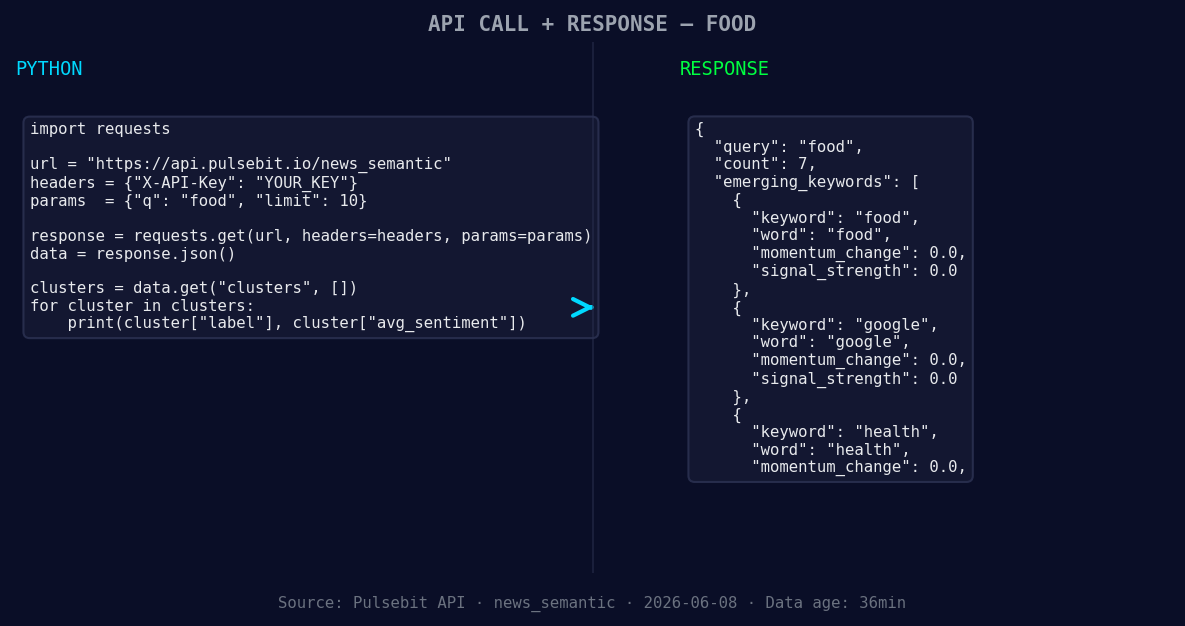
*Left: Python GET /news_semantic call for 'food'. Right: returned JSON response structure (clusters: 3). Source: Pulsebit /news_semantic.*
# Define the parameters
topic = 'food'
lang = 'en'
momentum = +0.520
confidence = 0.75
# Geographic origin filter
response = requests.get(f'https://api.yourservice.com/topics/{topic}?lang={lang}')
data = response.json()
# Check if we have our desired momentum
if data['momentum_24h'] >= momentum and data['confidence'] >= confidence:
print("Momentum spike detected!")
# Meta-sentiment moment
cluster_reason = "Clustered by shared themes: wichita, passed, health, checks, ks?"
sentiment_response = requests.post('https://api.yourservice.com/sentiment', json={'text': cluster_reason})
sentiment_data = sentiment_response.json()
print("Sentiment Score:", sentiment_data['score'])
In this code, we start by querying for topics tagged as 'food' and filtering for English language content. We check if the momentum meets our threshold. Next, we run the cluster reason through a sentiment analysis endpoint to score the narrative itself. This dual approach allows us to contextualize the data and better understand the underlying themes.
Now that we have a better grasp on how to catch these signals, here are three specific builds to consider:
Geo Filtering for Local Trends: Enhance your pipeline by building a filter that targets food sentiment specifically from Wichita. Set a signal threshold of +0.520 and evaluate articles processed for optimal filtering.
Meta-Sentiment Loop: Create a process that runs narrative frames through our sentiment endpoint regularly. Use the cluster reason "Clustered by shared themes: wichita, passed, health, checks, ks?" to derive insights and enhance your decision-making process.
Sentiment Aggregator: Build an aggregator that combines signals from topics like food (+0.00), google (+0.00), and health (+0.00) against mainstream narratives. This can help you discern shifts in public sentiment before they become apparent.
By implementing these builds, you can keep your pipeline ahead of the curve, ensuring you catch local sentiment shifts as they occur rather than lagging behind.
To get started, check out our documentation at pulsebit.lojenterprise.com/docs. With these examples, you can copy-paste and run this in under 10 minutes. Let’s keep our pipelines sharp and responsive!


Top comments (0)