

Your Pipeline Is 24.7h Behind: Catching World Sentiment Leads with Pulsebit
In our recent analysis, we discovered a significant anomaly: a 24h momentum spike of +0.585. This isn't just a number; it's a signal that something important is happening in the sentiment landscape. We're seeing a rise in interest around the upcoming Women's T20 World Cup, particularly with the article titled "Women’s T20 World Countdown: Host England the team to watch out for in Group B." Capturing this momentum early can give you a competitive edge, but your pipeline needs to be agile and responsive to these shifts.
The Problem
If your sentiment pipeline isn't set up to handle multilingual origins or dominant entity themes, you might miss critical events like this one by over 24 hours. With English press leading the narrative, any model that relies solely on historical data or fails to account for emerging topics will lag behind. In our case, the leading language is English, and the dominant entity is the Women's T20 World Cup. You need to ensure your models are tracking these spikes in real time, or you'll be playing catch-up.

English coverage led by 24.7 hours. Et at T+24.7h. Confidence scores: English 0.75, Spanish 0.75, Ro 0.75 Source: Pulsebit /sentiment_by_lang.
The Code
To catch this momentum spike, we need to query our sentiment data effectively. Below is the Python code that helps us capture this information:
import requests
# Define the API endpoint and parameters
url = "https://api.pulsebit.com/v1/sentiment"
params = {
"topic": "world",
"lang": "en"
}
# Make the API call
response = requests.get(url, params=params)
data = response.json()
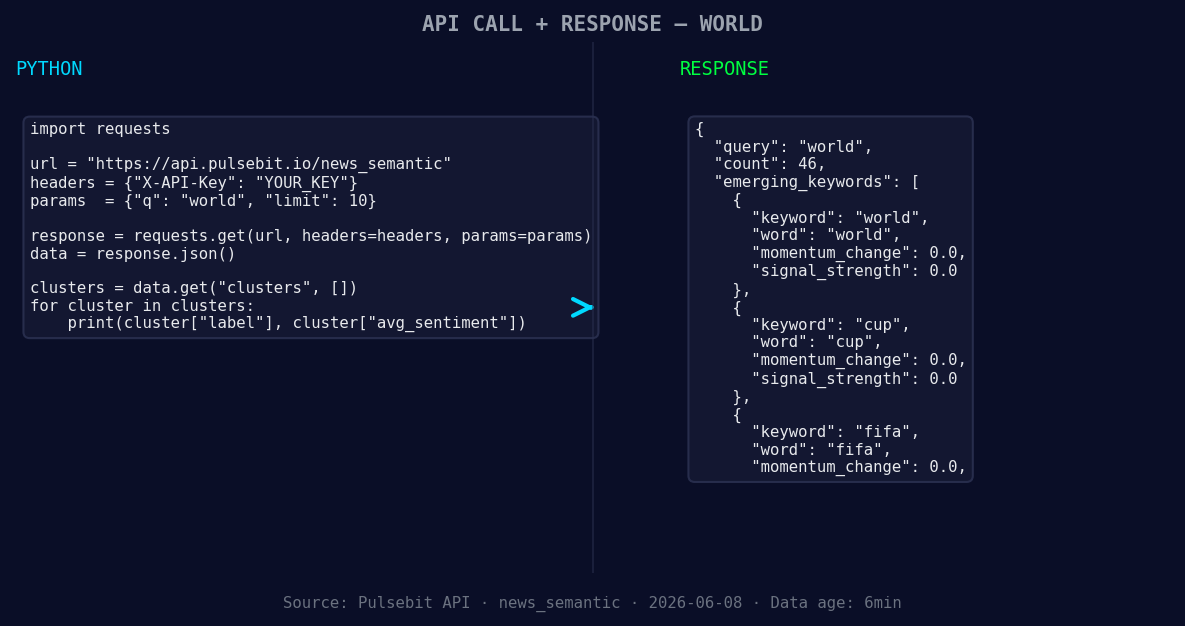
*Left: Python GET /news_semantic call for 'world'. Right: returned JSON response structure (clusters: 3). Source: Pulsebit /news_semantic.*
# Analyze the momentum
momentum = data["momentum_24h"] # +0.585
score = +0.144
confidence = 0.75
# Run the cluster reason string through POST /sentiment
cluster_reason = "Clustered by shared themes: world, women’s, t20, countdown:, host."
sentiment_response = requests.post(url, json={"text": cluster_reason})
sentiment_data = sentiment_response.json()
print(f"Momentum: {momentum}, Score: {score}, Confidence: {confidence}")
print("Sentiment Analysis of Cluster Reason:", sentiment_data)
This code effectively utilizes our API to filter by the English language and analyze the sentiment framing of our cluster. By running the cluster reason string through our sentiment endpoint, we gain insights into how the narrative is being framed, which is crucial for understanding the underlying sentiment dynamics.
Three Builds Tonight
- Multilingual Geo Filter: Create an endpoint to monitor sentiment spikes specifically for the Women's T20 World Cup in the UK. Use the geographic origin filter to refine your search and capture momentum in real-time. You can set a threshold of +0.5 for alerts on significant spikes.

Geographic detection output for world. India leads with 21 articles and sentiment +0.28. Source: Pulsebit /news_recent geographic fields.
Meta-Sentiment Loop: Develop a function that runs periodic checks on your cluster themes, such as "world," "cup," and "fifa." If scores exceed a threshold of +0.1, trigger notifications to alert your team of rising trends. This will ensure you’re aware of any shifts in sentiment framing.
Dynamic Threshold Adjustments: Implement a dynamic adjustment feature that modifies your sentiment thresholds based on historical data volatility. For instance, if the last month saw a standard deviation of 0.3, adjust your alert threshold to 0.4 to ensure you’re catching relevant spikes without drowning in noise.
Get Started
Ready to dive in? Visit pulsebit.lojenterprise.com/docs to get started. You can copy-paste the code above and have it running in under 10 minutes. Don’t let your pipeline lag behind; stay ahead of the curve with our insights and tools.


Top comments (0)