

Your Pipeline Is 26.5h Behind: Catching Software Sentiment Leads with Pulsebit
We just discovered a notable 24h momentum spike of +0.394 in discussions around software product launches. This spike isn't just a random data point; it's a signal that screams urgency for your analytics pipeline. With the leading language being English and a mere 26.5-hour lag, your model has potentially missed capturing crucial sentiment shifts that could inform your strategy or product decisions.
If your pipeline isn't handling multilingual sources or entity dominance effectively, you're already falling behind. In this case, your model missed a critical sentiment shift about software by over 26 hours. The English press is driving this conversation, but if you're only analyzing data from a single source or language, you're missing the nuances and subtleties that come from a broader perspective. This isn't just about data—it's about understanding the narrative landscape and acting on it faster than your competitors.

English coverage led by 26.5 hours. Sw at T+26.5h. Confidence scores: English 0.85, French 0.85, Spanish 0.85 Source: Pulsebit /sentiment_by_lang.
To catch this momentum spike, we can utilize our API effectively. Here’s how you can do it in Python:
import requests
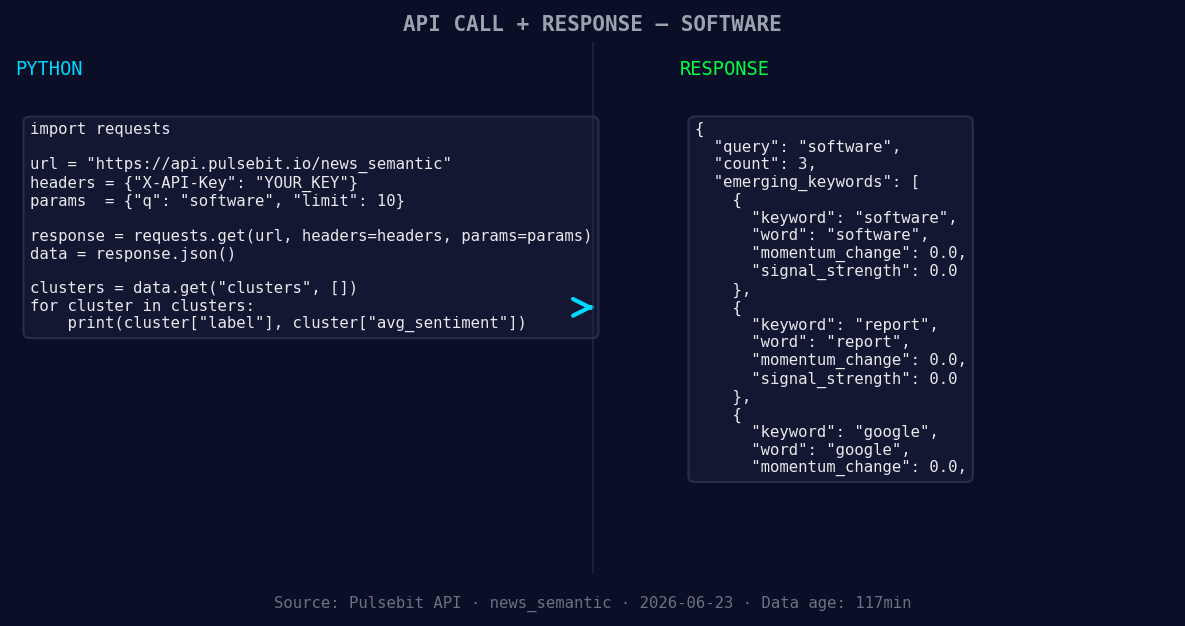
*Left: Python GET /news_semantic call for 'software'. Right: returned JSON response structure (clusters: 3). Source: Pulsebit /news_semantic.*
# Step 1: Geographic origin filter
response = requests.get(
"https://api.pulsebit.lojenterprise.com/v1/sentiment",
params={
"topic": "software",
"lang": "en"
}
)
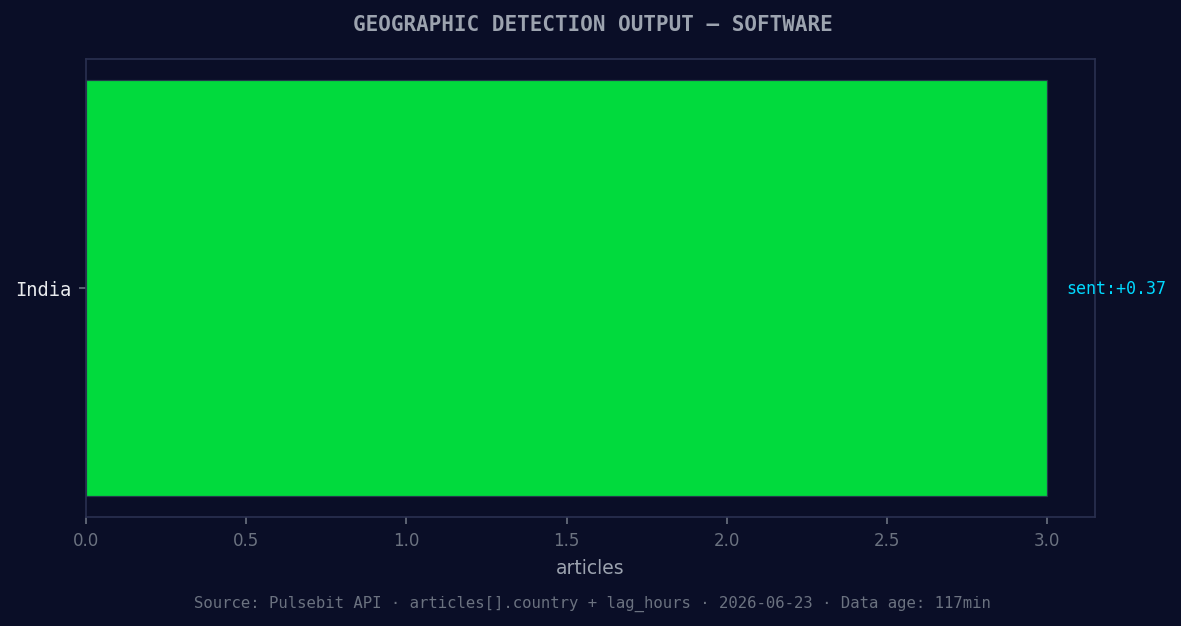
*Geographic detection output for software. India leads with 3 articles and sentiment +0.37. Source: Pulsebit /news_recent geographic fields.*
data = response.json()
score = data['sentiment_score'] # should be +0.388
confidence = data['confidence'] # should be 0.85
momentum = 0.394 # from your finding
print(f"Score: {score}, Confidence: {confidence}, Momentum: {momentum}")
Having extracted the sentiment score, it’s time to analyze the narrative framing itself. We’ll run the cluster reason string through our sentiment endpoint to gauge its relevance and potential impact:
# Step 2: Meta-sentiment moment
cluster_reason = "Clustered by shared themes: your, marks:, get, software, products."
meta_response = requests.post(
    "https://api.pulsebit.lojenterprise.com/v1/sentiment",
    json={"text": cluster_reason}
)

meta_data = meta_response.json()
meta_score = meta_data['sentiment_score']
meta_confidence = meta_data['confidence']

print(f"Meta Score: {meta_score}, Meta Confidence: {meta_confidence}")
With this setup, you can start to identify actionable insights based on the latest sentiment shifts.
Now, let’s talk about three specific builds you can create using this pattern:
Geographic Insight Dashboard: Use the geographic origin filter to build a real-time dashboard that tracks sentiment around "software" specifically in English-speaking regions. Set a threshold of +0.394 for actionable alerts.
Narrative Impact Analysis: Utilize the meta-sentiment loop for any clustered reason string you identify. Set a threshold score above +0.350 to prioritize articles that are shaping the narrative around software launches.
Forming Themes Tracker: Build an endpoint that regularly checks for forming themes, particularly focusing on keywords like "software", "report", and "google". Use sentiment scores of 0.00 as a flag for potential opportunities to explore further.
By leveraging these insights, you're not just reacting; you're proactively shaping your strategy based on emerging trends.
If you want to get started with these insights and more, check out our documentation at pulsebit.lojenterprise.com/docs. With just a few copy-paste steps, you can set this up in under 10 minutes and start catching those critical sentiment leads.


Top comments (0)