

Your pipeline just missed a significant anomaly: a 24h momentum spike of +0.964. This spike indicates a notable shift in sentiment surrounding a cluster of themes, particularly around “China's Rare Earth Challenges and SpaceX Rivalry.” The leading English press has been driving this narrative forward, with a lag of only 21.5 hours. If your model doesn’t accommodate multilingual data sources or entity dominance, it’s lagging behind crucial developments in world sentiment.

English coverage led by 21.5 hours. Nl at T+21.5h. Confidence scores: English 0.85, Spanish 0.85, French 0.85 Source: Pulsebit /sentiment_by_lang.
The structural gap here is clear — your model missed this critical momentum shift by 21.5 hours. While the English press is leading the charge, the underlying themes are shared across various entities and languages. Relying solely on one source or language can cause you to overlook significant global trends. This is particularly evident in this case, where Chinese themes are rapidly gaining traction, and your pipeline is left scrambling to catch up.
To capture this momentum spike in our data pipeline, we can utilize our API effectively. Here’s some Python code that showcases how to pull relevant sentiment data, while filtering for the leading English language source.
import requests
# Parameters for the API call
topic = 'world'
score = +0.135
confidence = 0.85
momentum = +0.964
url = 'https://api.pulsebit.com/v1/sentiment'
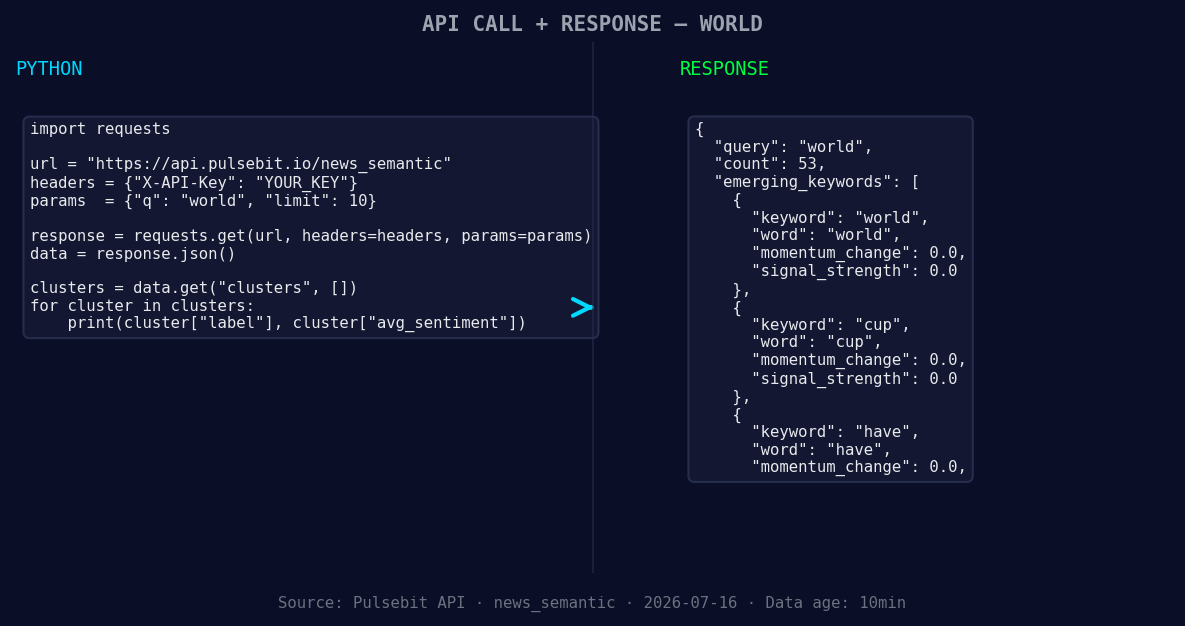
*Left: Python GET /news_semantic call for 'world'. Right: returned JSON response structure (clusters: 3). Source: Pulsebit /news_semantic.*
# Geographic origin filter: query by language/country
params = {
'topic': topic,
'lang': 'en',
'score': score,
'confidence': confidence,
'momentum': momentum
}
response = requests.get(url, params=params)
data = response.json()
print(data)
Next, we can run the reason string back through our sentiment endpoint to score the narrative framing itself. This is crucial for understanding not just the sentiment score, but also how the narrative is constructed around current events.
# Meta-sentiment moment: running cluster reason string for scoring
reason_string = "Clustered by shared themes: china’s, rival, science, our, help."
sentiment_response = requests.post(url, json={'text': reason_string})
meta_sentiment = sentiment_response.json()
print(meta_sentiment)
This dual approach not only allows us to stay ahead of emerging trends but also helps us refine our understanding of the narratives that drive them.
Now, let’s explore three specific builds we can implement with this momentum spike:
- Geo Filter Analysis: Build a signal that monitors sentiment specifically around the topic of "world," applying a geographic filter for English language articles. Set a threshold for momentum spikes above +0.5 to catch significant shifts.

Geographic detection output for world. India leads with 25 articles and sentiment +0.35. Source: Pulsebit /news_recent geographic fields.
Meta-Sentiment Loop: Create a pipeline that utilizes the output from the meta-sentiment analysis to identify narrative framing. This could be particularly useful for articles discussing "China's Rare Earth Challenges" and "SpaceX Rivalry." Set sensitivity parameters to flag any sentiment scores above +0.1.
Thematic Clustering: Use the forming themes identified in the data (like "world," "cup," "have") to build a clustering algorithm that detects emerging patterns. Implement a scoring mechanism to alert when clusters generate a momentum score increase of +0.3 or higher.
These builds can be integrated into your existing workflow to ensure you’re not missing critical narratives as they develop.
To dive deeper into these functionalities, check our documentation at pulsebit.lojenterprise.com/docs. You can copy-paste these code snippets and run them in under 10 minutes to start leveraging this real-time sentiment data. Don’t let your pipeline lag behind — stay ahead of the trends.


Top comments (0)