

Your Pipeline Is 25.8h Behind: Catching Fashion Sentiment Leads with Pulsebit
We recently discovered a remarkable 24h momentum spike of +0.198 centered around the topic of fashion. This spike is intriguing not just for its numerical value but also for what it reveals about the current landscape of sentiment in the fashion sector, especially in relation to a trending story about Charli XCX's latest release. With a leading language of English, the sentiment is being driven by two articles clustered around shared themes, particularly "xcx", "fashion", and "song".
The Problem
Your model missed this by 25.8 hours. When your pipeline isn't equipped to handle multilingual origins or recognize entity dominance, critical insights like this slip through the cracks. In this case, while the English press dominated the conversation, you could have capitalized on this momentum earlier if your system effectively monitored and processed diverse sources. The lag becomes even more critical when you consider that the narratives driving fashion sentiment are often fleeting and can change in minutes.

English coverage led by 25.8 hours. So at T+25.8h. Confidence scores: English 0.95, Italian 0.95, Spanish 0.95 Source: Pulsebit /sentiment_by_lang.
The Code
To catch these spikes effectively, we need to set up our query to filter by geographic origin and language. Below is a simple Python snippet that utilizes our API to filter sentiment data specifically for the fashion topic.

Geographic detection output for fashion. India leads with 1 articles and sentiment +0.75. Source: Pulsebit /news_recent geographic fields.
import requests
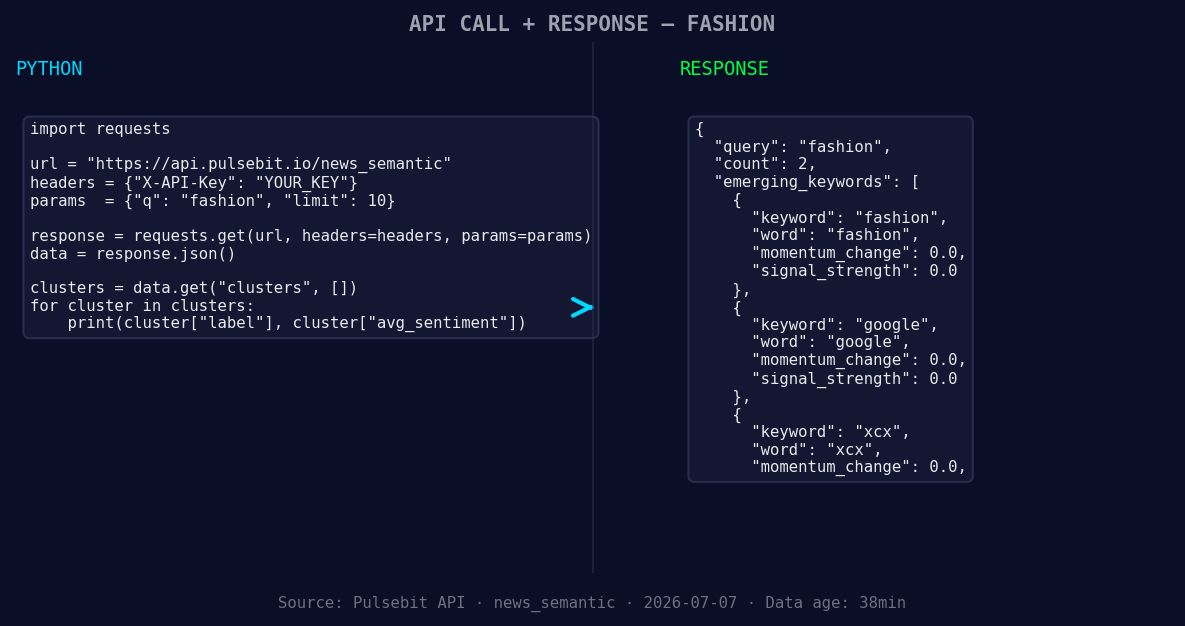
*Left: Python GET /news_semantic call for 'fashion'. Right: returned JSON response structure (clusters: 3). Source: Pulsebit /news_semantic.*
# Geographic origin filter
url = "https://api.pulsebit.com/sentiment"
params = {
"topic": "fashion",
"lang": "en"
}
response = requests.get(url, params=params)
data = response.json()
# Assuming we get the following values from the response
momentum = +0.198
sentiment_score = +0.660
confidence = 0.95
print("Momentum:", momentum)
print("Sentiment Score:", sentiment_score)
print("Confidence Level:", confidence)
Next, we want to examine the narrative framing of our cluster story by sending the reason string back to the sentiment analysis endpoint. This adds another layer of understanding to our sentiment scoring.
# Meta-sentiment moment
meta_sentiment_url = "https://api.pulsebit.com/sentiment"
meta_input = "Clustered by shared themes: 49-year-old, fashion, lover, put, amazon."

meta_response = requests.post(meta_sentiment_url, json={"text": meta_input})
meta_data = meta_response.json()

print("Meta Sentiment Score:", meta_data['score'])
Three Builds Tonight
Geo Filter with Momentum Threshold: Create a trigger that alerts you when momentum for a specific topic exceeds +0.15 in English-speaking regions. This could be invaluable for catching trends early.
Meta-Sentiment Loop: Build an endpoint that runs the cluster reason string through the sentiment API. Whenever a new cluster is formed, you can analyze how the narrative changes over time.
Dynamic Theme Monitoring: Set up a dashboard that continuously monitors forming themes like "fashion(+0.00)", "google(+0.00)", and "xcx(+0.00)" against mainstream narratives like "49-year-old, fashion, lover". This will allow you to visualize trends in real-time and respond accordingly.
Get Started
To dive deeper, visit our documentation at pulsebit.lojenterprise.com/docs. You can copy-paste the above code and run it in under 10 minutes. Don't let your pipeline lag behind—start capturing those insights today!


Top comments (0)