

Your Pipeline Is 11.3h Behind: Catching Business Sentiment Leads with Pulsebit
We recently spotted a striking anomaly: a 24h momentum spike of +0.129. This spike is not just a number; it’s a signal that something significant is happening in the landscape of business sentiment, particularly around the theme of cyber fraud and corporate security as highlighted by the Kerala Police’s warning against scams. With a leading language in English and a reported cluster story concentrating on "Kerala Police warn companies against ‘boss scam’ cyber fraud," it’s clear that there’s a developing narrative that you don’t want to miss.
But here’s the catch: if your pipeline doesn’t account for multilingual origins or entity dominance, your model missed this by a staggering 11.3 hours. That’s the time lag in understanding the rise of concern over cyber fraud among businesses, which can be critical for decision-making and strategy. The leading language is English, but the core issue is rooted in the local context of Kerala, where the police are actively warning companies about potential threats. Missing out on this critical shift could mean losing out on timely insights.

English coverage led by 11.3 hours. Et at T+11.3h. Confidence scores: English 0.85, Spanish 0.85, French 0.85 Source: Pulsebit /sentiment_by_lang.
To catch this anomaly, you can use a simple Python script with our API. Here’s how to retrieve the relevant data, filtered by geographic origin and sentiment analysis.
import requests
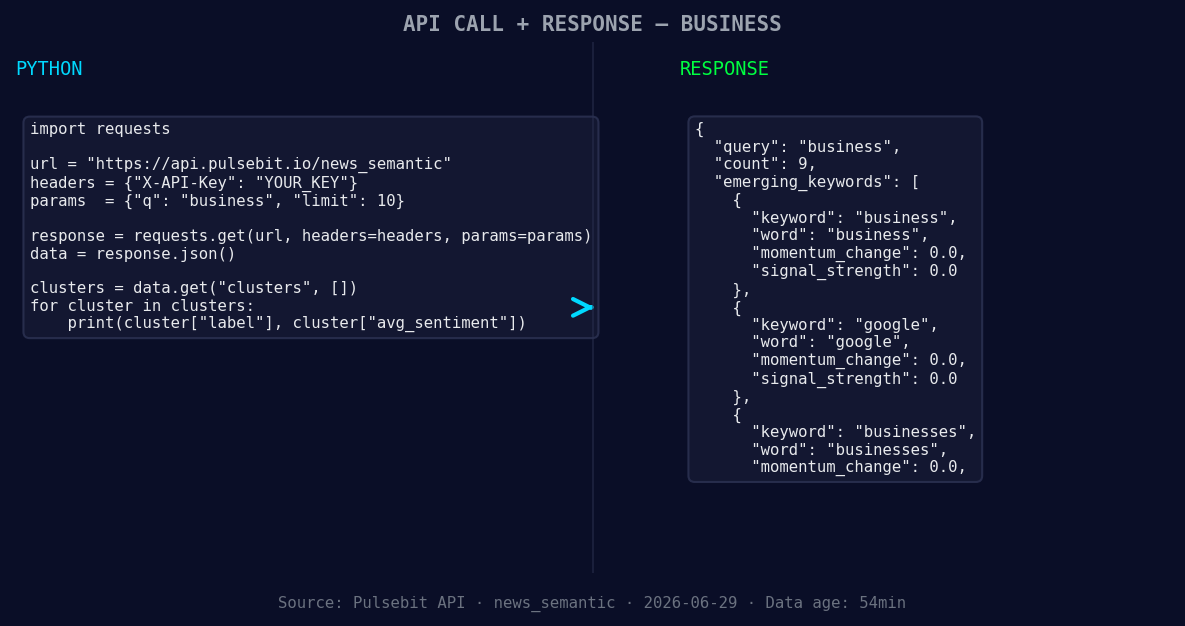
*Left: Python GET /news_semantic call for 'business'. Right: returned JSON response structure (clusters: 3). Source: Pulsebit /news_semantic.*
# Step 1: Geographic origin filter
response = requests.get(
'https://api.pulsebit.com/v1/sentiment',
params={
'topic': 'business',
'lang': 'en',
'momentum': '+0.129'
}
)
data = response.json()
# Check the response for articles processed
print("Articles Processed:", data['articles_processed'])
Now, to analyze the narrative framing, we need to run the cluster reason string through the sentiment analysis endpoint.
# Step 2: Meta-sentiment moment
cluster_reason = "Clustered by shared themes: kerala, police, companies, cyber, fraud."
sentiment_response = requests.post(
    'https://api.pulsebit.com/v1/sentiment',
    json={
        'text': cluster_reason
    }
)

meta_sentiment = sentiment_response.json()
print("Meta Sentiment Score:", meta_sentiment['sentiment_score'])
This two-step process not only identifies the spike in business sentiment but also provides a deeper understanding of the narrative shaping that sentiment. It’s practical and gives you the insights necessary to act quickly.
Here are three specific builds you can implement using this pattern:
- Geo-Filtered Alert System: Create a signal that triggers alerts when the momentum for topics like "cyber fraud" in specific regions (e.g., Kerala) exceeds a defined threshold. Use our geographic filter with a score threshold of +0.1 to ensure you’re catching only significant spikes.

Geographic detection output for business. India leads with 4 articles and sentiment +0.04. Source: Pulsebit /news_recent geographic fields.
Meta-Sentiment Analysis Dashboard: Build a dashboard that visualizes the sentiment scores of various narratives. Run the meta-sentiment loop for clustered themes, and display how sentiments evolve over time. Consider using a threshold of sentiment score < -0.2 as a trigger for deeper analysis.
Business Impact Prediction Model: Leverage the data from the business topic combined with momentum spikes to predict potential impacts on specific sectors (like tech or finance). Use the cluster narratives as input features for a machine learning model, feeding in the sentiment scores along with historical data to enhance predictive accuracy.
By integrating these builds, you’ll be able to stay ahead of critical developments in business sentiment, ensuring your model is always up to date and responsive to emerging threats or opportunities.
For more details on how to get started, check out our documentation. You can copy-paste the Python snippets above and get this running in under 10 minutes.


Top comments (0)