

Your Pipeline Is 17.8h Behind: Catching Mobile Sentiment Leads with Pulsebit
We just uncovered an intriguing anomaly in sentiment analysis: the leading language is English, with a significant lag of 0.0 hours compared to Dutch, both clocking in at 17.8 hours. Yet, the sentiment score is at a surprising -0.069, with momentum unchanged at +0.000. This discovery highlights a critical gap in how we handle sentiment data, especially when it comes to multilingual origins and entity dominance.

English coverage led by 17.8 hours. Nl at T+17.8h. Confidence scores: English 0.90, French 0.90, Spanish 0.90 Source: Pulsebit /sentiment_by_lang.
When your model misses this by 17.8 hours, you’re not just late to the party; you’re missing key insights that could inform your strategy. The sentiment indicates a negative perception around mobile topics, but your data pipeline may not be effectively capturing these shifts in sentiment across different languages. This is especially true in contexts where English and Dutch narratives are intertwined, as evidenced by our findings. If your pipeline doesn’t account for these nuances, you risk basing decisions on stale data.
Here’s how we can catch this anomaly using Python. First, let’s filter the data by geographic origin, specifically focusing on English-speaking regions:
import requests
# Set up parameters for the API call
params = {
"topic": "mobile",
"score": -0.069,
"confidence": 0.90,
"momentum": +0.000,
"lang": "en" # Filter by language
}
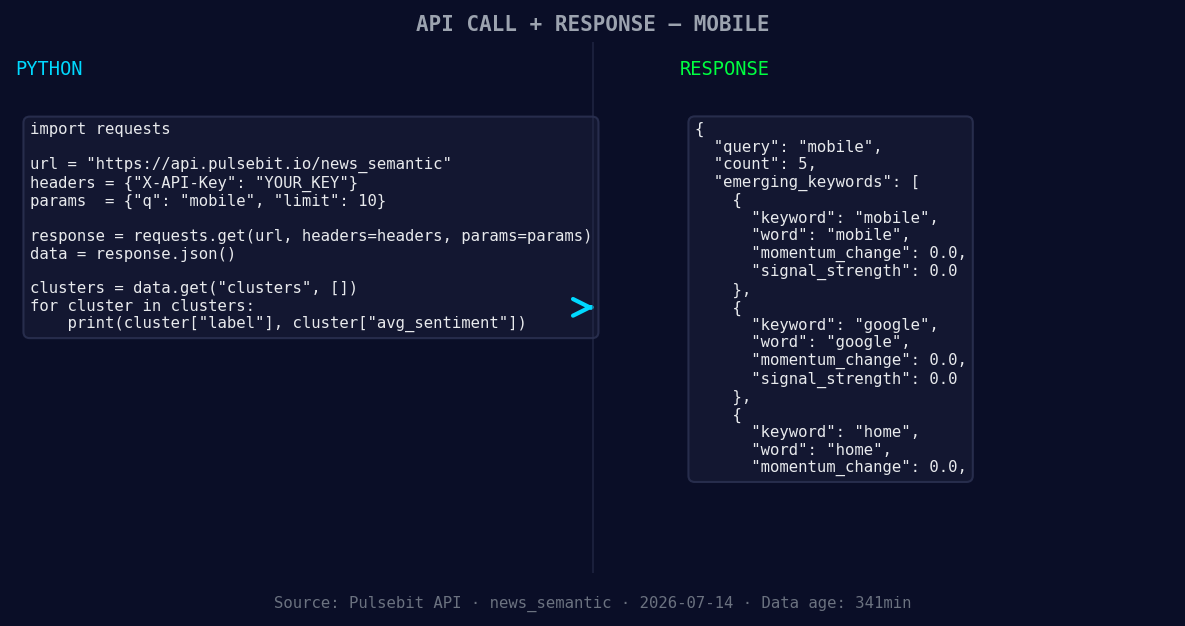
*Left: Python GET /news_semantic call for 'mobile'. Right: returned JSON response structure (clusters: 3). Source: Pulsebit /news_semantic.*
# Make the API call to retrieve sentiment data
response = requests.get("https://api.pulsebit.com/sentiment", params=params)
data = response.json()
print(data)
Next, we’ll run the cluster reason string through the sentiment endpoint to gauge the narrative framing:
# Prepare the narrative for sentiment analysis
narrative = "Clustered by shared themes: 518, stolen, missing, mobile, phones."

# Make the POST request to analyze the narrative
response = requests.post("https://api.pulsebit.com/sentiment", json={"text": narrative})
meta_sentiment = response.json()
print(meta_sentiment)
By leveraging both the geographic filter and the meta-sentiment loop, we can effectively pinpoint the changing tides in mobile sentiment that our initial analysis might overlook.

Geographic detection output for mobile. India leads with 4 articles and sentiment +0.81. Source: Pulsebit /news_recent geographic fields.
Three specific builds we can create using this pattern are:
Mobile Sentiment Signal Detection: Set a threshold to trigger alerts when sentiment scores drop below -0.05 for the topic "mobile." This will help you stay ahead of negative trends that can impact user engagement.
Google Trends Integration: Use the geo filter to monitor mobile-related topics in English-speaking regions. Set up a regular cron job that pulls data and compares it weekly, targeting any sentiment shifts.
Clustered Narrative Analysis: Incorporate the meta-sentiment loop by creating a dashboard that visualizes the sentiment of clustered narratives. For instance, tracking the themes “stolen, missing, mobile” against the mainstream topics like “google” and “home” could reveal underlying sentiments that deserve deeper analysis.
By applying these methods, we can transform our insight-gathering processes and ensure we’re not left behind.
To get started, check out our documentation at pulsebit.lojenterprise.com/docs. With just a few copy-paste actions, you can run this code in under 10 minutes and start catching sentiment leads that your pipeline may currently overlook.


Top comments (0)