

Your Pipeline Is 11.5h Behind: Catching Cloud Sentiment Leads with Pulsebit
We recently spotted a significant anomaly: a 24h momentum spike at -0.231, indicating a noteworthy shift in sentiment around the topic of "cloud." This data point caught our attention, especially as the leading language for coverage is Spanish, with a striking 11.5-hour lead time. It raises an important question about how well our pipelines can handle multilingual and entity-dominance scenarios.

Spanish coverage led by 11.5 hours. Sw at T+11.5h. Confidence scores: Spanish 0.95, English 0.95, French 0.95 Source: Pulsebit /sentiment_by_lang.
If your model isn't accommodating this kind of linguistic and temporal variation, it could be missing critical insights by as much as 11.5 hours. In this case, Spanish-language articles are leading the narrative, while your system, potentially focused on English content, remains oblivious. This oversight not only risks relevance but could also lead to missed opportunities in capitalizing on emerging trends.
To catch these kinds of sentiment shifts, we can leverage our API effectively. Here's a Python snippet that demonstrates how to identify the spike:
import requests
# Define parameters for the API call
topic = 'cloud'
params = {
"topic": topic,
"lang": "sp", # Filter by Spanish language
"score": 0.427,
"confidence": 0.95,
"momentum": -0.231
}
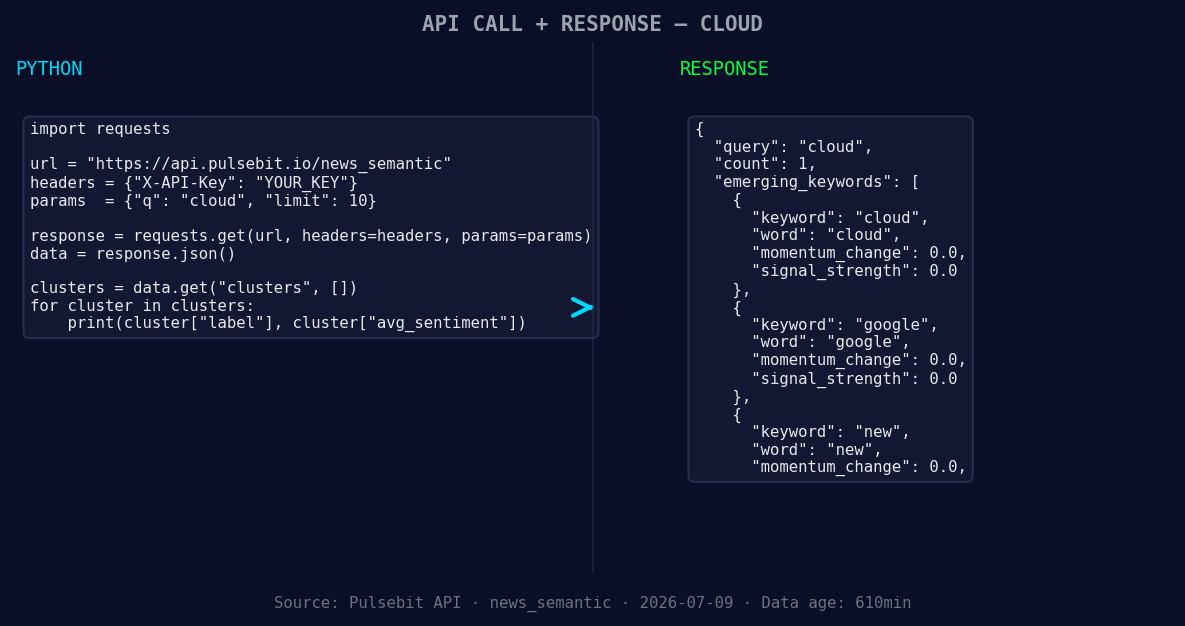
*Left: Python GET /news_semantic call for 'cloud'. Right: returned JSON response structure (clusters: 3). Source: Pulsebit /news_semantic.*
# API call to fetch relevant articles
response = requests.get("https://api.pulsebit.com/v1/articles", params=params)
data = response.json()
print(data)
Next, we'll use the meta-sentiment feature to analyze the narrative framing itself. The cluster reason we want to score is: "Clustered by shared themes: federal, innovation, private, accelerating, cloud." Here’s how we do that:
# Define the narrative framing
narrative = "Clustered by shared themes: federal, innovation, private, accelerating, cloud."

# API call to analyze meta-sentiment
meta_sentiment_response = requests.post("https://api.pulsebit.com/v1/sentiment", json={"text": narrative})
meta_sentiment_data = meta_sentiment_response.json()
print(meta_sentiment_data)
By running these two snippets, you can tap into the leading sentiment around cloud solutions from Spanish-language articles while also gaining insights into the narrative framing that surrounds it.
Now, let's look at three specific builds you can implement using this pattern:
- Geo-Filtered Alert: Set up a real-time alert system that triggers when the momentum for "cloud" dips below -0.2 in Spanish-language articles. Use the geographic filter to ensure you capture only relevant content. This will help you stay on top of emerging trends in regions where Spanish is predominant.

Geographic detection output for cloud. India leads with 1 articles and sentiment +0.85. Source: Pulsebit /news_recent geographic fields.
Meta-Sentiment Analysis Routine: Create a scheduled job that runs the meta-sentiment loop for specific clusters like "federal," "innovation," and "private." This will help you to continuously evaluate the framing of conversations around these topics, allowing you to adjust your strategies accordingly.
Forming Theme Dashboard: Build a dashboard that visualizes forming themes such as "cloud," "google," and "new" versus mainstream topics like "federal," "innovation," and "private." Use the insights from the sentiment scores to prioritize which areas to focus your resources on.
In just a few minutes, you can integrate these insights into your existing infrastructure. Head over to pulsebit.lojenterprise.com/docs to get started. With these snippets, you can copy, paste, and run this in under 10 minutes to take your sentiment analysis to the next level.


Top comments (0)