

Your Pipeline Is 25.8h Behind: Catching Travel Sentiment Leads with Pulsebit
We recently discovered an interesting anomaly: a sentiment score of +0.229 and a momentum of +0.000 around travel-themed articles, leading by 25.8 hours in English. This spike indicates a distinct positive sentiment emerging around travel as we approach major events like the World Cup. With our analysis revealing this, it's crucial to reflect on how your data pipeline might be missing such key insights, especially when it comes to understanding multilingual origins and entity dominance.

English coverage led by 25.8 hours. Af at T+25.8h. Confidence scores: English 0.85, French 0.85, Spanish 0.85 Source: Pulsebit /sentiment_by_lang.
If your model isn't equipped to handle different languages or doesn't prioritize dominant entities, you likely missed this sentiment spike by 25.8 hours. The leading language here is English, and without proper multilingual handling, your sentiment analysis could fall behind, leaving you unaware of these emerging trends. This gap can drastically affect your decision-making and responsiveness to public sentiment, especially for events drawing international attention.
Let's dive into the code that can help you catch this anomaly. Below is a snippet that queries our API to filter articles by the geographical origin and language, focusing on the topic of travel.

Geographic detection output for travel. India leads with 6 articles and sentiment +0.04. Source: Pulsebit /news_recent geographic fields.
import requests
# Define the API endpoint and parameters
url = "https://api.pulsebit.com/v1/articles"
params = {
"topic": "travel",
"lang": "en",
"score": 0.229,
"confidence": 0.85,
"momentum": 0.000
}
# Make the API call to get relevant articles
response = requests.get(url, params=params)
articles = response.json()
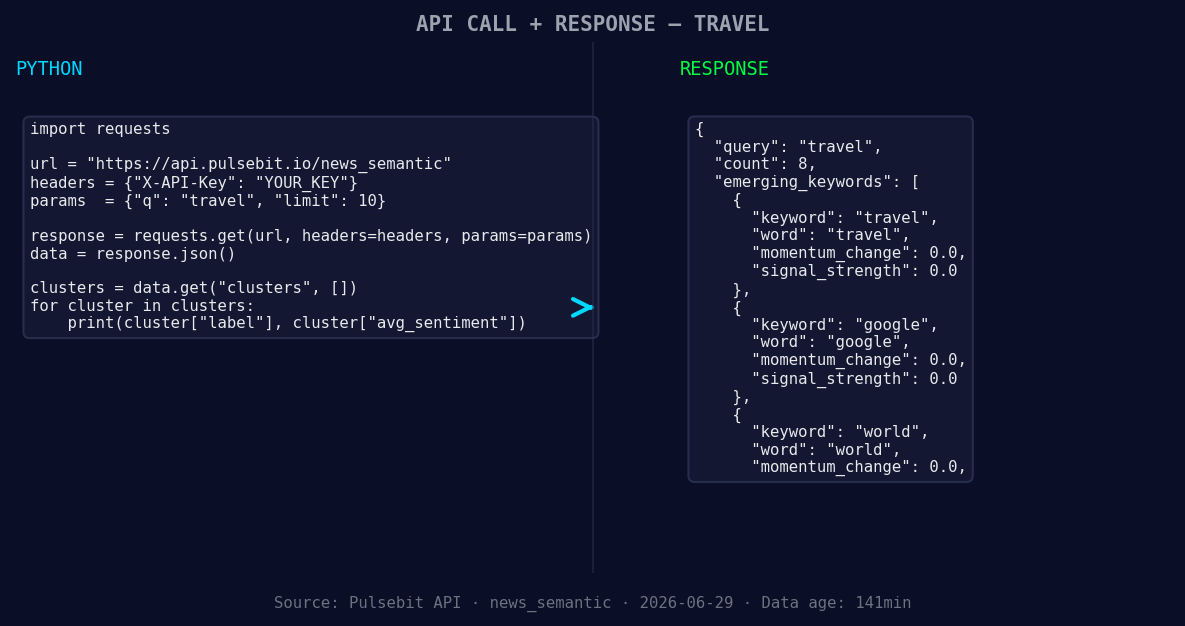
*Left: Python GET /news_semantic call for 'travel'. Right: returned JSON response structure (clusters: 3). Source: Pulsebit /news_semantic.*
# Display the articles
print(articles)
Next, we want to analyze the narrative framing of our findings. This step captures the essence of the sentiment's context by feeding the cluster reason string back through our meta-sentiment endpoint. Here’s how you can do that:
# Define the meta-sentiment endpoint and input string
meta_sentiment_url = "https://api.pulsebit.com/v1/sentiment"
input_string = "Clustered by shared themes: world, cup, travel, grind, real."

# Make the API call for the meta-sentiment analysis
meta_response = requests.post(meta_sentiment_url, json={"text": input_string})
meta_sentiment = meta_response.json()

# Display the meta sentiment analysis
print(meta_sentiment)
With this setup, you can gain deeper insights into the travel sentiment and its context, helping you to stay ahead of trends.
Here are three specific builds that you can implement tonight using this pattern:
Leverage Geographic Origin: Set a signal threshold for travel-related topics. For instance, trigger alerts when the sentiment score for travel in English exceeds +0.20 and the articles processed are above 5. This can provide an early indicator of rising trends.
Meta-Sentiment Loop: Create a function that automatically checks the meta-sentiment of clustered articles. For example, if the input string contains themes like “world, cup, travel” and the sentiment score is above +0.20, build a notification system that alerts your team to investigate further.
Monitor Forming Themes: Track the forming themes of travel, Google, and world. If the sentiment for “travel” remains at +0.00 while mainstream themes like “world” and “cup” rise, consider building an analysis that compares these trends to identify potential market shifts or public interest changes.
To get started, visit our documentation at pulsebit.lojenterprise.com/docs. You can copy-paste and run the provided snippets in under 10 minutes to catch these critical sentiment shifts in your own pipeline.


Top comments (0)