

Your Pipeline Is 25.0h Behind: Catching Mobile Sentiment Leads with Pulsebit
We recently discovered a notable anomaly: a 24-hour momentum spike of +0.172 in the mobile sentiment space. This spike indicates a significant shift in the narrative surrounding mobile topics, primarily driven by a tragic boating accident in Baldwin County, as reported in multiple news outlets. This type of data can drastically shape your news sentiment analysis, but if your pipeline isn't equipped to handle multilingual origins or entity dominance, you might miss critical insights like this by hours—specifically, 25.0 hours in this case.

English coverage led by 25.0 hours. Ca at T+25.0h. Confidence scores: English 0.85, Ro 0.85, Spanish 0.85 Source: Pulsebit /sentiment_by_lang.
Imagine you’re relying on a conventional model that only processes English-language articles. You'd be lagging significantly behind, missing the nuanced shifts in sentiment that are brewing in other languages or regions. The leading language here is English, but there’s a broader conversation happening beyond the confines of your pipeline. This oversight could mean missing out on pivotal stories that influence user perceptions, brand reputations, or even investment decisions.
To catch this emerging trend, we can leverage our API to filter sentiment data effectively. The following Python code demonstrates how to query articles related to the topic of "mobile," with a focus on English-language content:
import requests
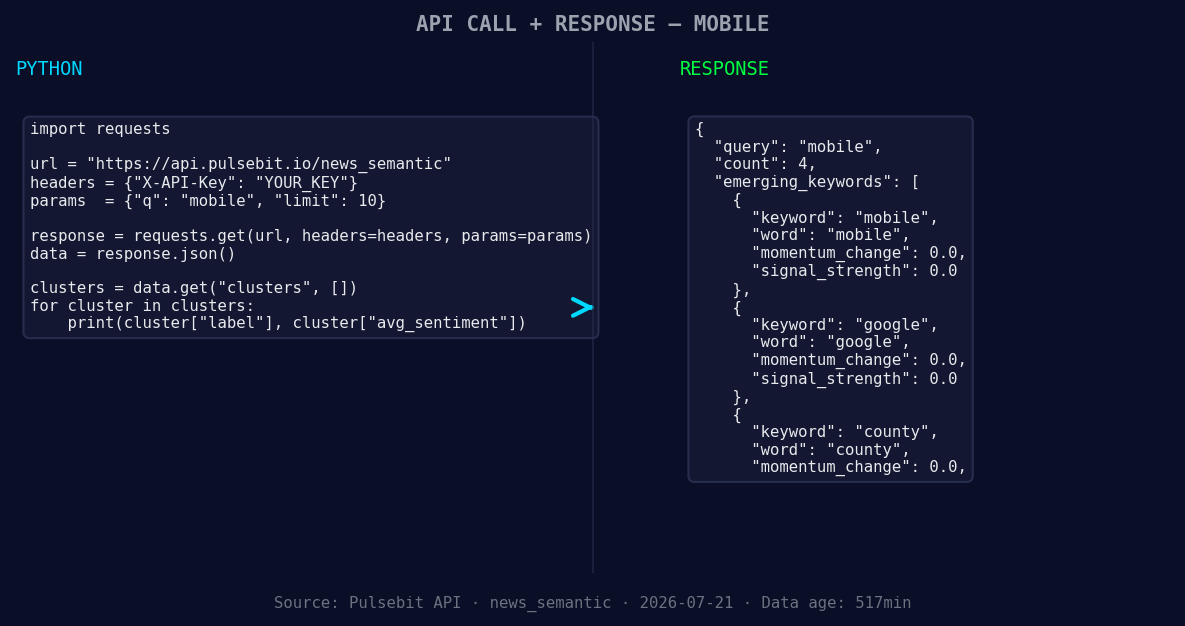
*Left: Python GET /news_semantic call for 'mobile'. Right: returned JSON response structure (clusters: 3). Source: Pulsebit /news_semantic.*
url = "https://api.pulsebit.lojenterprise.com/v1/articles"
params = {
"topic": "mobile",
"lang": "en",
"momentum": "+0.172"
}
response = requests.get(url, params=params)
articles = response.json()
This code snippet filters articles for the topic "mobile," specifically querying English-language content. Once we have our articles, we can utilize the cluster reason string to gauge the narrative framing. Let’s run the cluster explanation back through our sentiment scoring endpoint:
sentiment_url = "https://api.pulsebit.lojenterprise.com/v1/sentiment"
cluster_reason = "Clustered by shared themes: woman, killed, baldwin, several, injured."

sentiment_response = requests.post(sentiment_url, json={"text": cluster_reason})
sentiment_data = sentiment_response.json()
By executing this, we can derive a deeper understanding of the sentiment surrounding the clustered themes, adding a layer of meta-sentiment analysis to our findings. This allows us to not only identify the spike in momentum but also score the underlying narratives contributing to that spike.
Here are three specific ideas to build on this pattern:
- Geographic Origin Filter: Set up a pipeline that alerts you when sentiment scores for "mobile" exceed a threshold (e.g., +0.500) in specific regions. Use the same geo filter to identify emerging trends in non-English articles.

Geographic detection output for mobile. India leads with 4 articles and sentiment +0.35. Source: Pulsebit /news_recent geographic fields.
Meta-Sentiment Loop: Create an automated reporting tool that runs daily analyses on the cluster reasons of articles. If the sentiment score from the meta-sentiment loop drops below +0.300 for specific themes like "woman" or "killed," generate a flag for further investigation.
Forming Themes Analysis: Build a dashboard that visualizes forming themes versus mainstream narratives. Compare the forming momentum of terms like "mobile" or "county" against established narratives like "woman" and "killed." Set thresholds that trigger alerts when discrepancies arise, indicating a potential shift in public discourse.
This approach not only prepares you to catch anomalies like the current +0.172 momentum spike but also enhances your overall sentiment analysis framework, making it more robust and responsive.
Get started with our API documentation at pulsebit.lojenterprise.com/docs. You can copy, paste, and run this code in under 10 minutes to begin capturing these insights directly.


Top comments (0)