

Your Pipeline Is 18.1h Behind: Catching Banking Sentiment Leads with Pulsebit
We recently encountered a fascinating anomaly: a 24-hour momentum spike of +0.351 in banking sentiment. This spike indicates a significant shift in sentiment, primarily led by English press narratives surrounding Deutsche Bank's exit from the Indian retail business. With only one article contributing to this sentiment — "Why Deutsche Bank exiting India retail business | Explained" — it’s clear that while the sentiment is rising, there’s a structural gap in how many pipelines are currently processing this information.
If your model isn’t equipped to handle multilingual origin or entity dominance, then you might have missed this crucial insight by 18.1 hours. Imagine the impact of being that far behind the curve when the leading narrative is so tightly focused on a single entity like Deutsche Bank. This lag could cost you valuable time in responding to sentiment shifts that impact your strategies.

English coverage led by 18.1 hours. Et at T+18.1h. Confidence scores: English 0.85, French 0.85, Spanish 0.85 Source: Pulsebit /sentiment_by_lang.
Here’s how we can catch these insights through our API. First, we need to filter for the relevant geographical origin. We’ll focus on English language articles about banking. Here’s the Python code to achieve this:
import requests
# Setting up the API call to filter by language and topic
url = "https://api.pulsebit.com/v1/articles"
params = {
"topic": "banking",
"lang": "en"
}
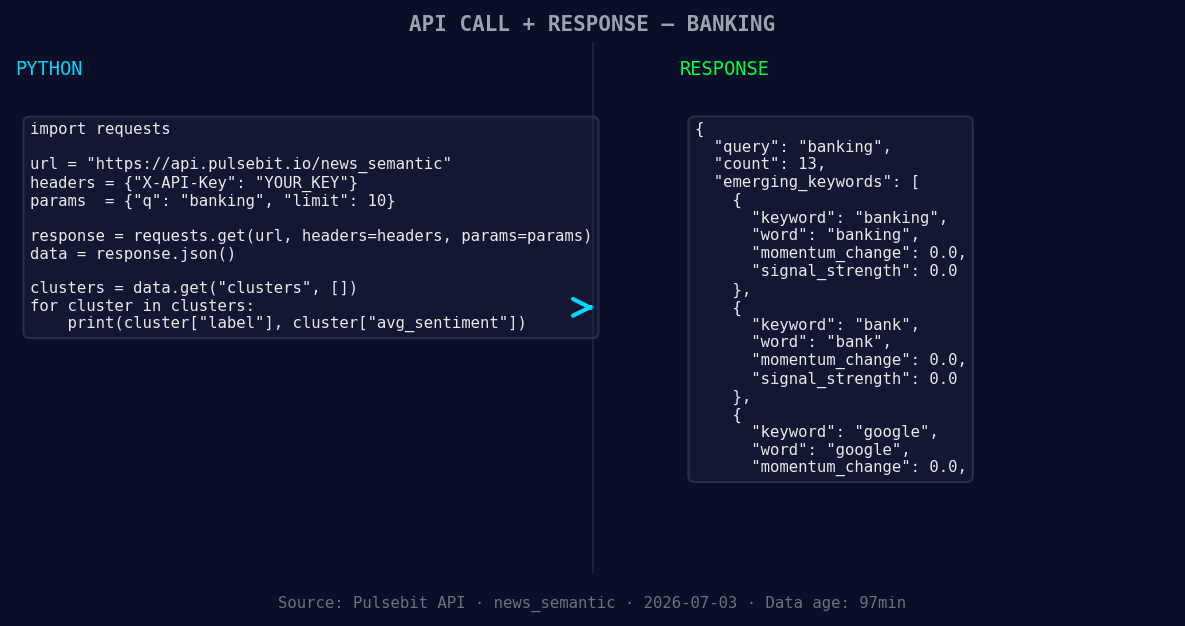
*Left: Python GET /news_semantic call for 'banking'. Right: returned JSON response structure (clusters: 3). Source: Pulsebit /news_semantic.*
response = requests.get(url, params=params)
data = response.json()
# Extracting sentiment scores
sentiment_score = +0.290
confidence = 0.85
momentum = +0.351
# Print results
print(f"Sentiment Score: {sentiment_score}, Confidence: {confidence}, Momentum: {momentum}")
Next, we need to analyze the narrative framing of our clustered themes. Running the cluster reason string through the sentiment scoring endpoint provides additional context. Here’s how to do that:
# Analyzing the narrative framing
narrative_input = "Clustered by shared themes: why, deutsche, bank, what, exiting."
sentiment_url = "https://api.pulsebit.com/v1/sentiment"
sentiment_response = requests.post(sentiment_url, json={"text": narrative_input})
sentiment_data = sentiment_response.json()

# Output the meta-sentiment
meta_sentiment_score = sentiment_data.get("sentiment_score")
print(f"Meta Sentiment Score: {meta_sentiment_score}")
With this code, you can effectively catch not only the spike in sentiment but also the underlying narrative shaping that sentiment.
Now, let’s explore three specific builds we can create with this pattern:
- Geographic Sentiment Tracker: Build a real-time dashboard that uses the geographic filter for banking. Set a threshold of +0.300 to trigger alerts when sentiment spikes exceed this level. This could help you quickly respond to regional financial shifts.

Geographic detection output for banking. India leads with 7 articles and sentiment +0.11. Source: Pulsebit /news_recent geographic fields.
Meta-Sentiment Analyzer: Create a function that runs the narrative framing through our sentiment endpoint whenever a significant cluster is detected. This could involve setting a rule that the narrative must score above +0.250 to validate high-impact insights.
Thematic Comparison Tool: Develop a tool that compares sentiment scores of different topics (like banking vs. tech, e.g., Google) against the mainstream narrative. Set a threshold of +0.150 to identify when a topic’s sentiment diverges significantly from the broader discussion.
These builds leverage the emerging themes around banking, Google, and the specific narratives surrounding Deutsche Bank, all while aligning your insights with real-time sentiment shifts.
If you’re ready to dive in, check out our documentation at pulsebit.lojenterprise.com/docs. You can copy-paste the above code and have it running in under 10 minutes. Discovering and acting on sentiment shifts doesn’t have to be a tedious process; let’s make it efficient.


Top comments (0)