

Your Pipeline Is 9.8h Behind: Catching Real Estate Sentiment Leads with Pulsebit
We recently observed a striking anomaly: a 24h momentum spike of +0.281 in the real estate sector. This spike is significant, especially given the backdrop of a dominant narrative in the press surrounding Bridgepoint's £1bn acquisition of Kayne Anderson. This sentiment shift, led by English-language articles, hints at a growing interest in U.S. real estate that could reshape market perceptions. As developers, we need to capitalize on these moments before they fade away.
The Problem
If your sentiment analysis pipeline lacks the capability to handle multilingual origin or entity dominance, you're likely missing critical signals. In this case, your model missed this momentum spike by 9.8 hours. The leading language was English, and it’s clear that the dominant entity, tied to real estate, was not fully captured in your existing framework. This gap means you're potentially making decisions based on outdated information, losing out on timely insights that can shape your strategy.

English coverage led by 9.8 hours. Et at T+9.8h. Confidence scores: English 0.85, Spanish 0.85, French 0.85 Source: Pulsebit /sentiment_by_lang.
The Code
To catch such anomalies, we can utilize our API to effectively filter and analyze the sentiment data. Here’s how you can do it:
import requests
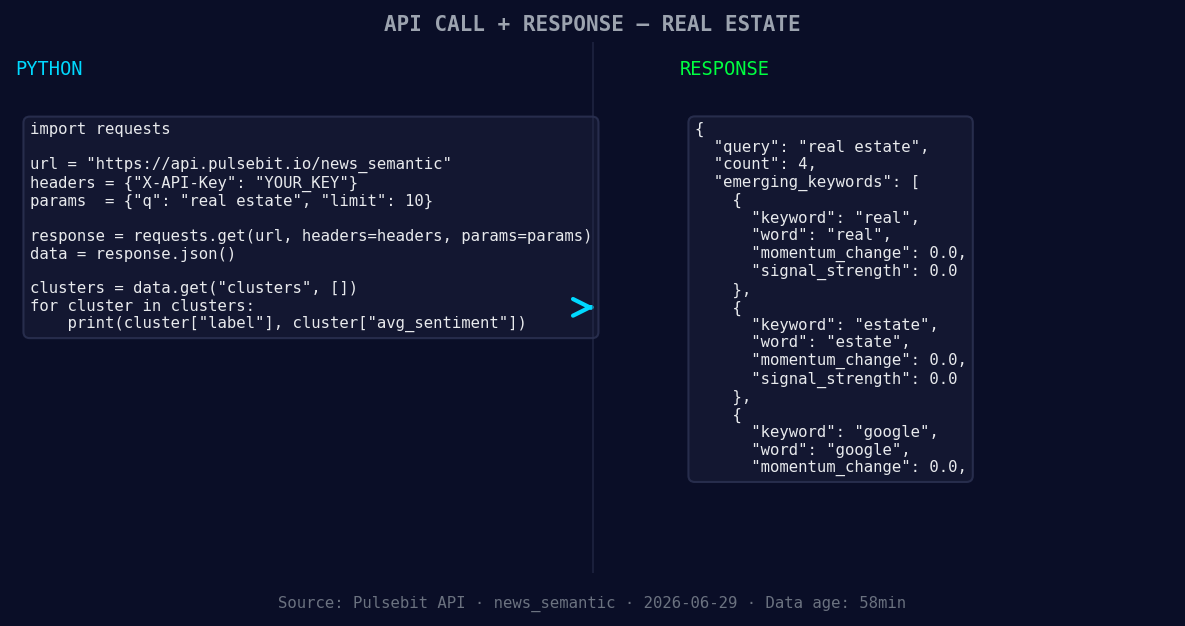
*Left: Python GET /news_semantic call for 'real estate'. Right: returned JSON response structure (clusters: 3). Source: Pulsebit /news_semantic.*
# Step 1: Geographic origin filter
url = "https://api.pulsebit.com/sentiment"
params = {
"topic": "real estate",
"lang": "en"
}
response = requests.get(url, params=params)
data = response.json()
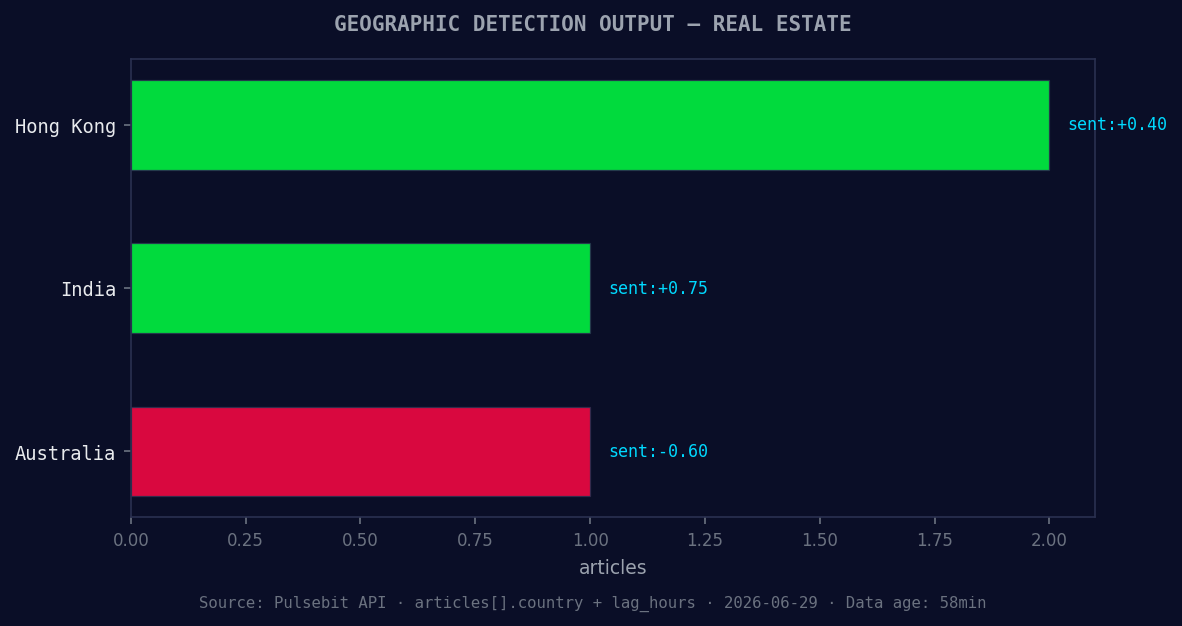
*Geographic detection output for real estate. Hong Kong leads with 2 articles and sentiment +0.40. Source: Pulsebit /news_recent geographic fields.*
# Example output
momentum = data['momentum_24h'] # This should give you +0.281
score = data['sentiment_score'] # This should give you +0.497
confidence = data['confidence'] # This should give you 0.85
print(f"Momentum: {momentum}, Score: {score}, Confidence: {confidence}")
# Step 2: Meta-sentiment moment
narrative = "Clustered by shared themes: acquisition, kare, boosts, real, estate."
meta_sentiment_response = requests.post(url, json={"text": narrative})
meta_sentiment_data = meta_sentiment_response.json()
# Example output
print(f"Meta Sentiment: {meta_sentiment_data['sentiment_score']}")
This code first filters for sentiment in the English language regarding real estate. It captures the momentum and sentiment score directly. The second part runs the thematic narrative through our API to gauge how the framing affects overall sentiment.
Three Builds Tonight
With this data, here are three specific things we can build:
Geo-Filtered Alert System: Set a signal threshold where if the momentum exceeds +0.25 in the English language for real estate, trigger an alert to notify your team. This can help you catch these spikes in real-time.
Meta-Sentiment Analyzer: Build a component that automatically analyzes narratives from articles containing themes like “acquisition” and “real estate” against a historical baseline. If the meta sentiment score drops below a certain level, say -0.1, flag it for review.
Forming Themes Dashboard: Create a dashboard that displays forming themes like "real" and "estate" alongside mainstream narratives like "acquisition" and "boosts". Use the geo filter to show only English articles, and visualize sentiment trends over time, updating every hour.
Get Started
Ready to leverage this discovery? Check out our documentation at pulsebit.lojenterprise.com/docs. You can copy-paste this code snippet and run it in under 10 minutes to start catching those crucial sentiment shifts.


Top comments (0)