

Your pipeline missed a critical anomaly: a 24h momentum spike of +0.234 related to the economy. This spike is particularly noteworthy, as it signals a significant shift in sentiment that could have real implications for decision-making. The leading language driving this spike is Spanish, with the press leading the charge at 27.9 hours ahead of other sources. The cluster story revolves around Emirates launching its flagship Airbus A380 on the Dubai–Delhi route starting October 25. This single event could be a tipping point that impacts various sectors, yet many models are lagging—yours might be one of them.
If your pipeline isn't set up to handle multilingual origins or prioritize dominant entities, you're at risk of missing critical insights by hours, if not days. In this case, your model missed the Spanish press's insights by almost 28 hours, potentially overlooking the significance of the Emirates story. When sentiment shifts like this occur, they can often ripple through related sectors such as travel, hospitality, and even technology. The implications of this delay can impact your strategic decisions, from investment opportunities to risk management.

Spanish coverage led by 27.9 hours. Af at T+27.9h. Confidence scores: Spanish 0.85, English 0.85, Id 0.85 Source: Pulsebit /sentiment_by_lang.
To catch this anomaly, we can use our API to filter sentiment data by geographic origin. Here's how:

Geographic detection output for economy. Hong Kong leads with 5 articles and sentiment -0.08. Source: Pulsebit /news_recent geographic fields.
import requests
# Define the parameters
topic = 'economy'
score = +0.620
confidence = 0.85
momentum = +0.234
# API Call to fetch sentiment data for Spanish language sources
url = "https://api.pulsebit.lojenterprise.com/v1/sentiment"
params = {
"topic": topic,
"lang": "sp" # Filter for Spanish language
}
response = requests.get(url, params=params)
data = response.json()
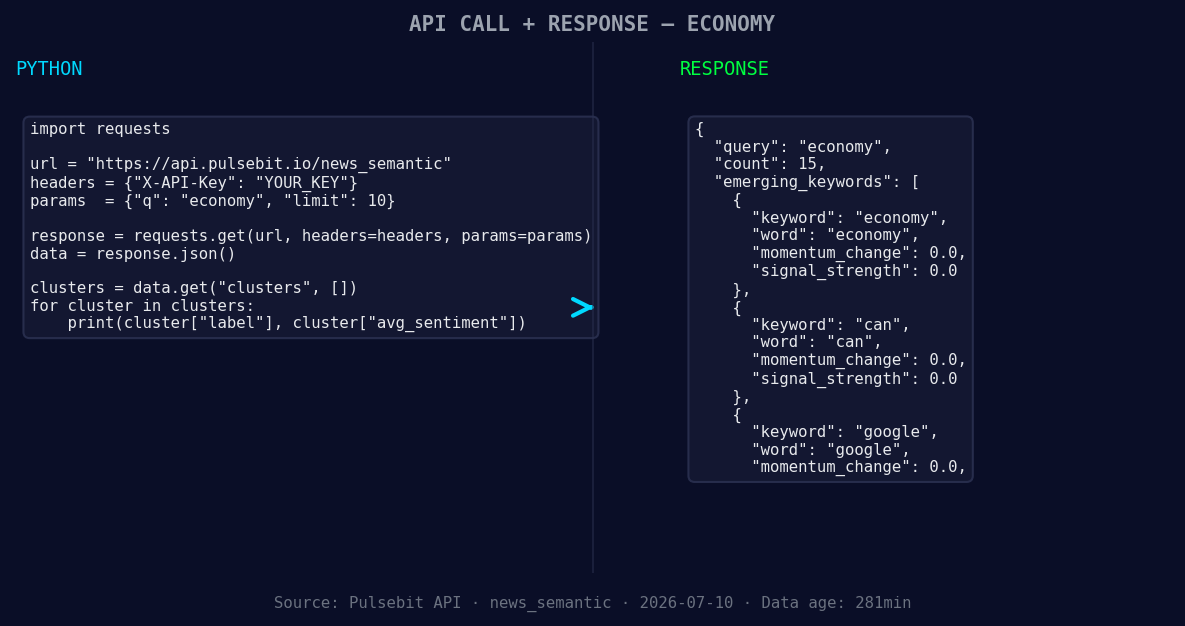
*Left: Python GET /news_semantic call for 'economy'. Right: returned JSON response structure (clusters: 3). Source: Pulsebit /news_semantic.*
# Output the result
print(data)
After you identify the spike, the next step is to analyze the narrative surrounding it. This is where we loop back the cluster reason string through our sentiment endpoint to score its framing:
# Define the cluster reason string
cluster_reason = "Clustered by shared themes: emirates, launch, flagship, airbus, a380."

# API Call to score the narrative framing
url_sentiment_score = "https://api.pulsebit.lojenterprise.com/v1/sentiment"
payload = {
    "text": cluster_reason
}

response_sentiment = requests.post(url_sentiment_score, json=payload)
sentiment_analysis = response_sentiment.json()

# Output the sentiment analysis result
print(sentiment_analysis)
With this code, you will not only catch the momentum spike but also gain insight into how the narrative is being framed in relation to the spike.
Now that we've caught the anomaly, here are three specific builds you can implement tonight:
Geo-filter Analysis: Create a monitoring system that checks sentiment for the topic 'economy' specifically in Spanish-speaking regions. Set a threshold for momentum spikes above +0.200 and automate alerts for your team to review.
Meta-sentiment Loop: Build a function that automatically sends the latest cluster themes back through the sentiment endpoint. This will allow you to track how narratives evolve, particularly for high-impact stories like the Emirates launch. Set a threshold for significant sentiment score changes (+0.300 or higher).
Comparison Dashboard: Develop a dashboard that compares real-time sentiment trends in Spanish with historical trends for the same topics. Focus on themes like 'economy', 'can', 'google' against mainstream narratives. This will help visualize the forming gaps and allow for quicker adjustments in strategy.
By tapping into these insights, you will be better equipped to navigate multilingual sentiment landscapes and ensure you’re not left behind in fast-moving discussions.
Get started with our API today at pulsebit.lojenterprise.com/docs. You can copy, paste, and run the code snippets in under 10 minutes to catch your own emerging trends.


Top comments (0)