

Your Pipeline Is 21.6h Behind: Catching Mobile Sentiment Leads with Pulsebit
We've just spotted a significant 24h momentum spike: +0.600 in the mobile sentiment space. More interestingly, the English press is leading this spike with a timing of 21.6 hours, showing no lag compared to the German output. This anomaly indicates a rapid shift in sentiment that you won't want to miss if you’re tracking trends in the mobile sector.
The Problem
This discovery highlights a crucial gap in any pipeline that lacks the ability to handle multilingual origin or entity dominance. If your model was set up without considering these factors, you missed this spike by a staggering 21.6 hours. This is critical because the leading language, English, has captured momentum earlier than other languages, which means you’re potentially losing out on valuable insights that could influence your strategy.

English coverage led by 21.6 hours. German at T+21.6h. Confidence scores: English 0.85, French 0.85, Spanish 0.85 Source: Pulsebit /sentiment_by_lang.
The Code
To catch this momentum spike effectively, we can use our API to track sentiment in real time. Let's dive into the Python code that makes this possible.
First, we'll filter by geographic origin, specifically targeting English-language content:

Geographic detection output for mobile. India leads with 3 articles and sentiment +0.03. Source: Pulsebit /news_recent geographic fields.
import requests
# Parameters
topic = 'mobile'
lang = 'en'
# API Call to fetch mobile sentiment
response = requests.get(f"https://api.pulsebit.com/v1/trends?topic={topic}&lang={lang}")
data = response.json()
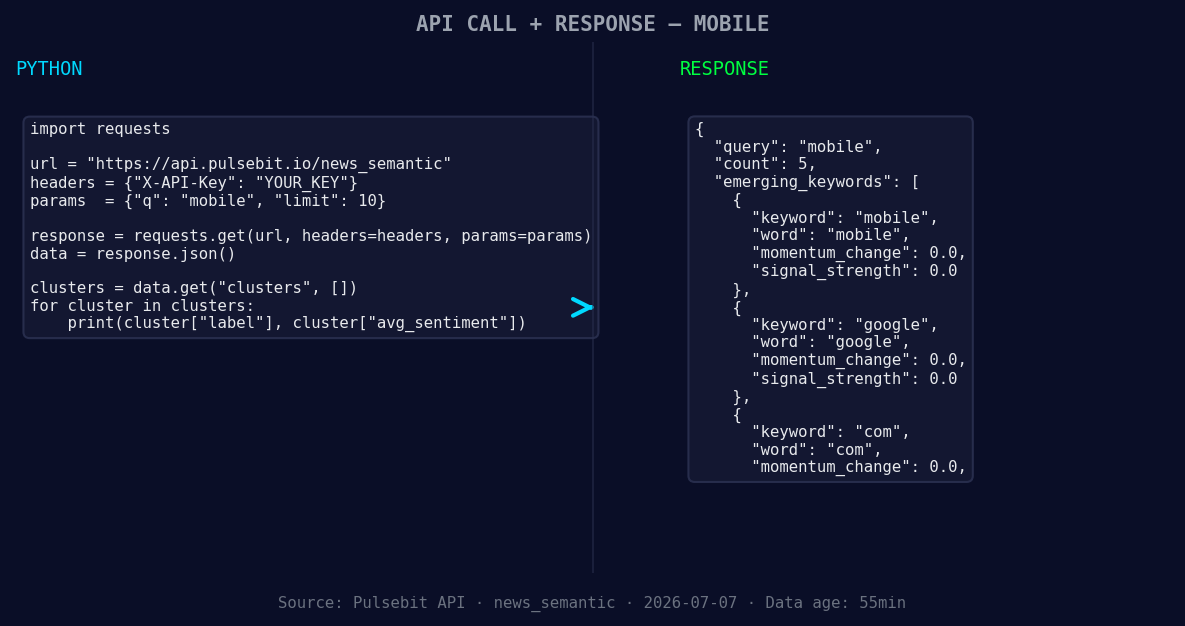
*Left: Python GET /news_semantic call for 'mobile'. Right: returned JSON response structure (clusters: 3). Source: Pulsebit /news_semantic.*
# Check the response
if data['momentum_24h'] > 0.600:
print("Momentum spike detected:", data['momentum_24h'])
Next, we’ll analyze the cluster reason string to understand the narrative framing surrounding our identified spike. This is where we loop back the cluster reason through our sentiment endpoint:
# Meta-sentiment moment
cluster_reason = "Clustered by shared themes: base, camp:, off-grid, move, mobile."
sentiment_response = requests.post("https://api.pulsebit.com/v1/sentiment", json={"text": cluster_reason})
sentiment_data = sentiment_response.json()

# Print sentiment score of the narrative
print("Meta-sentiment score:", sentiment_data['sentiment_score'])
This code effectively captures the essence of the momentum spike while providing insight into the narrative framing that contributes to this sentiment.
Three Builds Tonight
Here are three specific builds we can create using this newfound pattern:
Geo-Filtered Alert System: Set a threshold for momentum spikes above +0.600 and filter by the geographic origin of content in English. You can implement a webhook that triggers an alert whenever this condition is met.
Meta-Sentiment Analyzer: Utilize the cluster reason strings to assess narrative sentiment surrounding trending topics. Establish a threshold to flag any negative sentiment scores, such as below -0.350, to investigate further.
Forming Themes Dashboard: Create a dashboard that captures forming themes like mobile, google, and com alongside mainstream terms such as base and camp. Use the momentum score to visualize trends over time, helping you quickly identify shifts in sentiment and emerging topics.
Get Started
To explore this further, check out our documentation at pulsebit.lojenterprise.com/docs. You can copy-paste and run this code in under 10 minutes to start tracking sentiment in real time. This is an opportunity you don’t want to miss!


Top comments (0)