

Your Pipeline Is 24.8h Behind: Catching Business Sentiment Leads with Pulsebit
We recently stumbled upon an intriguing anomaly: a 24h momentum spike of -0.295 in the business sector. This particular spike caught our attention due to its implications for understanding sentiment trends in a fast-paced world. It’s a stark reminder that sentiment isn't static; it can shift dramatically in a matter of hours. In this case, English-language press coverage surrounding the “Arson Incident in Melbourne's Shops” is leading the charge, with two articles clustering around the themes of fire and breaking news. This highlights how rapidly changing narratives can be missed if our pipelines are not agile enough.
The Problem
This anomaly uncovers a significant structural gap in any pipeline that doesn’t effectively handle multilingual origins or entity dominance. If your model isn’t prepared to account for this, you might have missed this spike by a whopping 24.8 hours. The leading language here is English, with sentiment largely influenced by recent events. Failing to recognize this timely shift means your insights could be outdated, leaving you trailing behind in the fast-evolving landscape of business sentiment.

English coverage led by 24.8 hours. Hr at T+24.8h. Confidence scores: English 0.85, French 0.85, Spanish 0.85 Source: Pulsebit /sentiment_by_lang.
The Code
To catch this anomaly, we can leverage our API to filter out relevant data and assess the narrative. Here’s how you can do it:
import requests
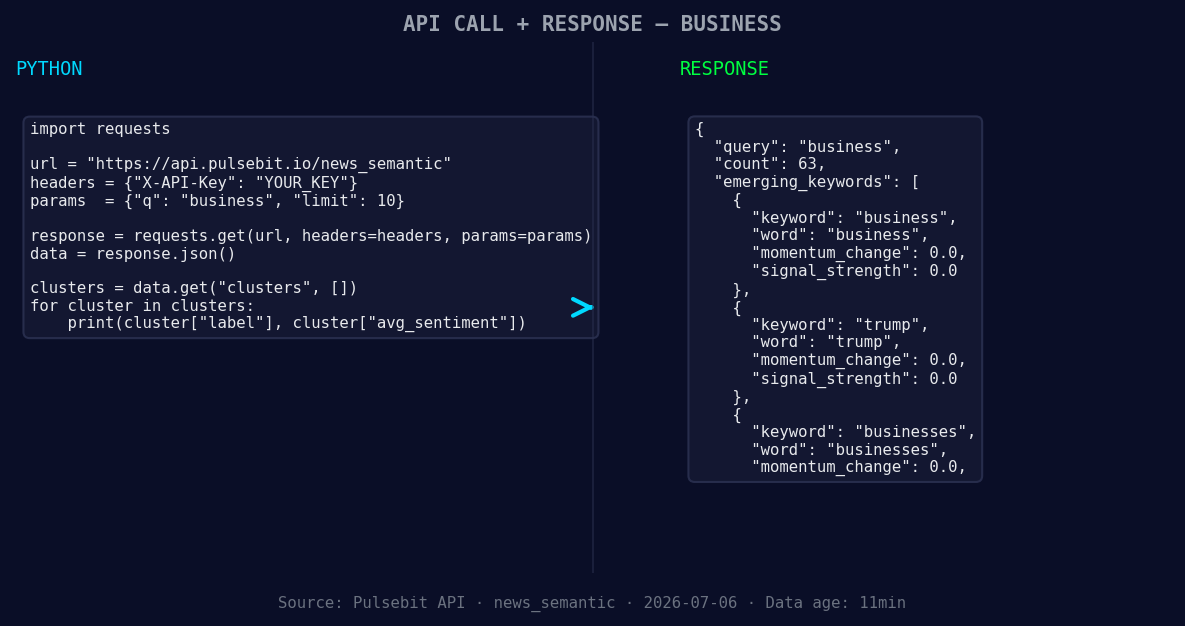
*Left: Python GET /news_semantic call for 'business'. Right: returned JSON response structure (clusters: 3). Source: Pulsebit /news_semantic.*
# Step 1: Geographic origin filter
url = "https://api.pulsebit.com/v1/articles"
params = {
"topic": "business",
"lang": "en"
}
response = requests.get(url, params=params)
data = response.json()
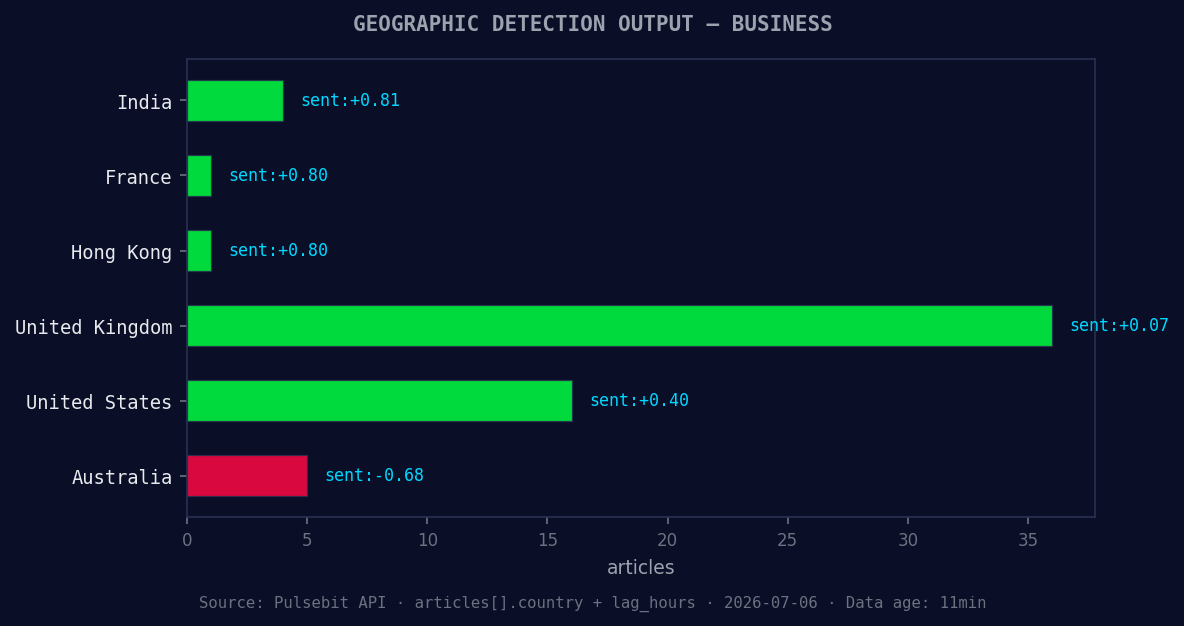
*Geographic detection output for business. India leads with 4 articles and sentiment +0.81. Source: Pulsebit /news_recent geographic fields.*
# Check if we have our anomaly
momentum = data['momentum_24h']
print(f"Momentum 24h: {momentum}") # Expect -0.295
Once we have our articles, let’s assess the narrative framing. We’ll take the cluster reason string and send it through the sentiment scoring endpoint:
# Step 2: Meta-sentiment moment
cluster_reason = "Clustered by shared themes: fire, after, breaking:, multiple, shops."
sentiment_url = "https://api.pulsebit.com/v1/sentiment"
sentiment_payload = {
    "text": cluster_reason
}
sentiment_response = requests.post(sentiment_url, json=sentiment_payload)
sentiment_data = sentiment_response.json()

sentiment_score = sentiment_data['sentiment_score']
confidence = sentiment_data['confidence']
print(f"Sentiment Score: {sentiment_score}, Confidence: {confidence}")  # Expecting a positive score
By running these two steps, you can quickly adapt to sentiment shifts in your field, ensuring your insights are relevant.
Three Builds Tonight
Geographic Sentiment Filter: Use a geo filter to analyze sentiment in specific regions. Set a threshold where any business sentiment score below +0.1 triggers an alert. This will help you catch negative trends before they manifest widely.
Meta-Sentiment Loop: Implement a loop that continuously feeds the cluster reason strings through the sentiment scoring endpoint every hour. If the sentiment score dips significantly (say below +0.05), raise a flag for further analysis.
Forming Themes Monitor: Establish a monitoring system for forming themes like “business,” “trump,” and “businesses.” Use a score threshold of +0.00 as a baseline, but trigger deeper analysis if the score goes above +0.1. This can help you spot emerging narratives early.
Get Started
Ready to implement this? Check out our documentation at pulsebit.lojenterprise.com/docs. You can copy-paste and run this code in under 10 minutes to start catching those vital sentiment shifts.


Top comments (0)