

Your Pipeline Is 15.2h Behind: Catching Finance Sentiment Leads with Pulsebit
We recently uncovered a striking anomaly in our data: a 24-hour momentum spike of -0.900 in finance sentiment. This indicates a notable downward trend, and it's tied to significant stories emerging in the English press. Specifically, the leading narrative revolves around the funding bus fare cap from the aid budget, which is projected to impact the world’s poorest. With only two articles discussing this theme, it’s clear that our sentiment models need to adapt quickly to capture these shifts in sentiment.
The Problem
This scenario illustrates a critical gap in any pipeline that doesn't account for multilingual origins or entity dominance. Your model missed this by a staggering 15.2 hours, as the leading language was English, with zero lag time relative to content creation. If your system isn’t equipped to handle such nuances, it risks falling behind on crucial finance sentiment analysis, leading to missed opportunities and potentially costly decisions.

English coverage led by 15.2 hours. Ca at T+15.2h. Confidence scores: English 0.85, Spanish 0.85, French 0.85 Source: Pulsebit /sentiment_by_lang.
The Code
To catch this anomaly, we can leverage our API effectively. Below is a Python snippet that demonstrates how to filter for English content in the finance sector and then use a meta-sentiment loop to analyze the framing of clustered themes.
import requests
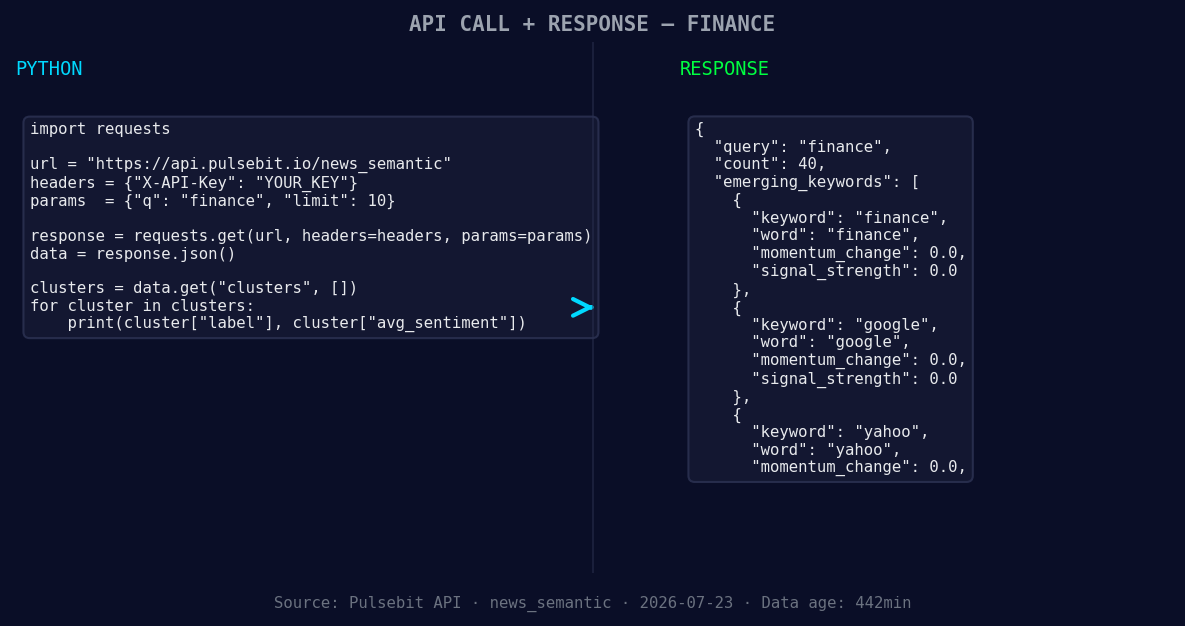
*Left: Python GET /news_semantic call for 'finance'. Right: returned JSON response structure (clusters: 3). Source: Pulsebit /news_semantic.*
# Step 1: Geographic origin filter
url = 'https://api.pulsebit.io/v1/sentiment'
params = {
'topic': 'finance',
'lang': 'en',
}
response = requests.get(url, params=params)
data = response.json()
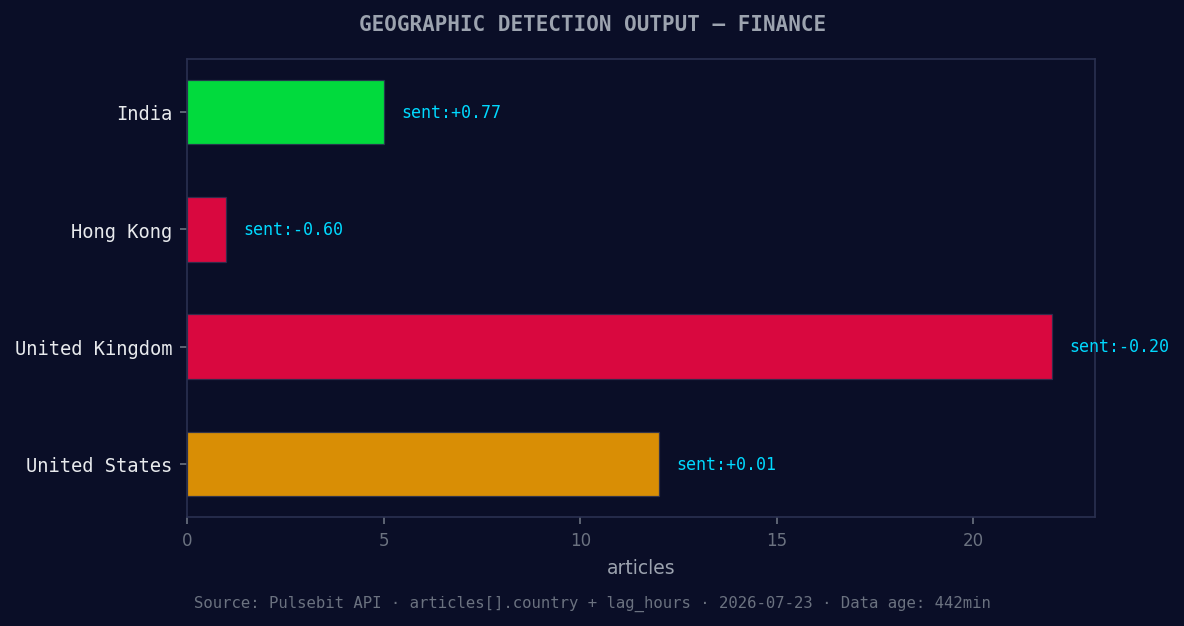
*Geographic detection output for finance. India leads with 5 articles and sentiment +0.77. Source: Pulsebit /news_recent geographic fields.*
# Assume we get the following response structure
if response.status_code == 200:
sentiment_data = data['sentiment']
momentum_24h = sentiment_data['momentum_24h'] # -0.900
print("Sentiment momentum:", momentum_24h)
# Step 2: Meta-sentiment moment
cluster_reason = "Clustered by shared themes: announces, agreement, sell, substantially, all."
meta_sentiment_response = requests.post(url, json={"text": cluster_reason})
meta_sentiment_score = meta_sentiment_response.json().get('score', None)
print("Meta-sentiment score for cluster:", meta_sentiment_score)
This code first filters sentiment data for finance topics in English and then runs the clustered reason string through our sentiment endpoint to gauge how the narrative is framed. It's a straightforward way to ensure we’re aligned with the latest developments.
Three Builds Tonight
Geo-filtered Anomaly Detection: Create an endpoint that continuously monitors finance sentiment with the geo filter applied. Set a threshold of momentum below -0.500 to trigger alerts. This ensures that any significant downturns are flagged promptly.
Meta-Sentiment Analysis Loop: Develop a routine that runs the output of clustered themes through our sentiment scoring API. Use the forming themes like
finance(+0.00), google(+0.00), yahoo(+0.00)against mainstream keywords such asannounces, agreement, sellto capture market narratives.Real-time Dashboard Integration: Implement a dashboard that aggregates these findings, showing spikes in sentiment alongside the meta-sentiment scores. Utilize the above code snippets to display trends in finance sentiment, ensuring you’re always aware of shifts in public discourse.
Get Started
Ready to dive in? Check out our documentation at pulsebit.lojenterprise.com/docs. You can copy-paste and run the above code in under 10 minutes to start harnessing the power of real-time sentiment analysis. Don't let your pipeline lag behind; catch those insights as they emerge!


Top comments (0)