

Your pipeline has missed a critical anomaly: a 24-hour momentum spike of +0.394 in the investing sentiment. This spike is particularly intriguing given the context of a French press that has emerged at a 28.0-hour lead. The narrative centers around UPS investing $48 million in temperature control technology, and it's forming a unique gap in the narrative landscape.
When your model lacks the capability to handle multilingual origin or entity dominance, it can create a significant structural gap in your insights. In this case, you’ve missed a vital shift in investing sentiment by 28 hours due to a focus on English-language sources or dominant entities in your data pipeline. The leading entity, UPS, is already capturing attention, and if you’re not capturing these multilingual signals, you’re not just behind; you’re missing out on key trends that could inform your strategies.

French coverage led by 28.0 hours. No at T+28.0h. Confidence scores: French 0.85, English 0.85, Spanish 0.85 Source: Pulsebit /sentiment_by_lang.
Here's how you can catch this sentiment spike with our API. First, we'll filter for the relevant geographic origin using the French language. This ensures that we’re capturing the most pertinent narratives around investing:
import requests
# Define the parameters for the API call
params = {
"topic": "investing",
"lang": "fr" # Filter by French language
}
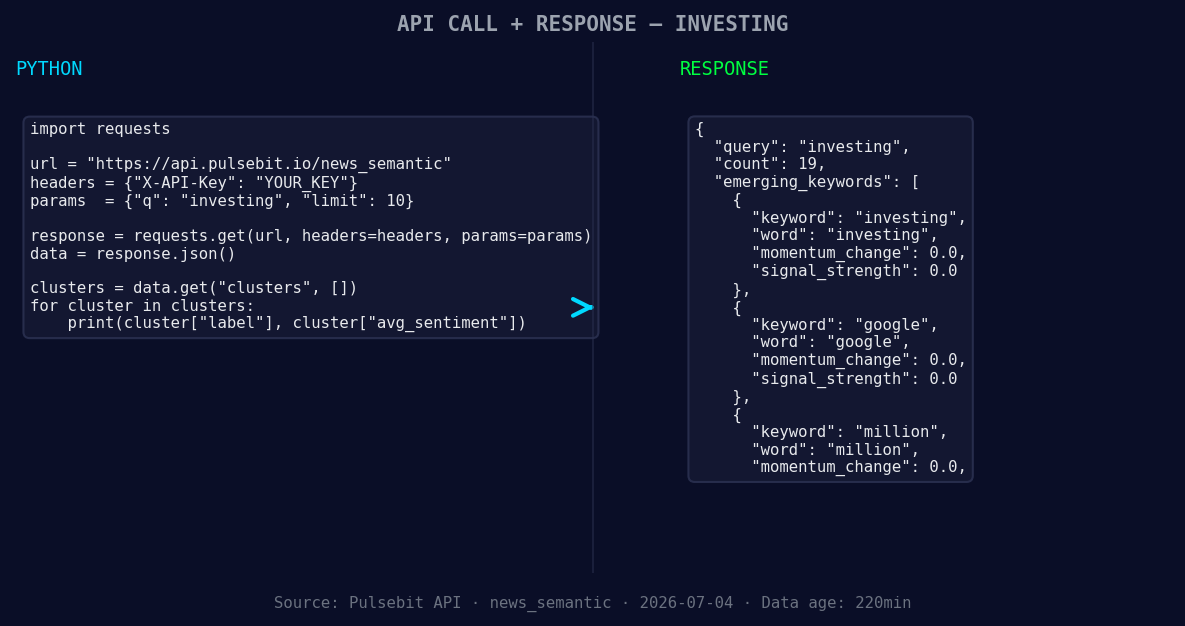
*Left: Python GET /news_semantic call for 'investing'. Right: returned JSON response structure (clusters: 3). Source: Pulsebit /news_semantic.*
# Make the API call
response = requests.get('https://api.pulsebit.com/v1/sentiment', params=params)
# Check the response
if response.status_code == 200:
data = response.json()
print(data)
else:
print("Error:", response.status_code)
Once we have the data, we need to run the narrative framing through our sentiment analysis endpoint to understand the meta-sentiment of the cluster reason. Here’s how we do that:
# Define the cluster reason string
cluster_reason = "Clustered by shared themes: ultra-high-yield, ups, investing, $48, million."

# Make the sentiment API call for the cluster reason
sentiment_response = requests.post('https://api.pulsebit.com/v1/sentiment', json={"text": cluster_reason})

# Check the response
if sentiment_response.status_code == 200:
    sentiment_data = sentiment_response.json()
    print(sentiment_data)
else:
    print("Error:", sentiment_response.status_code)
With this setup, you can now detect and analyze the sentiments surrounding specific themes like "investing," "google," and "million." Here are three specific builds we can implement with this pattern:
Language-Specific Alerts: Set up an alert system based on the momentum score threshold. For instance, if the momentum score for 'investing' exceeds +0.394 in French, trigger an alert to your team.
Meta-Sentiment Correlation: Create a dashboard that visualizes the sentiment score of cluster reasons over time. This will help you see how narratives like "UPS investing $48 million" correlate with broader themes such as "ultra-high-yield."
Forming Theme Watchlist: Develop a pipeline that continuously monitors forming themes. For example, track the sentiment dynamics around "investing(+0.00), google(+0.00), million(+0.00)" against mainstream themes. Use the geographic filter to compare how these sentiments vary between different linguistic demographics.
![DATA UNAVAILABLE: countries — verify /news_recent is return
[DATA UNAVAILABLE: countries — verify /news_recent is returning country/region values for topic: investing]
To get started, check out our documentation at pulsebit.lojenterprise.com/docs. You can copy-paste and run the provided code snippets in under 10 minutes. Don’t let your pipeline lag behind; catch those sentiment leads before they’re gone!


Top comments (0)