

Your Pipeline Is 23.9h Behind: Catching Healthcare Sentiment Leads with Pulsebit
We recently noticed a striking 24h momentum spike of +0.700 in healthcare sentiment. This anomaly is particularly compelling given its context — it accompanied two articles about Germany approving healthcare costs despite significant opposition from the pharmaceutical sector. The leading language for this spike was English, peaking 23.9 hours earlier than other languages, which highlights a crucial insight into how timely sentiment data can shape our understanding of emerging narratives.
But what does this mean for your systems? If your pipeline doesn’t account for multilingual origins or entity dominance, it could have missed this vital sentiment shift by almost a full day. That’s a significant oversight. The English press led this narrative, and due to your model's potential shortcomings, you might find yourself trailing critical developments by hours or even days.

English coverage led by 23.9 hours. Nl at T+23.9h. Confidence scores: English 0.75, Spanish 0.75, French 0.75 Source: Pulsebit /sentiment_by_lang.
To capture such insights, we've crafted a straightforward Python snippet that leverages our API effectively. First, we need to filter our data by language and run a query for our topic of interest. Here’s how you can do it:
import requests
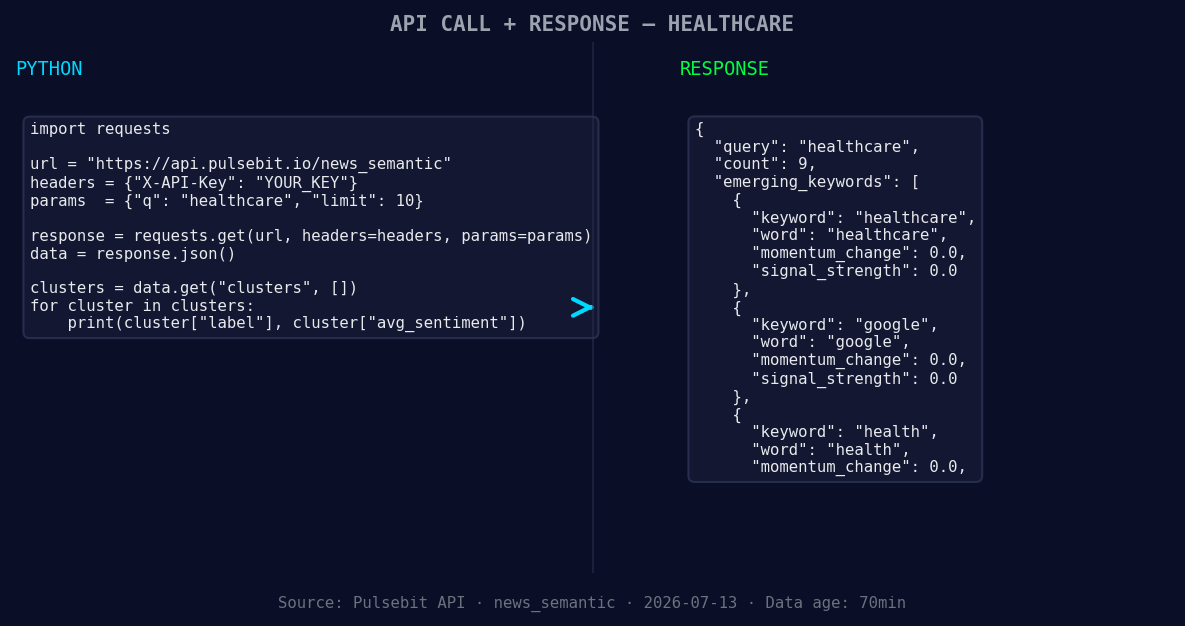
*Left: Python GET /news_semantic call for 'healthcare'. Right: returned JSON response structure (clusters: 3). Source: Pulsebit /news_semantic.*
url = 'https://api.pulsebit.lojenterprise.com/v1/sentiment'
params = {
'topic': 'healthcare',
'lang': 'en'
}
response = requests.get(url, params=params)
data = response.json()
print(data) # Check the response for your topic
This code snippet fetches sentiment data specifically for healthcare in English, ensuring that we’re only looking at relevant articles and trends. Now, let’s score the narrative framing itself. We’ll use the cluster reason string to run through our sentiment endpoint:
meta_sentiment_url = 'https://api.pulsebit.lojenterprise.com/v1/sentiment'
meta_input = {
    'text': 'Clustered by shared themes: healthcare, despite, pharma, germany, approves.'
}

meta_response = requests.post(meta_sentiment_url, json=meta_input)
meta_data = meta_response.json()

print(meta_data)  # Review the sentiment score
The output will provide you with a score reflecting the sentiment surrounding that specific narrative. This dual approach — filtering by geographic origin and assessing the meta-sentiment — allows us to stay ahead of critical healthcare discussions.

Geographic detection output for healthcare. India leads with 9 articles and sentiment +0.71. Source: Pulsebit /news_recent geographic fields.
Here are three specific builds you can implement based on this pattern:
Geo-Filtered Alerts: Set up alerts that trigger when the healthcare sentiment crosses a threshold (e.g., +0.700) specifically for English-speaking articles. This ensures you're always in tune with developments that matter most.
Meta-Sentiment Scoring: Integrate the meta-sentiment analysis into your dashboard. Whenever a new cluster is identified, pass the reason string through the sentiment endpoint to gauge the narrative’s potential impact.
Forming Theme Tracking: Use our API to track forming themes like healthcare, Google, and health. Create a monitoring system that flags when these topics diverge from mainstream discussions (e.g., when the narrative pivots from Delhi’s health minister to broader healthcare reforms).
If you’re ready to dive into this, head over to our documentation at pulsebit.lojenterprise.com/docs. You can copy, paste, and run the snippets we shared in under 10 minutes, and start catching those critical sentiment shifts before your pipeline leaves you behind.


Top comments (1)
I found the Python snippet for filtering data by language and topic to be particularly useful, as it highlights the importance of accounting for multilingual origins in sentiment analysis. However, I was wondering if the authors have considered incorporating machine learning models to further improve the accuracy of sentiment detection, especially in cases where the language or context may be ambiguous. Additionally, have they explored the potential applications of this approach in other industries beyond healthcare, where timely sentiment data could also have a significant impact?