

Your Pipeline Is 19.9h Behind: Catching Music Sentiment Leads with Pulsebit
We recently observed a fascinating anomaly in our sentiment analysis: a sentiment score of +0.192 and a momentum of +0.000. This spike indicates a significant uptick in positive sentiment towards music, especially from the Huntsville area, where articles highlight the local music economy. The data shows that sentiment has been on the rise, but there’s a lag of 19.9 hours in capturing this trend effectively. For developers like us, this opens up a conversation about the importance of timely sentiment data and the need for robust pipelines that can handle multilingual origins.

English coverage led by 19.9 hours. Ca at T+19.9h. Confidence scores: English 0.85, Spanish 0.85, Ro 0.85 Source: Pulsebit /sentiment_by_lang.
This discovery reveals a critical gap in your data pipeline if it doesn’t account for entity dominance or multilingual origins. If your model is only tracking English sentiment, you might have missed this crucial insight by a staggering 19.9 hours. In this case, the leading language is English, and the dominant entity is music, particularly in Huntsville. This indicates that your current setup might not be optimized to quickly catch emerging trends that could have significant implications for your projects.
To catch this sentiment spike, we can utilize our API to filter by geographic origin and then re-score the narrative framing. Here’s how we can do it in Python:

Geographic detection output for music. India leads with 5 articles and sentiment +0.52. Source: Pulsebit /news_recent geographic fields.
import requests
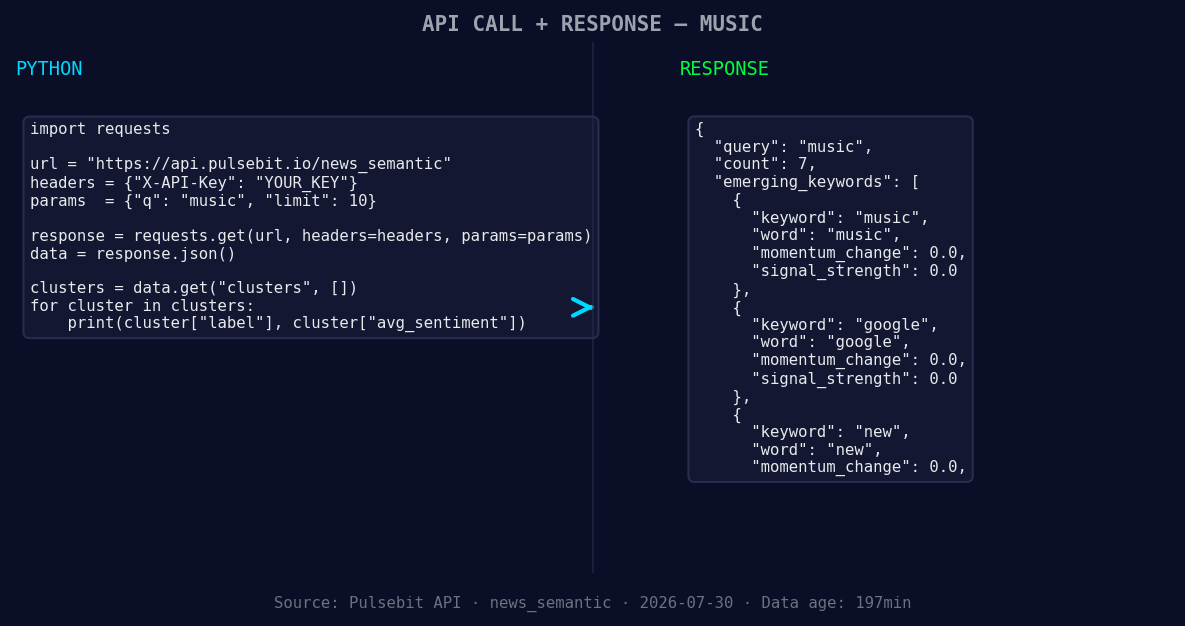
*Left: Python GET /news_semantic call for 'music'. Right: returned JSON response structure (clusters: 3). Source: Pulsebit /news_semantic.*
# Step 1: Query the sentiment data for the 'music' topic
url = "https://api.pulsebit.com/v1/sentiment"
params = {
"topic": "music",
"lang": "en"
}
response = requests.get(url, params=params)
# Example of response processing
data = response.json()
sentiment_score = data['sentiment_score'] # Expecting +0.192
confidence = data['confidence'] # Expecting 0.85
momentum = data['momentum_24h'] # Expecting +0.000
print(f"Sentiment Score: {sentiment_score}, Confidence: {confidence}, Momentum: {momentum}")
# Step 2: Run the cluster reason string back through POST /sentiment
meta_sentiment_url = "https://api.pulsebit.com/v1/sentiment"
cluster_reason = "Clustered by shared themes: kahan, latest, musician, slam, white."
payload = {"text": cluster_reason}
meta_response = requests.post(meta_sentiment_url, json=payload)
meta_data = meta_response.json()
meta_sentiment_score = meta_data['sentiment_score']
meta_confidence = meta_data['confidence']
print(f"Meta Sentiment Score: {meta_sentiment_score}, Meta Confidence: {meta_confidence}")
This code will allow you to filter sentiment data by language and then take the cluster reason string to assess its narrative framing. Not only does it help you catch the emerging trends, but it also enables you to understand the context around them.
Here are three specific things we can build using this pattern:
Geo-Filtered Sentiment Analyzer: Monitor music sentiment exclusively from Huntsville, where we’ve seen a current score of +0.192. Set a threshold of sentiment greater than +0.10 to quickly identify emerging topics in localized music discussions.
Meta-Sentiment Dashboard: Create a dashboard that continuously tracks the meta-sentiment for clusters like “kahan, latest, musician.” Use our API to score these narratives and visualize them in real-time to understand how sentiment evolves.
Forming Gap Alerts: Set up alerts for forming themes such as music(+0.00), google(+0.00), and new(+0.00). Establish a signal that triggers when sentiment changes significantly, especially when compared to mainstream discussions around "latest" or "musician," which can often overshadow local trends.
With these insights, you can ensure your development pipeline is agile and capable of reacting to the pulse of sentiment in real-time.
For more details on how to implement these patterns, check out our documentation at pulsebit.lojenterprise.com/docs. In under 10 minutes, you can copy-paste and run the provided code to start catching sentiment leads yourself.


Top comments (0)