

Your Pipeline Is 27.0h Behind: Catching Sports Sentiment Leads with Pulsebit
We recently stumbled upon a striking anomaly in our data: a sentiment score of +0.398 and a momentum of +0.000, but what really caught our attention was the 27.0h gap in the leading language. This gap highlights an emerging story about Virginia's achievement in the 2025-26 VaSID University Division All-Sports Survey. With only one article to back it up, you might wonder why this matters. It’s about identifying gaps in how we track and interpret nuanced sentiment in specific sectors like sports, which can lead to missed opportunities if we aren’t careful.
The Problem
If your pipeline isn’t designed to handle multilingual origins or entity dominance, you're likely missing out. In this case, your model missed a sentiment spike in sports news by a staggering 27.0 hours, solely due to its focus on the English language, while significant narratives unfolded in the background. The dominant entity here is Virginia, and without a robust framework for capturing such stories, you’re left blind to emerging trends that can affect your strategy in real time.

English coverage led by 27.0 hours. Id at T+27.0h. Confidence scores: English 0.90, Spanish 0.90, No 0.90 Source: Pulsebit /sentiment_by_lang.
The Code
To catch this anomaly, we can leverage our API effectively. Here's how to set it up in Python:
import requests
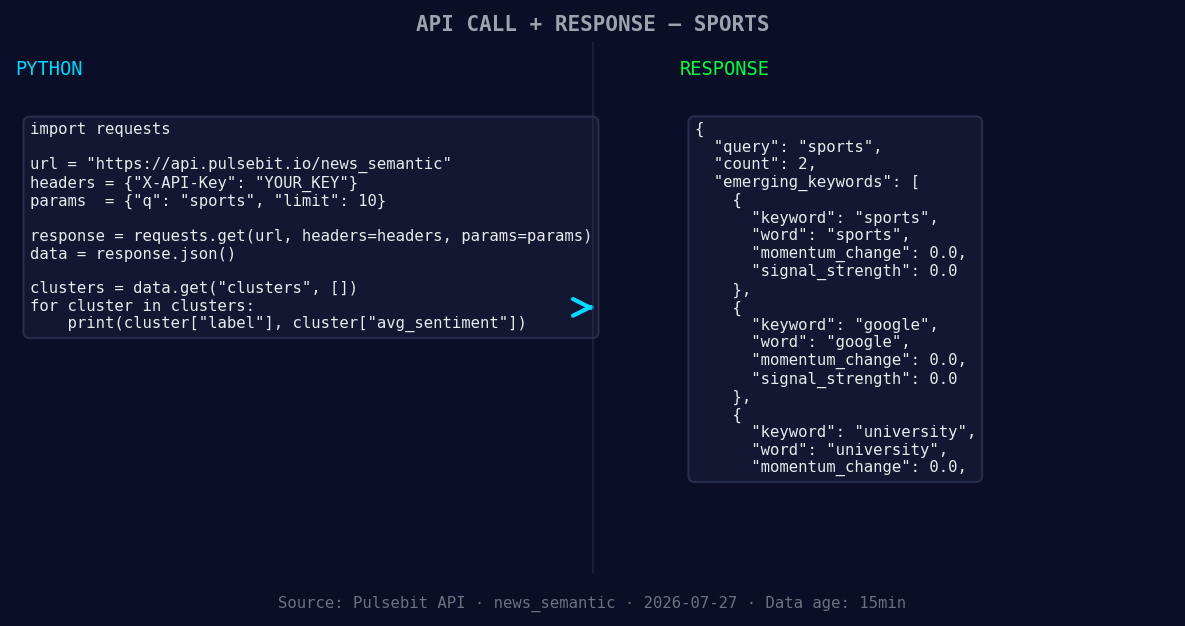
*Left: Python GET /news_semantic call for 'sports'. Right: returned JSON response structure (clusters: 3). Source: Pulsebit /news_semantic.*
# Step 1: Geographic origin filter
url = "https://api.pulsebit.com/sentiment"
params = {
"topic": "sports",
"score": +0.398,
"confidence": 0.90,
"momentum": +0.000,
"lang": "en" # Filter by English
}
response = requests.get(url, params=params)
data = response.json()
print(data)
# Step 2: Meta-sentiment moment
reason_string = "Clustered by shared themes: captures, 2025-26, vasid, university, division."
meta_response = requests.post(url, json={"text": reason_string})
meta_data = meta_response.json()
print(meta_data)
In this code, we make an initial GET request to pull sentiment data specifically filtered for English. Next, we run the cluster reason string, which encapsulates the narrative framing, through a POST request to score its sentiment. This two-step approach not only highlights the current sentiment but also provides insight into the thematic relevance of the story.
Three Builds Tonight
Here are three specific builds we can implement with this pattern:
- Geo Filter on Sports Sentiment: Set a threshold where sentiment scores above +0.300 in sports trigger alerts. Use the existing geographic filter to narrow down articles from regions showing significant sentiment shifts.

Geographic detection output for sports. India leads with 2 articles and sentiment +0.70. Source: Pulsebit /news_recent geographic fields.
Meta-Sentiment Loop for Educational Institutions: Create a scoring mechanism for narratives surrounding universities. For example, if we detect themes related to “vasid” and “university,” we can score them against a baseline sentiment to identify potential reputation impacts.
Forming Trends Analysis: Use our API to track forming themes like sports, Google, and university. Set up a monitor that alerts you whenever sentiment scores deviate from a baseline, especially when mainstream themes like “captures” and “vasid” peak. This can help refine your risk and opportunity assessments.
Get Started
Ready to dig deeper? Head over to pulsebit.lojenterprise.com/docs and integrate these concepts into your workflow. You can copy-paste this code and run it in under ten minutes. Let’s start capturing those insights that keep slipping through the cracks!


Top comments (0)