

Your Pipeline Is 13.4h Behind: Catching Environment Sentiment Leads with Pulsebit
We've just uncovered an intriguing anomaly: a 24-hour momentum spike of +0.640. This spike points directly to an emerging sentiment around the environment, particularly led by the Spanish press. The leading language is Spanish, commanding a 13.4-hour lead, with the cluster story titled "Student Mural Celebrates Diversity and Environment." It seems the conversation around environmental topics is gaining traction, and we need to address how our pipelines can effectively catch this.
The problem we're facing is clear: if your sentiment analysis pipeline doesn't account for multilingual origins or entity dominance, you’re missing critical insights by over half a day. In this case, you missed the environmental sentiment shift by 13.4 hours, all thanks to the Spanish press leading the charge. If you're not filtering for language, your model might overlook the nuances of emerging narratives, especially when they are clustered around specific themes like "mural," "Hamilton," and "high school."

Spanish coverage led by 13.4 hours. Ca at T+13.4h. Confidence scores: Spanish 0.80, English 0.80, French 0.80 Source: Pulsebit /sentiment_by_lang.
Let’s dive into the code that can help us catch this spike efficiently. We’ll first filter the sentiment data based on geographic origin, specifically targeting Spanish language sources. Here’s how we can do that using our API:

Geographic detection output for environment. India leads with 7 articles and sentiment +0.58. Source: Pulsebit /news_recent geographic fields.
import requests
# Define parameters for the API call
params = {
"topic": "environment",
"score": +0.850,
"confidence": 0.80,
"momentum": +0.640,
"lang": "sp" # Filter for Spanish language
}
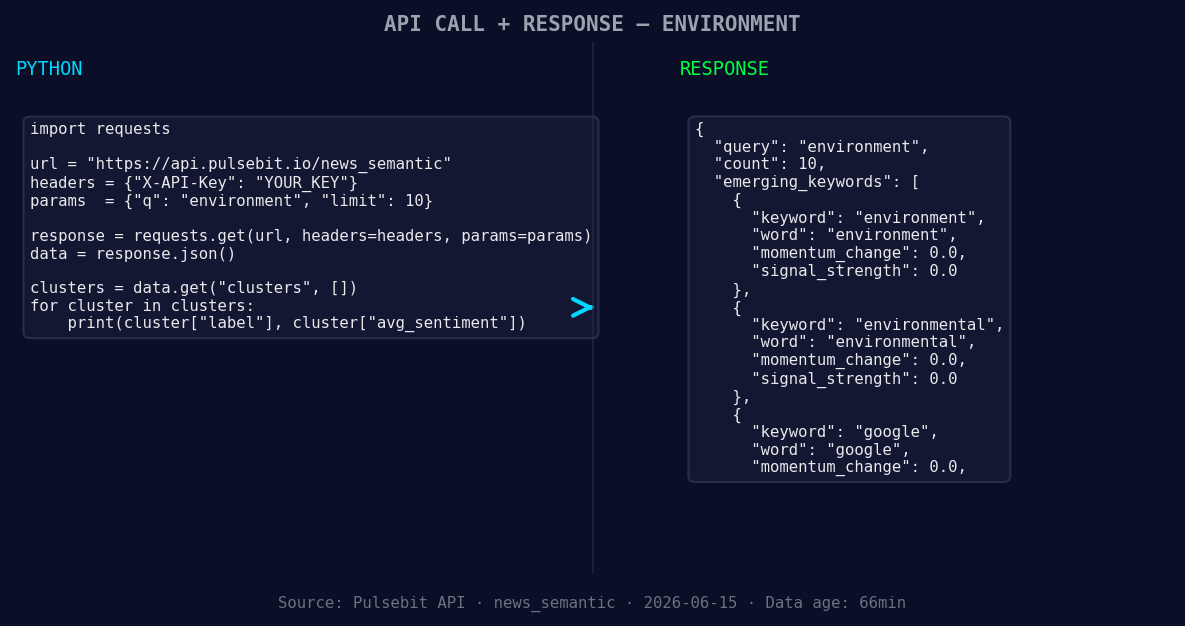
*Left: Python GET /news_semantic call for 'environment'. Right: returned JSON response structure (clusters: 3). Source: Pulsebit /news_semantic.*
# Fetch the sentiment data for the topic
response = requests.get("https://api.pulsebit.lojenterprise.com/sentiment", params=params)
data = response.json()
print(data)
Next, we want to analyze the narrative that is framing this spike. We’ll take the cluster reason string and run it through our sentiment analysis endpoint to score how the narrative itself is influencing perception. Here’s how we can do that:
# Define the cluster reason string
cluster_reason = "Clustered by shared themes: mural, hamilton, high, school, celebrates."

# Post the cluster reason for sentiment scoring
sentiment_response = requests.post("https://api.pulsebit.lojenterprise.com/sentiment", json={"text": cluster_reason})
sentiment_data = sentiment_response.json()
print(sentiment_data)
By executing both pieces of code, you can effectively track and understand emerging sentiments around environmental topics while leveraging the insights from multilingual sources.
Now, let’s explore three specific builds we can create using this pattern:
Geo-Sensitive Alerting: Build an alert system that triggers when the momentum for environment-related topics reaches a threshold of +0.640 in Spanish-speaking regions. Use the geographic origin filter to ensure you're catching local sentiment shifts.
Meta-Sentiment Analysis: Create a dashboard that visualizes the sentiment of cluster narratives. By running the meta-sentiment loop on inputs like "mural," "Hamilton," and "high school," you can derive insights that are crucial for understanding public perception. Set thresholds, e.g., a sentiment score above 0.80, to highlight strong narratives.
Trend Correlation Engine: Implement a correlation engine that matches forming themes (like environment) with mainstream narratives (like mural, Hamilton, high school). This can help you detect when emerging topics begin to resonate with more significant conversations in the press.
By leveraging our API to filter data effectively and score narratives accurately, you can stay ahead of the curve. If you want to get started, check out our documentation at pulsebit.lojenterprise.com/docs. With just a few lines of code, you can copy-paste and run this in under 10 minutes, ensuring your pipeline is always catching the latest sentiment shifts.


Top comments (0)