

Your Pipeline Is 22.2h Behind: Catching Travel Sentiment Leads with Pulsebit
We just noticed a significant anomaly: a 24-hour momentum spike of +1.500 in travel sentiment. This surge isn't just a passing trend; it's a clear signal that there's something happening in the travel sphere, particularly around themes of summer and money. With this level of momentum, we can't afford to miss out on the implications for our data pipelines.
But here's the catch: if your pipeline isn't designed to handle multilingual origins or entity dominance, you could be lagging behind by as much as 22.2 hours—specifically, this is how long it took for English press articles to catch on to this momentum. If your model isn't tuned to pick up on these nuances, you risk missing critical insights that can give you an edge over the competition. In this case, the leading language was English, and our model needs to be sensitive to that.

English coverage led by 22.2 hours. Sl at T+22.2h. Confidence scores: English 0.90, French 0.90, Id 0.90 Source: Pulsebit /sentiment_by_lang.
Let’s dive into the code that helps us catch this momentum spike efficiently. First, we need to filter for English content related to travel. Here’s how we can do that using our API:
import requests
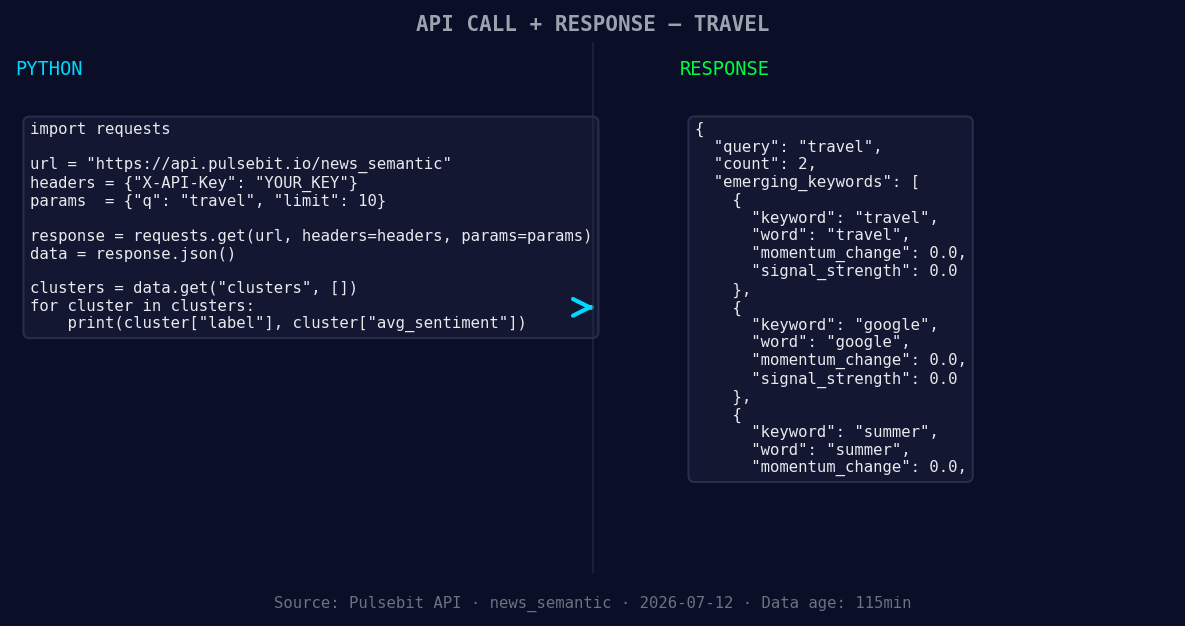
*Left: Python GET /news_semantic call for 'travel'. Right: returned JSON response structure (clusters: 3). Source: Pulsebit /news_semantic.*
# Define the parameters for the query
topic = 'travel'
momentum = +1.500
score = +0.409
confidence = 0.90
# Geographic origin filter: query by language/country
url = "https://api.pulsebit.com/endpoint"
params = {
"topic": topic,
"lang": "en",
"momentum": momentum,
}
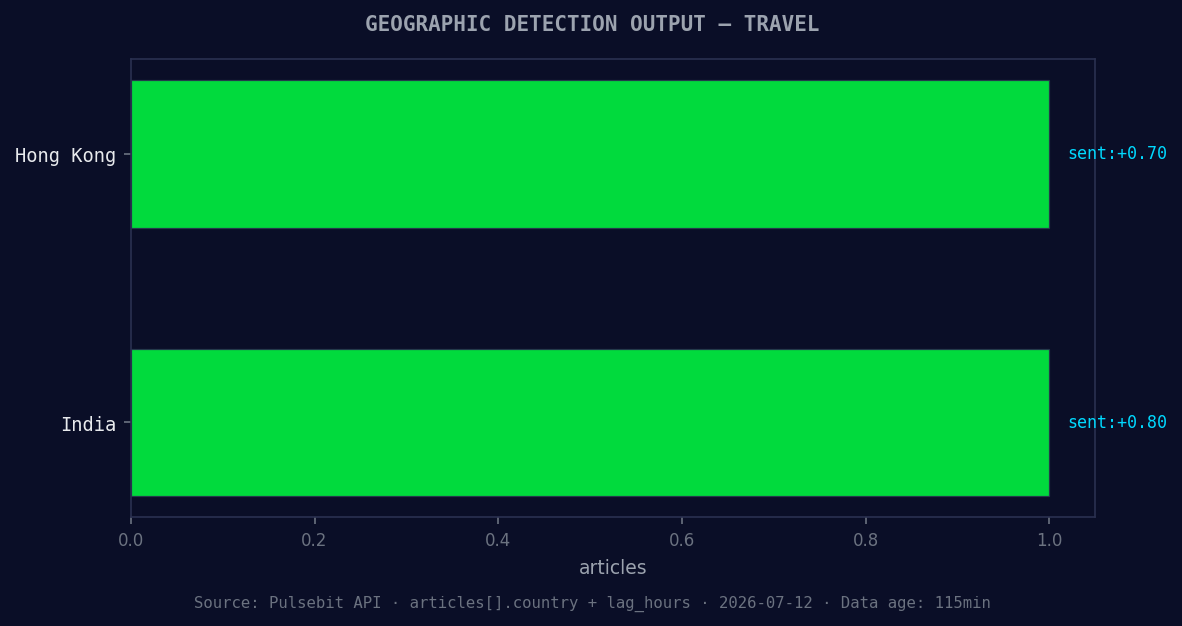
*Geographic detection output for travel. Hong Kong leads with 1 articles and sentiment +0.70. Source: Pulsebit /news_recent geographic fields.*
response = requests.get(url, params=params)
data = response.json()
print(data)
Now that we’ve filtered for the right content, we want to examine the narrative framing around this travel sentiment. We’ll run the cluster reason string through our sentiment scoring endpoint to gain more insights:
# Meta-sentiment moment
cluster_reason = "Clustered by shared themes: tips, summer, money, travel, krem."
sentiment_url = "https://api.pulsebit.com/sentiment"
sentiment_response = requests.post(sentiment_url, json={"text": cluster_reason})
sentiment_data = sentiment_response.json()
print(sentiment_data)
By leveraging these two calls, we can start to build a pipeline that not only identifies emerging trends but also provides context around how those trends are framed in the media.
Now that we have a solid foundation, let's discuss three specific builds we can implement using this pattern:
Travel Sentiment Tracker: Use the geographic origin filter to keep tabs on real-time sentiment shifts regarding travel. Set a threshold for momentum (e.g., +1.000) to alert you when significant spikes occur, allowing you to react quickly to changing sentiments.
Cluster Reason Analyzer: Create an automated process that utilizes the meta-sentiment loop to score narratives as they emerge. By setting a threshold for confidence (e.g., >0.85), you can refine your understanding of how different themes are being perceived, especially when compared to mainstream narratives like "tips" and "money."
Forming Theme Dashboard: Develop a dashboard that visualizes forming themes—like travel and summer—against mainstream topics. Implement alerts for when these themes diverge significantly from mainstream topics (e.g., >0.50 difference in sentiment scores), enabling you to catch potential opportunities or risks early.
By building these signals into your workflow, you can ensure that your pipeline isn't just reactive but proactive in understanding market sentiment.
For more details on how to get started, visit our documentation at pulsebit.lojenterprise.com/docs. With the right setup, you can copy, paste, and run these examples in under 10 minutes, putting you ahead of the curve in sentiment analysis.


Top comments (0)