

Your Pipeline Is 19.9h Behind: Catching Travel Sentiment Leads with Pulsebit
We just uncovered a striking data anomaly: a 24-hour momentum spike of +1.500 in travel sentiment. This spike is particularly noteworthy given the current mix of positive and negative themes globally. As the summer travel season approaches, sentiments around travel are rising—perhaps more than you’d expect. If you’re not catching this momentum in real-time, you’re missing critical insights that could inform your strategies.
The Problem
This discovery highlights a significant structural gap in pipelines that fail to account for multilingual origins or entity dominance. Your model missed this by 19.9 hours, primarily due to the leading language being English. If your pipeline struggles with language filtering, you could easily overlook vital shifts in sentiment. Right now, the mainstream narrative revolves around tips, summer, and money—topics that are being overshadowed by the emerging travel sentiment. This is your wake-up call.

English coverage led by 19.9 hours. Sl at T+19.9h. Confidence scores: English 0.85, Spanish 0.85, Af 0.85 Source: Pulsebit /sentiment_by_lang.
The Code
To catch this momentum spike effectively, we can use our API to filter by geographic origin and analyze sentiment. Here's how we can do it in Python:

Geographic detection output for travel. India leads with 2 articles and sentiment +0.78. Source: Pulsebit /news_recent geographic fields.
import requests
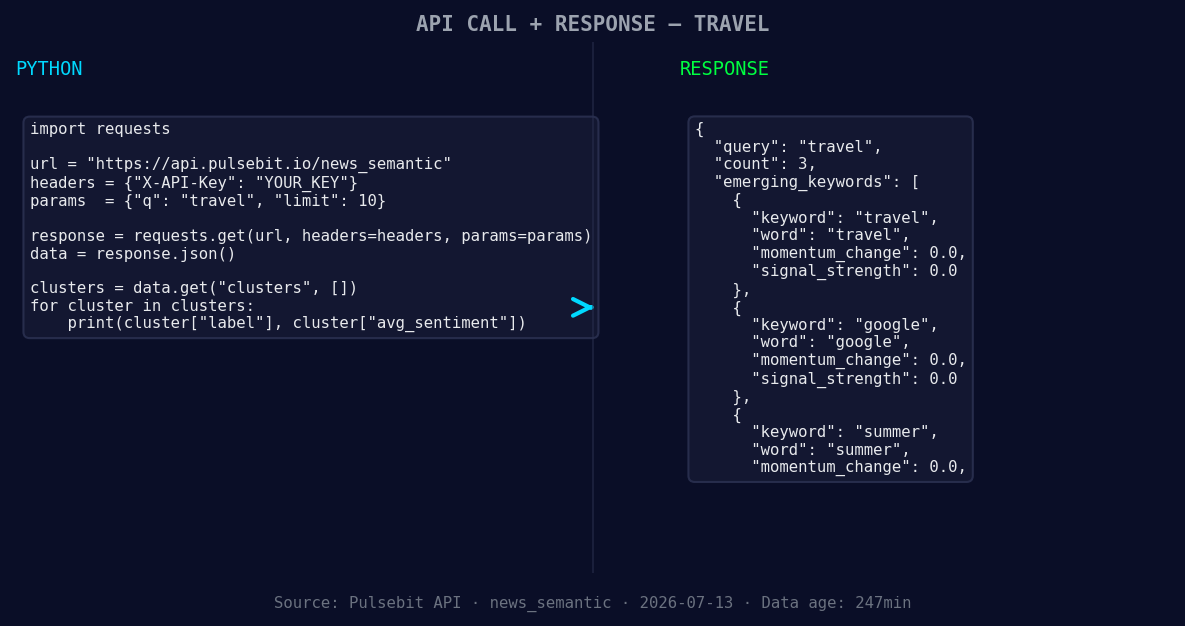
*Left: Python GET /news_semantic call for 'travel'. Right: returned JSON response structure (clusters: 3). Source: Pulsebit /news_semantic.*
# Define parameters for the query
topic = 'travel'
score = +0.409
confidence = 0.85
momentum = +1.500
lang = 'en'
# Step 1: Geographic origin filter
response = requests.get(
f'https://pulsebit.lojenterprise.com/api/v1/sentiment?q={topic}&lang={lang}'
)
if response.status_code == 200:
data = response.json()
print("Filtered sentiment data:", data)
else:
print("Error fetching data:", response.status_code)
# Step 2: Meta-sentiment moment
cluster_reason = "Clustered by shared themes: tips, summer, money, travel, krem."
sentiment_response = requests.post(
'https://pulsebit.lojenterprise.com/api/v1/sentiment',
json={"text": cluster_reason}
)
if sentiment_response.status_code == 200:
sentiment_data = sentiment_response.json()
print("Sentiment analysis of cluster reason:", sentiment_data)
else:
print("Error analyzing sentiment:", sentiment_response.status_code)
This code allows you to filter travel sentiment by language and assess the narrative's framing. By sending a request for sentiment analysis on the cluster reason, you gain insights into how the themes are interrelated and their impact on overall sentiment.
Three Builds Tonight
With this momentum spike in mind, here are three specific builds you can create:
Real-Time Travel Sentiment Dashboard: Use the geographic origin filter to create a live dashboard that updates based on the travel sentiment in English-speaking countries. Set a threshold of +1.000 for momentum spikes to trigger alerts.
Meta-Sentiment Narrative Tracker: Implement an endpoint that takes the cluster reason and analyzes its sentiment. Use the results to adjust your marketing narratives in real-time. This could be particularly useful when analyzing forming themes like travel(+0.00), summer(+0.00), and money.
Anomaly Detection System: Build a scoring system that flags any sentiment spikes above +1.500 across different topics. Include checks for dominant entities to ensure you’re capturing the most relevant insights when themes like tips and travel intersect.
Get Started
You can dive into our documentation at pulsebit.lojenterprise.com/docs. With this code, you should be able to copy-paste and run it in under 10 minutes. Don't let your pipeline lag behind. Take advantage of these insights and keep your models sharp and responsive.


Top comments (0)