

Your Pipeline Is 16.8h Behind: Catching Governance Sentiment Leads with Pulsebit
We recently discovered a striking anomaly in our sentiment analysis: a 24-hour momentum spike of -0.390. This drop indicates a significant shift in sentiment surrounding governance, with the leading language being English, lagging behind by 16.8 hours. As we dug deeper, we found that two articles clustered around the theme “Importance of Data Governance in AI Strategies” were the culprits. The implications of this finding challenge the efficacy of our current pipelines and how they process multilingual data.

English coverage led by 16.8 hours. Ca at T+16.8h. Confidence scores: English 0.85, Spanish 0.85, French 0.85 Source: Pulsebit /sentiment_by_lang.
When your model misses a sentiment shift by 16.8 hours, it’s not just a simple oversight; it’s a critical gap in your data pipeline. This delay can result from a failure to accommodate multilingual origins or recognize dominant entities in the conversation. In our case, the English press has led the discourse, leaving behind other languages and potentially skewing the narrative. If your pipeline doesn’t handle these nuances, you’re likely several hours behind in interpreting public sentiment, especially on topics like governance, where timely insights can drive strategic decisions.
To catch this anomaly within our pipeline, we utilized our API. Here’s how we can effectively filter for the necessary data:
import requests
# Set the parameters for our query
params = {
"topic": "governance",
"lang": "en"
}
# API call to fetch sentiment data
response = requests.get("https://api.pulsebit.com/sentiment", params=params)
data = response.json()
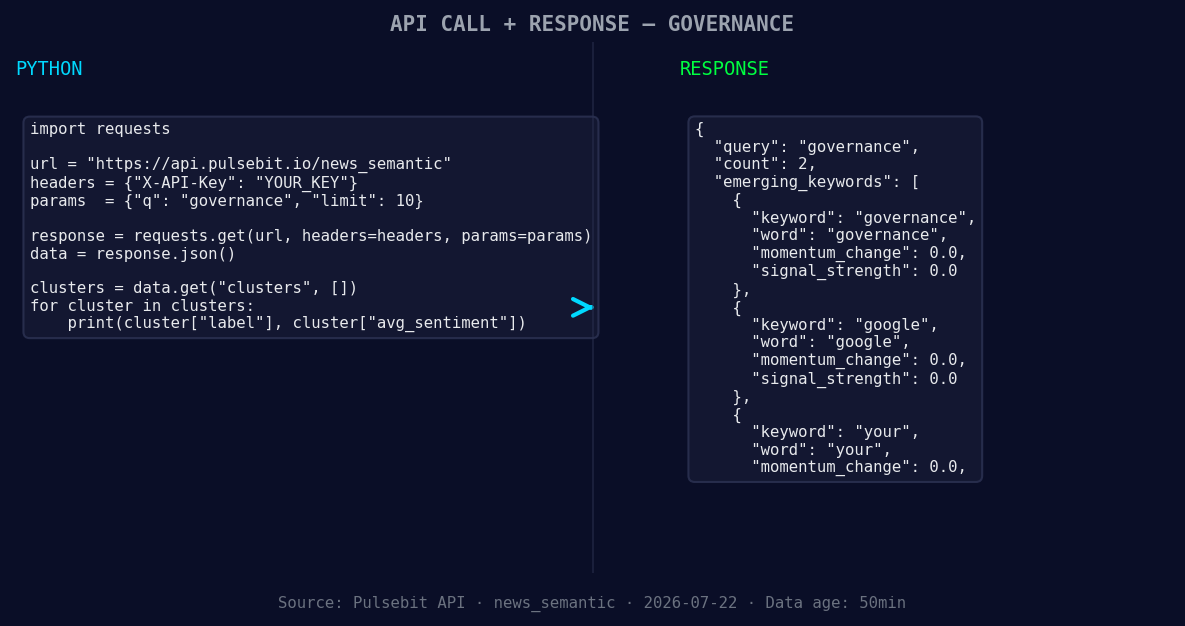
*Left: Python GET /news_semantic call for 'governance'. Right: returned JSON response structure (clusters: 3). Source: Pulsebit /news_semantic.*
# Outputting the relevant data
print(data)
After fetching the sentiment data, we need to score the narrative framing using the meta-sentiment moment. This will help us understand the context of the clustered articles:
# Meta-sentiment moment
meta_sentiment_input = "Clustered by shared themes: your, you, bet, strategy, current."

# API call to score the narrative
meta_response = requests.post("https://api.pulsebit.com/sentiment", json={"text": meta_sentiment_input})
meta_data = meta_response.json()

# Outputting the meta sentiment analysis
print(meta_data)
By utilizing the geographic origin filter and the meta-sentiment loop, we can create specific signals to act upon. Here are three builds we can implement based on the observations from this anomaly:

Geographic detection output for governance. India leads with 2 articles and sentiment +0.10. Source: Pulsebit /news_recent geographic fields.
Governance Alert Signal: Set a threshold for sentiment score changes. If the score drops below +0.3 for governance-related topics, trigger an alert. This ensures you're alerted to significant sentiment shifts.
Google Sentiment Tracker: Use the geographic origin filter to monitor Google’s sentiment regarding governance. Set a signal to notify you when the score changes by more than 0.2 points in a 24-hour period. This helps to capture any emerging trends or shifts in public opinion.
Meta-Sentiment Dashboard: Build a dashboard that visualizes the meta-sentiment scores for clusters. For instance, track the themes "your," "you," and "bet" against mainstream narratives. Use the data to inform content strategy and governance discussions, ensuring you stay ahead of the curve.
If you’re intrigued and ready to catch up on the sentiment shifts that others might miss, check out our documentation at pulsebit.lojenterprise.com/docs. You can copy-paste and run the code provided in under 10 minutes to start integrating this insight into your pipeline. Let’s make sure you’re always ahead of the sentiment curve!


Top comments (0)