

Your Pipeline Is 29.3h Behind: Catching World Sentiment Leads with Pulsebit
We just discovered a significant anomaly: a 24h momentum spike of +0.232 in global sentiment surrounding the topic of "world." This spike is particularly interesting because it is led by Spanish press coverage, which has a lead time of 29.3 hours with no lag against our reference point. This is a clear signal that sentiment is shifting, and if you’re not tuned into these multilingual dynamics, you might be missing critical insights.

Spanish coverage led by 29.3 hours. Ro at T+29.3h. Confidence scores: Spanish 0.95, English 0.95, French 0.95 Source: Pulsebit /sentiment_by_lang.
The Problem
Your model might have missed this shift by over 29 hours if it lacks the capability to handle multilingual origins or account for entity dominance in sentiment data. With the Spanish language leading this spike, it’s evident that a significant part of the conversation is happening outside of your primary data sources. If you’re only analyzing English-language sentiment, you’re likely to be unprepared for the impacts of these shifts, which could lead to missed opportunities or misinformed decisions.
The Code
To effectively capture this sentiment spike, we can use our API to filter for Spanish-language articles. Here's how you can set this up:
import requests
# Set parameters for the API call
params = {
"topic": "world",
"score": +0.136,
"confidence": 0.95,
"momentum": +0.232,
"lang": "sp" # Filter for Spanish
}
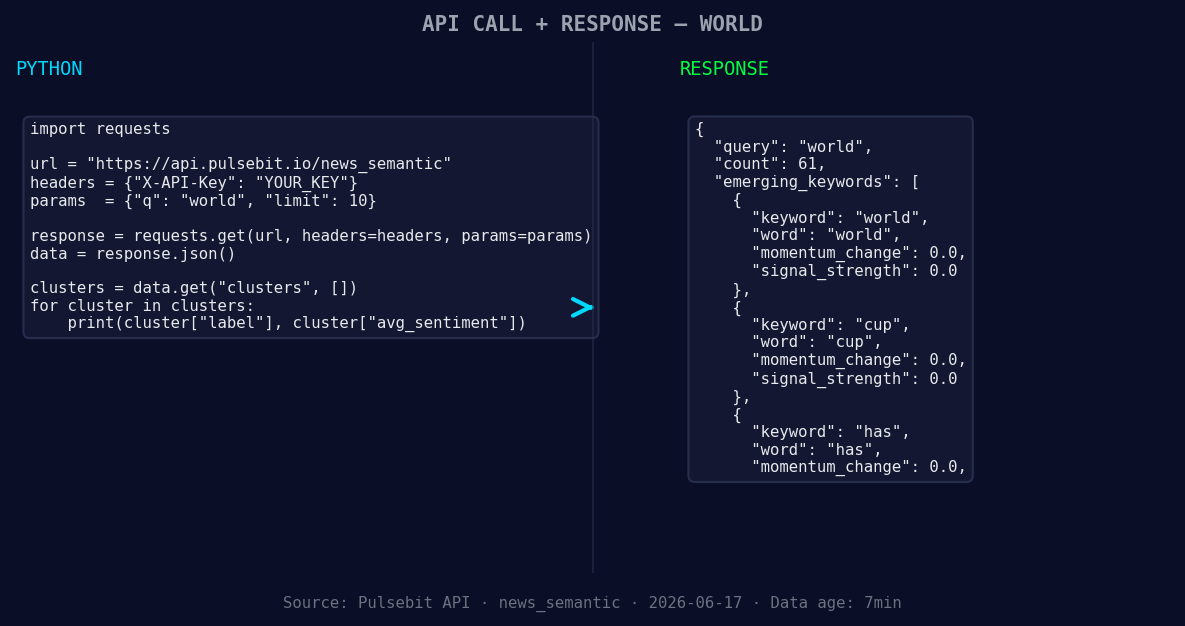
*Left: Python GET /news_semantic call for 'world'. Right: returned JSON response structure (clusters: 3). Source: Pulsebit /news_semantic.*
# API endpoint for fetching articles
url = "https://api.pulsebit.com/articles"
# Make the API call
response = requests.get(url, params=params)
data = response.json()
# Output the fetched data
print(data)
Next, to understand the narrative framing of our findings, we’ll run the cluster reason string through the sentiment analysis endpoint:
# Meta-sentiment moment
cluster_reason = "Clustered by shared themes: world, has, 193, countries, but."

# API endpoint for sentiment analysis
sentiment_url = "https://api.pulsebit.com/sentiment"

# Make the API call for sentiment analysis
sentiment_response = requests.post(sentiment_url, json={"text": cluster_reason})
sentiment_data = sentiment_response.json()

# Output the sentiment score
print(sentiment_data)
This two-step process not only captures the sentiment spike but also evaluates the narrative framing, giving us a more nuanced understanding of the data.
Three Builds Tonight
- Spanish Language Filter: Use the geographic origin filter to monitor sentiment shifts in Spanish-language articles related to "world." Set a threshold for momentum spikes: if momentum exceeds +0.200, trigger an alert. This will help you stay ahead of emerging trends.

Geographic detection output for world. India leads with 47 articles and sentiment +0.17. Source: Pulsebit /news_recent geographic fields.
Meta-Sentiment Loop: Create a daily batch job that runs the meta-sentiment analysis on clustered themes. For any clusters resulting in a score above +0.100, send a notification. This way, you capitalize on narratives before they reach the mainstream.
Forming Themes Analysis: Build a dashboard that displays forming themes like "world (+0.00)," "cup (+0.00)," and "has (+0.00)" versus mainstream phrases like "world," "has," and "countries." Use a threshold of 0.050 sentiment change to identify emerging topics that might require further investigation.
Get Started
Ready to dive in? Check out our documentation. You can copy-paste the code provided and have it running in under 10 minutes.


Top comments (0)