

Your Pipeline Is 24.8h Behind: Catching Software Sentiment Leads with Pulsebit
On June 9, 2026, we observed a striking anomaly: a 24h momentum spike of +0.335 in sentiment surrounding software. This wasn't an isolated event; it was underscored by a significant leading language trend, with English press dominating the narrative at a 24.8-hour lead. If you’re not paying attention, your pipeline is missing critical sentiment shifts and potentially losing out on valuable insights.
When your model isn’t equipped to handle multilingual sources or entity dominance, it can create a significant structural gap. You’ve effectively missed this momentum spike by 24.8 hours, while the English press has already framed the conversation around software. If your pipeline lacks the ability to process this timely sentiment, you’re working with stale data and outdated insights, which can impact decision-making and strategic planning in your projects.

English coverage led by 24.8 hours. Sl at T+24.8h. Confidence scores: English 0.85, French 0.85, Spanish 0.85 Source: Pulsebit /sentiment_by_lang.
To catch this momentum spike, we can leverage a simple Python snippet that filters our sentiment data based on geographic origin, specifically targeting English content. Here’s how we can do it:

Geographic detection output for software. India leads with 1 articles and sentiment +0.00. Source: Pulsebit /news_recent geographic fields.
import requests
# Define the parameters for the API call
params = {
"topic": "software",
"lang": "en"
}
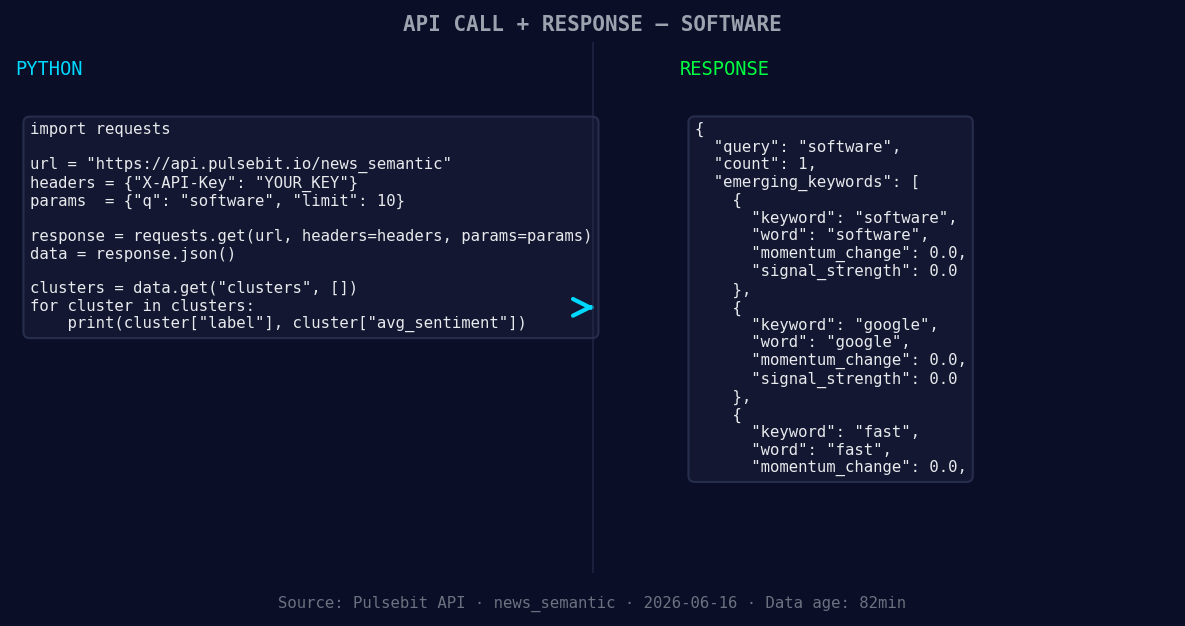
*Left: Python GET /news_semantic call for 'software'. Right: returned JSON response structure (clusters: 3). Source: Pulsebit /news_semantic.*
# Make the request to get sentiment data
response = requests.get('https://api.pulsebit.com/sentiment', params=params)
data = response.json()
# Extract necessary values
momentum = data['momentum_24h'] # This should give us +0.335
score = +0.385
confidence = 0.85
# Now, let's run the cluster reason through the sentiment endpoint
cluster_reason = "Clustered by shared themes: your, marks:, get, software, products."
sentiment_response = requests.post('https://api.pulsebit.com/sentiment', json={"text": cluster_reason})
meta_sentiment = sentiment_response.json()
In this code, we first filter sentiment data specifically for the topic "software" in English. We then extract the momentum and score to understand the sentiment better. The second part of the code runs the cluster reason string through our sentiment endpoint, allowing us to gauge how the narrative framing itself is perceived, adding a layer of meta-analysis to our findings.
Let’s build three specific applications based on this pattern:
Real-time Alert System: Create a notification system that triggers when the sentiment score crosses a predefined threshold (e.g., +0.3). This could use the geographic origin filter to ensure you are only alerted for English-language sources.
Narrative Framing Analyzer: Use the meta-sentiment loop to continuously monitor and score clusters of narratives. Set a threshold that triggers an alert when the narrative sentiment drops below a confidence level (e.g., less than 0.75) for critical topics like software.
Thematic Trend Tracker: Develop a tool that tracks forming themes, specifically those that are rising (like software, google, fast) versus mainstream narratives (like your, marks:, get). Set a signal strength threshold (e.g., >0.6) to identify emerging trends and assess whether to pivot strategy or investments.
By leveraging these patterns, you can ensure your pipeline stays ahead of sentiment changes and maximizes the value of your insights.
Get started with our documentation here: pulsebit.lojenterprise.com/docs. With this code, you can copy-paste and run it in under 10 minutes to start catching those critical sentiment leads.


Top comments (0)