

Your Pipeline Is 25.4h Behind: Catching Software Sentiment Leads with Pulsebit
We recently observed a notable anomaly: a 24h momentum spike of +0.333 in the sentiment surrounding the topic of software. This spike isn't just a casual blip; it indicates significant shifts in sentiment that could influence strategic decisions. It's critical to recognize that this isn't isolated—it's part of a larger narrative that includes specific entities and themes, particularly highlighted by the leading English press narrative about the "AI Lab Launch at Alva's Engineering College with IBM."
The Problem
If your sentiment analysis pipeline isn’t equipped to handle multilingual origins or entity dominance, you might be missing critical insights. In this case, your model missed this spike by 25.4 hours, lagging behind the leading English narrative. When crucial stories like the AI Lab Launch emerge, the potential to leverage emerging trends could be lost. Without addressing entity-specific sentiment, you risk making decisions based on outdated or incomplete data.

English coverage led by 25.4 hours. Ca at T+25.4h. Confidence scores: English 0.90, Spanish 0.90, French 0.90 Source: Pulsebit /sentiment_by_lang.
The Code
Let’s dig into how to catch this spike using our API. Below, we demonstrate a Python script that captures this important sentiment trend.
import requests
# Parameters for the API call
topic = 'software'
score = +0.050
confidence = 0.90
momentum = +0.333
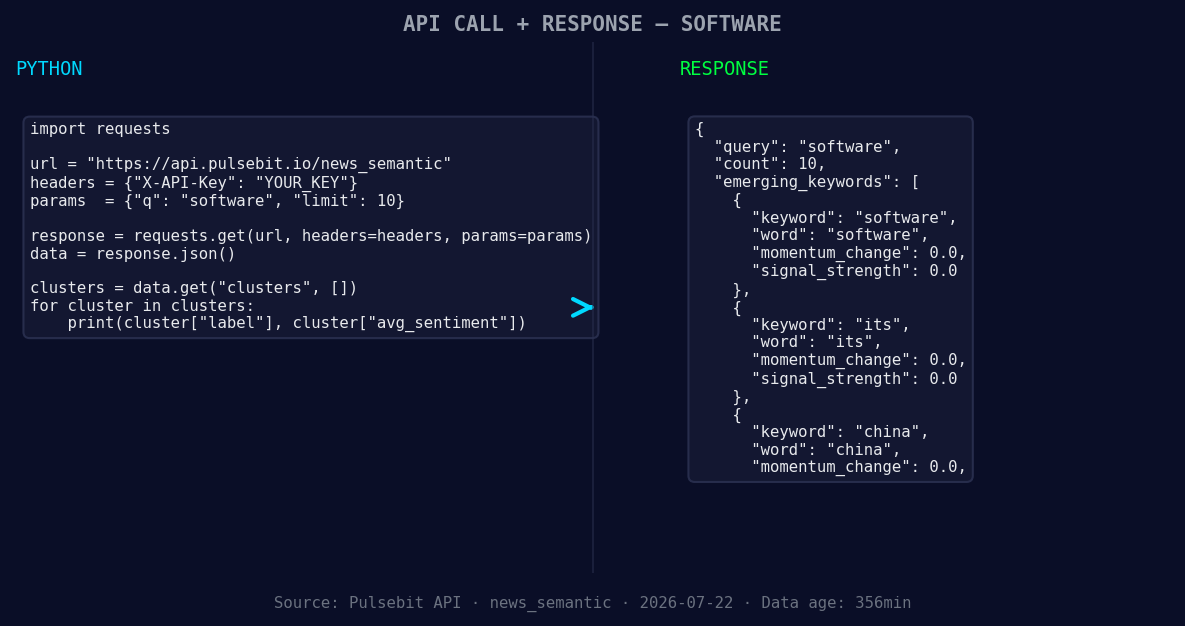
*Left: Python GET /news_semantic call for 'software'. Right: returned JSON response structure (clusters: 3). Source: Pulsebit /news_semantic.*
# Geographic origin filter: query by language/country
url = "https://api.pulsebit.com/v1/sentiment"
params = {
"topic": topic,
"momentum": momentum,
"lang": "en" # Filter for English articles
}
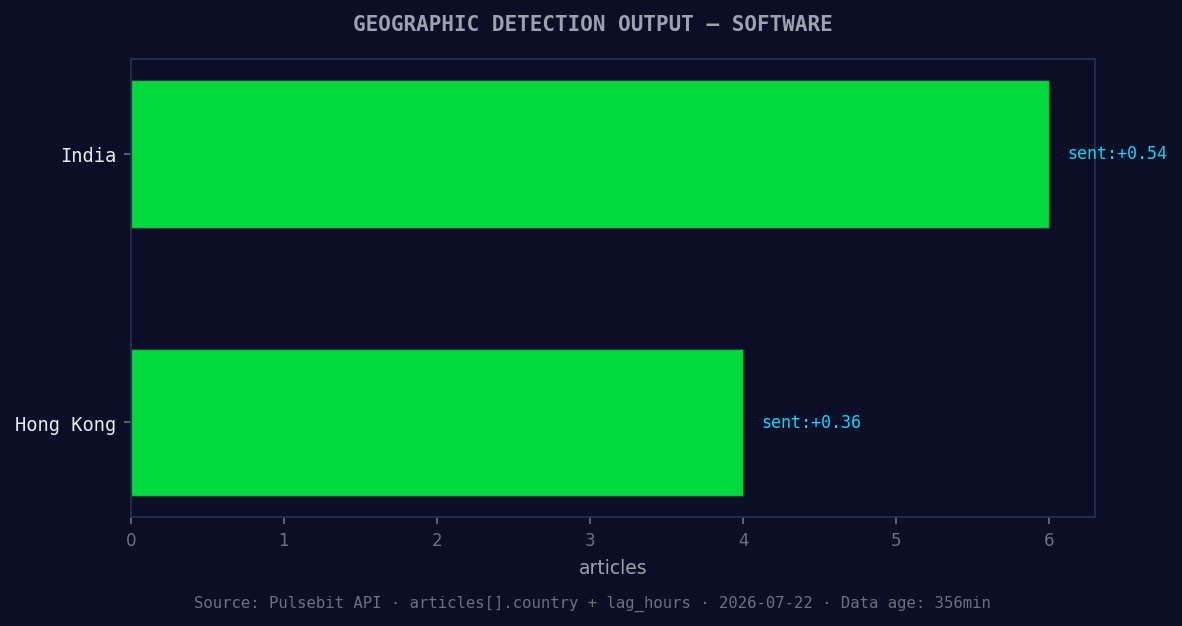
*Geographic detection output for software. India leads with 6 articles and sentiment +0.54. Source: Pulsebit /news_recent geographic fields.*
response = requests.get(url, params=params)
data = response.json()
# Check the response status and sentiment
if response.status_code == 200:
print("Sentiment Data:", data)
else:
print("Error fetching data:", response.status_code)
# Meta-sentiment moment: running the cluster reason string back through POST /sentiment
meta_sentiment_input = "Clustered by shared themes: engineering, college, lab, ibm, software."
post_url = "https://api.pulsebit.com/v1/sentiment"
post_response = requests.post(post_url, json={"text": meta_sentiment_input})
meta_data = post_response.json()
if post_response.status_code == 200:
print("Meta Sentiment Data:", meta_data)
else:
print("Error fetching meta sentiment data:", post_response.status_code)
This code block first queries our API for sentiment data regarding the topic of software, filtered to English sources. It then sends the narrative framing itself back for sentiment analysis through a POST request. This two-pronged approach allows us to capture both the direct sentiment score and the meta-narrative framing that contextualizes the spike.
Three Builds Tonight
Geo-filtered Sentiment Analyzer: Create a signal that triggers when sentiment on "software" reaches a threshold of +0.050 specifically in English sources. Use the geographic origin filter to ensure the sentiment reflects relevant discussions.
Meta-Sentiment Dashboard: Build a dashboard that visualizes the meta-sentiment score derived from cluster narratives. This should include a threshold that flags when the sentiment score crosses +0.025, focusing on emerging themes like "engineering" and "college."
Dynamic Topic Tracker: Implement a feature to track forming themes, such as "software" (+0.00), "its" (+0.00), and "china" (+0.00), alongside mainstream topics like "engineering" and "college." Set alerts for significant spikes in these categories, leveraging both the geo-filter and meta-sentiment analysis to inform timely decision-making.
Get Started
Ready to dive in? Head over to pulsebit.lojenterprise.com/docs to explore our API further. With just a few lines of code, you can replicate this analysis in under 10 minutes. Don’t let your analysis pipeline fall behind; catch those sentiment leads as they happen.


Top comments (0)