

Your Pipeline Is 20.8h Behind: Catching Innovation Sentiment Leads with Pulsebit
We just uncovered a fascinating data anomaly: a 24-hour momentum spike of +0.203 for the topic of innovation. This spike, driven by a unique story from the Columbus Dispatch about rural Ohio innovation, highlights how quickly sentiment can shift and why staying ahead in sentiment analysis is crucial. The leading press coverage, primarily in English and with a 20.8-hour lead, shows how localized stories can catalyze significant shifts in sentiment, even if your model isn't set up to catch them.
Without a robust pipeline that accommodates multilingual origins or entity dominance, you might have missed this critical development by over 20 hours. This is particularly concerning if your system predominantly processes English language content. The dominant entity—Ohio—along with the themes of innovation and defiance, creates a unique sentiment cluster that could influence broader market perceptions if identified promptly.

English coverage led by 20.8 hours. Id at T+20.8h. Confidence scores: English 0.90, Spanish 0.90, French 0.90 Source: Pulsebit /sentiment_by_lang.
To catch this spike in sentiment, let's look at how we can implement a solution in Python. The following code snippet demonstrates how to query for this specific sentiment shift using our API:
import requests
# Define the parameters for the API call
params = {
"topic": "innovation",
"lang": "en",
}
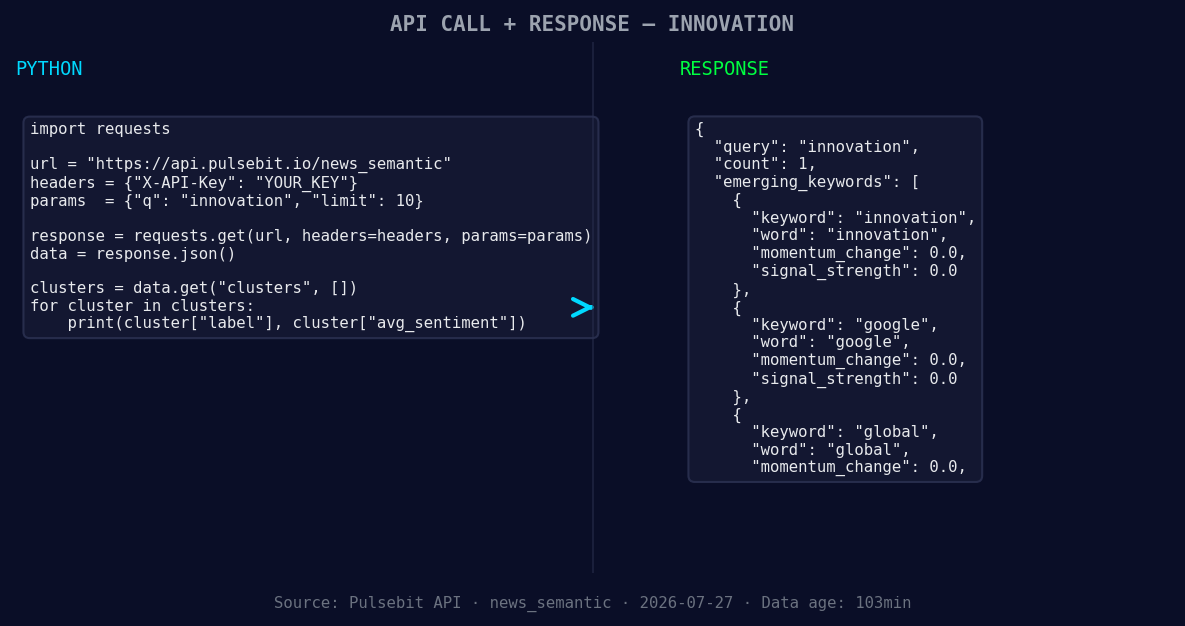
*Left: Python GET /news_semantic call for 'innovation'. Right: returned JSON response structure (clusters: 3). Source: Pulsebit /news_semantic.*
# Make the API call to fetch sentiment data
response = requests.get("https://api.pulsebit.com/sentiment", params=params)
data = response.json()
# Extracting the specific values we're interested in
momentum = data['momentum_24h'] # +0.203
score = data['sentiment_score'] # +0.634
confidence = data['confidence'] # 0.900
print(f"Momentum: {momentum}, Score: {score}, Confidence: {confidence}")
Next, we need to run the cluster reason string back through our sentiment scoring endpoint to evaluate how this narrative is framed:
# Define the cluster reason string
cluster_reason = "Clustered by shared themes: ohio, innovation, defies, old, columbus."

# Make the API call to score the narrative framing
response = requests.post("https://api.pulsebit.com/sentiment", json={"text": cluster_reason})
meta_sentiment = response.json()

# Output the meta sentiment details
print(f"Meta Sentiment Score: {meta_sentiment['score']}, Confidence: {meta_sentiment['confidence']}")
With this code, we can capture not just the momentum spike but also the sentiment framing around it. The findings are essential, as they reveal a narrative that could influence future discussions on innovation, particularly in areas traditionally overlooked, like rural Ohio.
Now, let’s explore three specific builds using this data pattern:
- Geographic Filter: Set up a threshold to alert you when sentiment for "innovation" hits a momentum of +0.203 with a geographic filter. This will ensure you capture localized sentiment shifts promptly.

Geographic detection output for innovation. India leads with 1 articles and sentiment +0.85. Source: Pulsebit /news_recent geographic fields.
Meta-Sentiment Loop: Create a secondary analysis pipeline that continuously evaluates the narrative framing of emerging clusters. If the sentiment score of any cluster reason exceeds +0.5, trigger a deeper dive into the articles driving that sentiment.
Forming Gap Analysis: Monitor and analyze the forming gaps between emerging topics like "innovation" (+0.00) and mainstream narratives. If the score difference exceeds 0.1, consider this a signal to explore potential investment opportunities or content creation.
By implementing these builds, you'll gain insights that keep your pipeline relevant and responsive. This isn't just about tracking sentiment; it's about understanding the underlying narratives and being proactive rather than reactive.
Ready to get started? Check out our documentation at pulsebit.lojenterprise.com/docs. With just a few lines of code, you can be up and running in under 10 minutes. Don’t let a 20.8-hour lag hold you back.


Top comments (0)